
News
macOS Golden Gate’s Public Beta Brings Siri AI and a Design Reset
Apple’s macOS Golden Gate public beta reworks Siri and Liquid Glass while permanently cutting off Intel Macs and Time Capsule backups this fall.

Apple pushed the first public beta of macOS Golden Gate out on July 13, opening its next Mac operating system to anyone willing to test it, not just developers. The free update folds a rebuilt Siri into Spotlight, dials back last year’s polarizing Liquid Glass look, and quietly shuts out every Intel based Mac still in daily use.
None of that is unfamiliar territory for Apple. The company ran almost the same playbook in 2009, when Snow Leopard followed the visually ambitious Leopard with a quiet, fix it release built on refinement instead of new features. Golden Gate repeats that pattern this fall, except this time the toll for moving forward lands on Intel Mac owners and on anyone still backing up to an AirPort Time Capsule.
Siri Moves Into Spotlight’s Front Door
The change most people will notice first is Siri. Press Command plus Space, same shortcut as always, and Spotlight now recognizes a request meant for the assistant and hands it to Siri AI, Apple’s rebuilt version of the tool. It can search the web for general questions, dig through personal photos, emails and messages to find what someone is actually looking for, and carry out steps inside and between apps.
A dedicated Siri app now holds every conversation in one place, synced across Mac, iPhone and iPad, so a question asked at a desk can be picked up later on a phone. Visual Intelligence has also come to the Mac for the first time. Take a screenshot of a PDF, an image or anything else on screen, and Siri AI can explain it, search on it, or act on it.
- Search the web for general knowledge questions and pull in current information
- Search through personal photos, emails and messages to locate files or facts
- Carry out actions in and between apps, such as adding an event straight to the calendar
- Hold multi turn conversations in a dedicated app that syncs across Mac, iPhone and iPad
- Read whatever is on screen through Visual Intelligence and answer questions about it
- Draft, edit or proofread text through Write with Siri, matching a person’s own tone
Write with Siri can produce a draft from nothing, fix grammar, or react to something already written. People can pick a voice, then adjust its pace and expressivity with new sliders that arrived days earlier in iOS 27’s own beta. Shortcuts picked up a similar habit, letting people describe an automation in plain language instead of building it step by step.
Liquid Glass Trades Shine for Legibility
Liquid Glass arrived across Apple’s operating systems last year as a translucent, glass like interface skin, and reaction split fast. Plenty of people liked it. Plenty of others found sidebar labels and menu items hard to read over busy wallpapers, a complaint accessibility advocates raised directly with Apple.
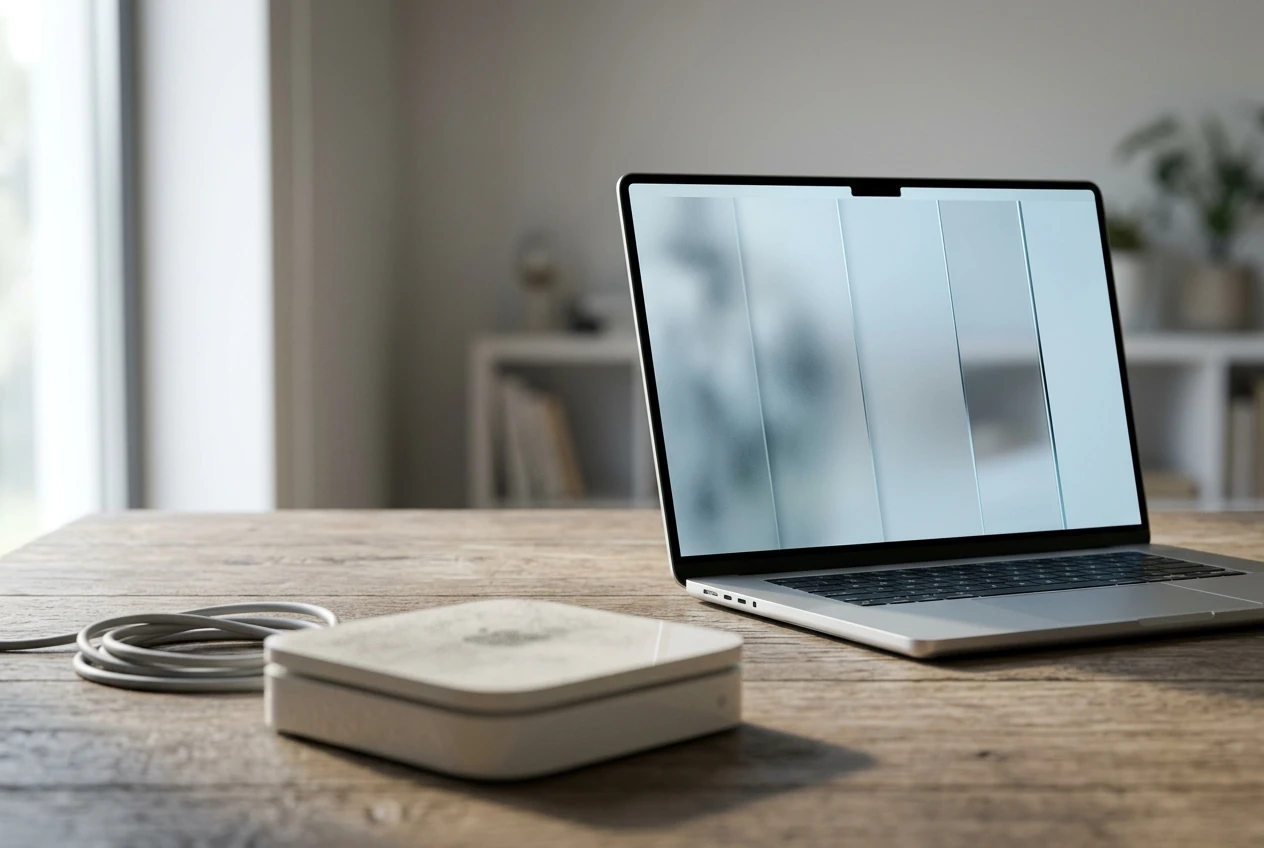
Golden Gate answers that with a slider that runs from fully clear to fully tinted, giving people direct control over how see through the interface looks. Apple also changed how Liquid Glass handles busy backgrounds, adding more contrast and uniform refraction so text stays legible no matter what sits behind it.
Toolbars are now solid bars instead of floating glassy buttons. Sidebars extend edge to edge rather than floating inset from the window frame, and window corners lost the dramatic curve that defined Tahoe. Window positions also now stay consistent across external displays.
| Interface Element | macOS Tahoe (26) | macOS Golden Gate (27) |
|---|---|---|
| Sidebar | Floating, inset from the window edge | Extends edge to edge with a darker background |
| Toolbar | Flattened, floating glassy buttons | Solid bars with clearer heading text and shading |
| Window corners | Dramatically rounded, varied by app | Less rounded, consistent across every app |
| Liquid Glass control | Fixed opacity, no user setting | Slider from ultraclear to fully tinted |
| Menu bar icons | Icon required next to every item | Icons optional, closer to pre-Tahoe style |
| Cursor | Redesigned pointer introduced with Tahoe | Reintroduces the earlier “glove” cursor |
Apple’s own language calls the result more uniform refraction and improved contrast, without dwelling on why the fix was needed. Jason Snell, who has covered Apple for decades at the site Six Colors, was blunter about what actually happened after using the beta.
in Apple marketing-speak, broken features are never remedied or fixed
Snell wrote that in his first look at the public beta, arguing Apple had quietly rolled back “numerous missteps” from Tahoe’s launch year. Six Colors counted more interface changes in Golden Gate than in any other release across the entire 27 era this year, a detail Snell read as proof of how uneven Tahoe’s original execution had been.
Apple Has Run This Fix-It Play Before
Golden Gate did not appear out of nowhere. Apple told developers what was coming a full year in advance, at WWDC 2025’s Platforms State of the Union session, where it confirmed the still unnamed macOS 27 would drop Intel support entirely and be the last version with full Rosetta 2 compatibility.
The bigger echo runs back to 2009. Mac OS X Snow Leopard followed Leopard’s visual overhaul with a version built around performance and stability rather than new features, and Apple has described Golden Gate in nearly the same terms this year, a fix it release focused on speed and dozens of underlying technologies rather than a fresh look. Apple has even recycled a name before. Golden Gate served as the internal codename for macOS Big Sur back in 2020.
Four Betas Landed in Five Weeks
The public beta did not arrive on its own schedule. It capped a run of developer releases that moved at a steady clip, each one adding fixes ahead of a launch Apple has not pinned to an exact date beyond “this fall.”
- June 8, 2026: Apple unveils macOS Golden Gate at WWDC and seeds developer beta 1 the same day.
- June 22, 2026: Developer beta 2 follows, two weeks after the first.
- July 6, 2026: Developer beta 3 ships with new sunset and night wallpapers, and drops Spotlight as a menu bar option in favor of Siri AI.
- July 13, 2026: The first public beta opens macOS 27 testing to anyone with a free Apple ID.
- Fall 2026: Apple has committed only to a fall window for the finished release.
Apple’s own release notes for the third developer beta tell app makers to test their software against the API changes packed into each build, a reminder that the fast cadence is still aimed at developers first.
Intel Macs and Time Capsules Miss the Boat
Six Years After the Apple Silicon Pivot
For the first time, macOS will not install on a Mac with an Intel chip. That cuts off the Mac Pro (2019), the 16 inch MacBook Pro (2019), the 13 inch MacBook Pro (2020, with four Thunderbolt 3 ports) and the iMac (2020), machines that will stay on macOS Tahoe as their final supported version.
The cutoff lands roughly six years after Apple shipped its first M1 Mac in 2020 and began the shift away from Intel chips. Golden Gate is also the last version with full support for Rosetta 2, the layer that lets Apple Silicon Macs keep running older Intel built apps.
An Aging Backup Protocol Runs Out of Road
Golden Gate’s developer beta also arrived with no Apple Filing Protocol (AFP, the Mac’s original network file sharing standard) client at all, ending, according to MacRumors, “more than 40 years of history in the Apple ecosystem.” Every AirPort Time Capsule depends on AFP, so Time Machine backups to that hardware stop working entirely once a Mac moves to macOS 27, nearly two decades after Apple introduced Time Capsule at Macworld Expo in January 2008.
Apple signaled the change well ahead of time. It deprecated the AFP client in macOS Sequoia 15.5 and carried a warning through Tahoe before removing the client outright in Golden Gate. A community workaround called TimeCapsuleSMB, built by James Chang, a Microsoft engineer, loads a modern Samba server onto the hardware so it can accept current SMB3 connections again. Only the fifth generation Time Capsule tower restarts that server automatically after a reboot. Earlier models need a manual command every time the device loses power, meaning a backup can silently stop after any outage.
Is the Public Beta Safe to Install Right Now?
Mostly, but not on a Mac anyone depends on for work. Testers describe an unusually stable and fast early build for this stage of a beta cycle, though scattered bugs remain. Apple and independent reviewers both recommend a full backup before installing, ideally on a secondary machine.
When the first developer beta arrived in June, reaction online settled fast around one theme. One Reddit user described performance as “genuinely mind-blowing on the new macOS 27 beta,” a reaction TechRadar found echoed widely through that thread, with testers reporting that stutters and sluggishness from Tahoe had simply disappeared.
Federico Viticci, the writer behind MacStories, struck a more cautious note in his public beta preview. He called the risk of running the beta “modest” but still keeps a backup plan ready, describing it as “backups, backups of those backups, and alternate Macs I can switch to” in case anything goes wrong.
Frequently Asked Questions
How Do I Install the macOS Golden Gate Public Beta?
Sign up through Apple’s Beta Software Program using a regular Apple ID, with no paid or free developer account required for the public track. Once enrolled, open System Settings, go to General, then Software Update, turn on Beta Updates, and the macOS 27 beta option appears for download. The developer beta, by contrast, still requires a free developer account to unlock the same toggle.
Which Macs Can Run macOS Golden Gate?
Any Mac built on Apple Silicon qualifies, including MacBook Air and MacBook Pro models from 2020 onward, iMac from 2021 onward, Mac mini from 2020 onward, Mac Studio from 2022 onward, and Mac Pro models built on Apple Silicon starting in 2023. Every Intel based Mac, regardless of age or specs, is excluded from the upgrade path entirely.
Does Golden Gate Still Support Time Capsule Backups?
No. Removing the Apple Filing Protocol client means Time Machine can no longer see a Time Capsule as a backup destination once a Mac updates to macOS 27. The open source TimeCapsuleSMB project can restore a connection, but it requires a Mac running macOS 14 or later, or a Linux machine on the same network, plus Homebrew, Python 3.9 or newer and smbclient installed before it works.
Will Siri AI Work the Same Way in the EU and China?
Mostly yes in the European Union and not at all in China, at least at launch. Unlike the iPhone and iPad versions, Siri AI on the Mac is not delayed in the European Union by the Digital Markets Act, so EU based Mac users get the feature alongside everyone else. Apple Intelligence and Siri AI remain unavailable in China regardless of hardware, and the assistant ships in English only for now, with more languages promised later.
Is the Public Beta Stable Enough for a Main Mac?
Reviewers say it is more stable than usual for a first public beta, but not stable enough to trust with irreplaceable files. Testers on the developer track have flagged occasional jerky window resizing and brief animation stutters on some Macs, on top of the usual early bugs. A full backup before installing remains the standard advice from every outlet that has tried it.
When Will macOS Golden Gate Officially Launch?
Apple has only committed publicly to this fall, though the beta cadence and the company’s past launch patterns point toward a September release tied to new iPhone announcements. Until Apple names an exact date, the public beta remains the only way for most Mac owners to use Golden Gate early.


Sony and Warner Sue Anthropic Over Torrented Song Lyrics

Microsoft 365 Auth Fault Took Down Exchange and Teams

OpenClaw 2.0 Ships a Team Workplace With Host-Trust Defaults

Honor’s Robot Phone Works, Then Prices Itself Out

Florida Cities Top Retirement Rankings the Scores Cannot Explain

Walmart’s $50 Million Opioid Settlement Closes Case Without Admission

California Sues Over $120 Million Morro Bay Wind Lease Buyout

Gilead Bixlenvo FDA Nod Opens Single Pill Path for Complex HIV Cases

Meta’s $18B Kids Deal Forever Shields Data Used to Spot Under-13s

Lettuce Outbreak Drove Record Cyclospora Spike Across 20 States

Take-Two CEO Pushes Netflix Subs for GTA 6 Extended Look

Quake Gets 19 Free Maps From MachineGames Quake Club

Destiny 2 Fans Unlock Vaulted Maps After Live Service Ends

Wildlands Free Update Hands Players the Tools They Already Invented

Stripe Bid Shows PayPal Moat Cracked After Years of Slide

Quordle Monday Delivers Gavel Crush Speed Ethos Cleanly

Tyson’s Five-Year Utah Plant Falls to Cattle Shortage Reckoning

Silver Lake Workday Talks Signal Private Floor for Software

Kennedy Lewis Takes Majority Control of The Greenbrier in $500M Deal

Best Buy Marks 60 Years With Sale That Echoes Its Audio Shop Roots
-

 TECHNOLOGY3 years ago
How to Adjust a Bulova Watch Band – An Easy Guide
-

 News3 years ago
Fred Pentland: Athletic Bilbao’s English mentor who changed the essence of Spanish football
-

 FINANCE3 years ago
Tax Planning for Every Season: Guide to Maximizing Your Tax Benefits
-

 Education3 years ago
African Ministers New Education Plan
-
 BUSINESS3 years ago
What is Entrepreneurial Operating System? A Comprehensive Guide to EOS
-

 Education3 years ago
Innovate Your Learning Journey with Technology and Enhance Education
-

 News3 years ago
Russians formally out of World Athletics Championships
-

 BUSINESS3 years ago
Top 9 Most Expensive American Cities to Rent an Apartment