
News
Spotify Running Mode Returns After the 2015 Experiment Failed
Spotify’s new Running Mode builds AI playlists around your BPM and workout type on Premium iOS, a deliberate reboot of the retired 2015 sensor feature.

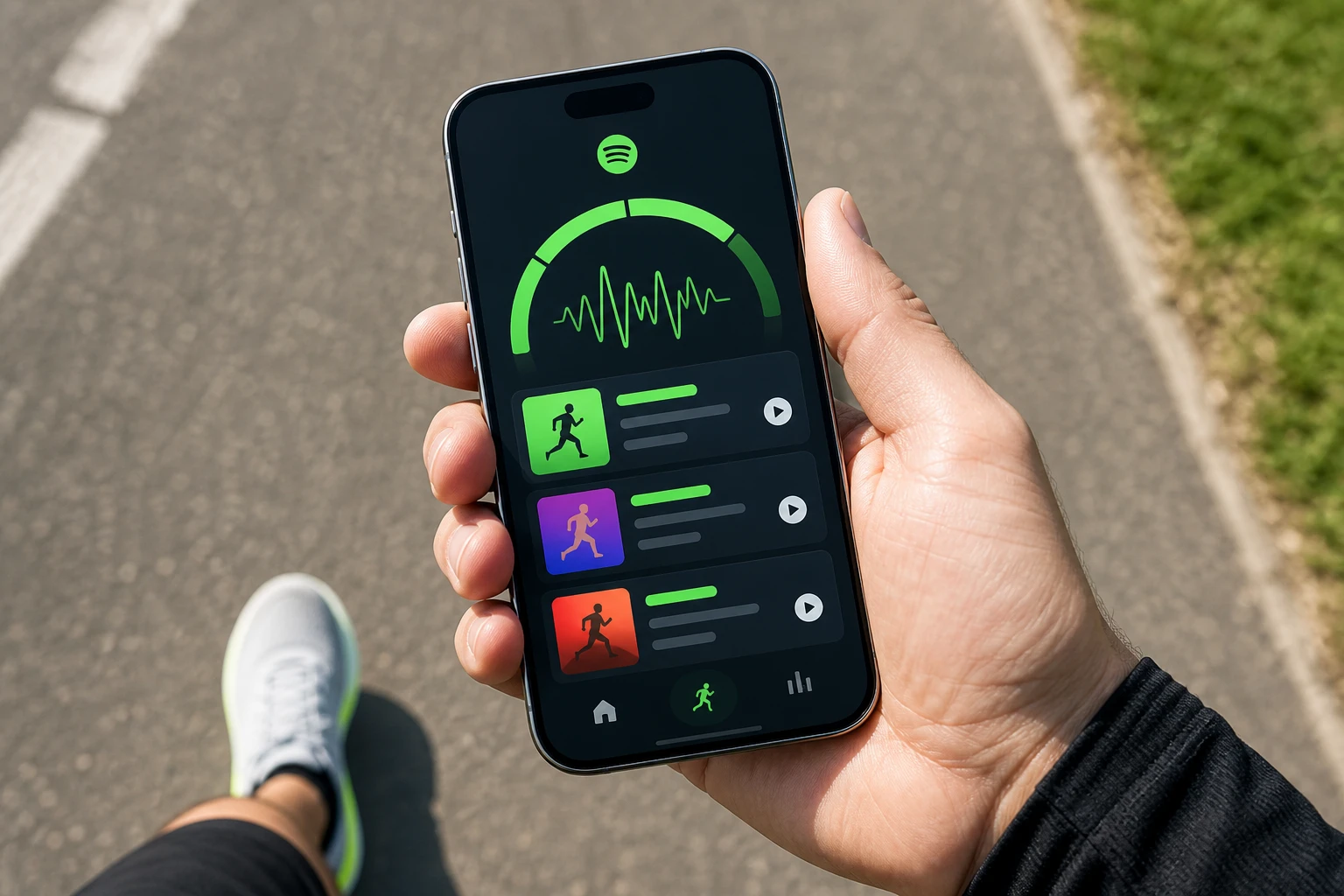
Spotify launched Running Mode on July 30 for Premium subscribers on iOS in the US, UK, Canada, Ireland, Australia, New Zealand and Sweden. The AI feature builds playlists from 25 presets around workout type, duration, genre and target beats per minute so runners spend less time hunting tracks and more time moving.
It sits inside the Fitness hub and adds optional English audio coaching. The move reboots a 2015 experiment Spotify retired in 2018, this time without phone sensors that once auto-matched pace.
How Running Mode Builds a Session
Premium users search “fitness” or open the Fitness hub, tap Running Mode, then pick a preset or start custom. Options cover Just Run, Easy, Interval, Pyramid or Long and Advanced structures. Genre choices begin with pop, hip-hop, EDM, rock and R&B; more appear later, including house, Latin, classical and country.
Users set duration, toggle a target BPM, optionally adjust song speed to match, and switch on the coach. Generation can take about two minutes. The resulting playlist can be smart-reordered or refined before the run starts.
- Choose workout structure and length first.
- Select music mood and discovery level for new tracks.
- Lock a BPM target if desired and enable coaching cues.
- Press play for seamless track transitions matched to the plan.
Spotify says the mode 25 curated running presets and BPM controls turn playlists into full sessions. Music matches the selected tempo and moves fluidly through phases.
The 2015 Version Used Phone Sensors
Spotify introduced a Running feature in 2015 that used device hardware to detect stride and serve music that synchronized in real time. It aimed for the same tempo-matching goal. The company retired it on 26 February 2018, telling the community it took feature sunsets seriously.
- 2015: Spotify Running launches with automatic pace detection via phone sensors.
- 2018: Feature retired; users lose the reactive tempo sync.
- April 2026: Fitness hub opens with Peloton partnership.
- July 30 2026: Running Mode arrives as user-defined AI experience on iOS Premium.
The new version requires runners to set requirements up front. No hardware listens mid-stride. That shift removes dependency on sensors that could glitch outdoors and puts control (and the cognitive load) on the user.
Twenty-Five Presets and an Optional Coach
Presets give quick starts. Music Ally noted examples such as a 20-minute tapered pop run at 135 BPM or a 45-minute interval hip-hop run at 150 BPM. Custom paths expand those.
| Workout type | Typical structure | BPM role |
|---|---|---|
| Interval | Work and recovery blocks | Higher peaks for efforts |
| Steady | Consistent effort | Locked mid-range tempo |
| Pyramid | Build then descend | Climbing then easing BPM |
| Easy / Just Run | Low pressure | Gentle entry range |
Optional audio cues arrive in English at key moments. Spotify describes them as a supportive friend offering timely motivation without drowning the music. In practice the coach is pre-scripted to the chosen structure, not live-responsive to heart rate or GPS.
One early tester heard form reminders such as unclenching fists and dropping shoulders, plus groove cues timed to song changes. Announcements name each track. The same tester watched a Garmin confirm exact 180 cadence on a kick-drum lock during a Paramore song.
Fitness Hub Already Had Peloton Classes
Running Mode extends work that began in April. Spotify opened a Fitness hub and partnered with Peloton so Premium users gained access to more than 1,400 ad-free Peloton classes plus creator videos. Search “fitness” surfaces the hub on mobile, desktop or TV.
The company noted that since Prompted Playlists expanded, fitness-based prompts proved popular. Running Mode is framed as the logical next step: goals plus personal taste powering a full session rather than a static list.
Earlier, a 2023 Strava integration let athletes control Spotify from the record screen. Strava discontinued its Spotify integration recently, leaving the apps side-by-side again. Spotify is now building the experience inside its own walls.
Who Can Use It Today
Access is tightly gated at launch.
- Subscription: Premium only.
- Platform: iOS app first; Android and other surfaces later if the rollout expands.
- Markets: United States, Canada, United Kingdom, Ireland, Australia, New Zealand, Sweden.
- Language for coach: English audio cues.
Free-tier users and Android listeners wait. The limits keep quality high while Spotify watches engagement inside the still-new Fitness hub. They also push the Premium value story at a moment when streaming services face streaming price and royalty pressures.
A Test Run Locked Cadence at 180
Lifehacker senior writer Meredith Dietz, training for a marathon, tested a Pyramid Rock preset on launch day. She raised duration to 35 minutes, set discovery toward new music, targeted 180 BPM and enabled the coach. The playlist opened near 133 BPM, climbed to the peak target, then dropped one odd 210 BPM track into cooldown.
let the groove loosen my stride, and remember to unclench your fists and drop your shoulders
That cue came during a hip-hop segment. Dietz wrote that locking tempo to target cadence sharpens an internal metronome and that pyramid structures force attention to stride changes. She compared the coaching feel to Nike Run Club guided runs, though Spotify’s version stays music-first and non-reactive.
Runners who already chase cadence often aim for the ideal running BPM ranges of 120 to 180 depending on intensity, with 150-180 common for high-turnover work. The feature gives them a structured soundtrack without leaving the app or juggling separate coach audio.
On X, Spotify’s own product video with Austin Lamon drew tens of thousands of views. Replies and parallel posts mixed enthusiasm for discovery and seamless transitions with quiet notes that the old sensor magic is gone. Some users still want exact speed-shifting of tracks rather than native-BPM selection alone. The crowd layer shows the trade-off is accepted when the structure holds and the music fits personal taste.
Similar AI curation experiments appear elsewhere; AI tools that scan streaming playlists for other signals are already public. Spotify’s bet is that workout-specific generation plus light coaching keeps people inside one subscription longer.
Frequently Asked Questions
What is Spotify Running Mode?
It is an AI-powered Fitness hub experience that generates personalized running playlists from 25 presets or custom settings for workout type, duration, genre and target BPM, with optional English audio coaching cues layered over the music.
How does Running Mode differ from the 2015 Spotify Running feature?
The 2015 version used phone sensors to detect pace in real time and swap tracks automatically; Running Mode requires the user to define structure and tempo before starting and does not react to mid-run speed changes.
Do I need Spotify Premium for Running Mode?
Yes. The feature is gated to Premium subscribers and launched first on the iOS app in seven English-speaking and Nordic markets.
Can Running Mode automatically detect my running pace?
No. Users set their own BPM target and workout plan up front; the system selects and transitions tracks to match those choices rather than reading accelerometer data live.
What workout types and coaching does it support?
Structures include interval, steady, pyramid, easy and longer runs; the optional coach delivers pre-timed English motivation and form reminders without interrupting the music mix.


Halo Campaign Evolved Skulls Meet Death Barriers That Kill the Hunt

Spotify Running Mode Returns After the 2015 Experiment Failed

Amazon AWS Hits Fastest Growth in Years as AI Spend Pays Off

Amazon Bets Platform Beats Models in the AI Race

Apple C2 Modem Edges Into iPhone 18 Pro After Qualcomm Drop

Google Earth Adds Nano Banana 2 to Reimagine Real Places

Apple Upgrade Turns Phones Into Monthly Utility Bills

Asha Sharma Bets Xbox Growth on Console and Four C’s

MacBook Ultra Design Follows Apple’s Familiar Cascade Path

TAG Heuer Carrera x Team Ikuzawa Revives 1970s Roadmaster Stopwatch DNA

Pokémon GO Developer Niantic Rebrands as Scopely Explore

Persona 4 Revival Hands All Anime Cutscenes to Studio MAPPA

Jaylen Brown Traded to 76ers for Paul George and Four Draft Picks

Doom Studio id Software Cuts Half Its Staff in Xbox Layoffs

Nintendo Switch Online Adds Four Classics and One Japan-Only Title

Jordan Henderson Hospitalized After Wrist Injury at the Azteca

Mexico’s World Cup Run Ends at Azteca as England Hold On 3-2

Meta’s Muse Image Lets Anyone Use Your Instagram Photos in AI

Louis Vuitton Beats Molly Tea in China, Triggers Cultural Backlash

Pink Bearista Cup Returns July 13 as Starbucks Pink Vibes Drops
-

 TECHNOLOGY3 years ago
How to Adjust a Bulova Watch Band – An Easy Guide
-

 News3 years ago
Fred Pentland: Athletic Bilbao’s English mentor who changed the essence of Spanish football
-

 FINANCE3 years ago
Tax Planning for Every Season: Guide to Maximizing Your Tax Benefits
-

 Education3 years ago
African Ministers New Education Plan
-
 BUSINESS3 years ago
What is Entrepreneurial Operating System? A Comprehensive Guide to EOS
-

 Education3 years ago
Innovate Your Learning Journey with Technology and Enhance Education
-

 News3 years ago
Russians formally out of World Athletics Championships
-

 BUSINESS3 years ago
Top 9 Most Expensive American Cities to Rent an Apartment