
News
New Mac Mini Pushes Multi-Display Refresh Past 144Hz
Apple’s new Mac mini raises multi-display refresh to 165Hz and 200Hz on the Pro model, unlocking smoother high-refresh 4K desks without extra ports.

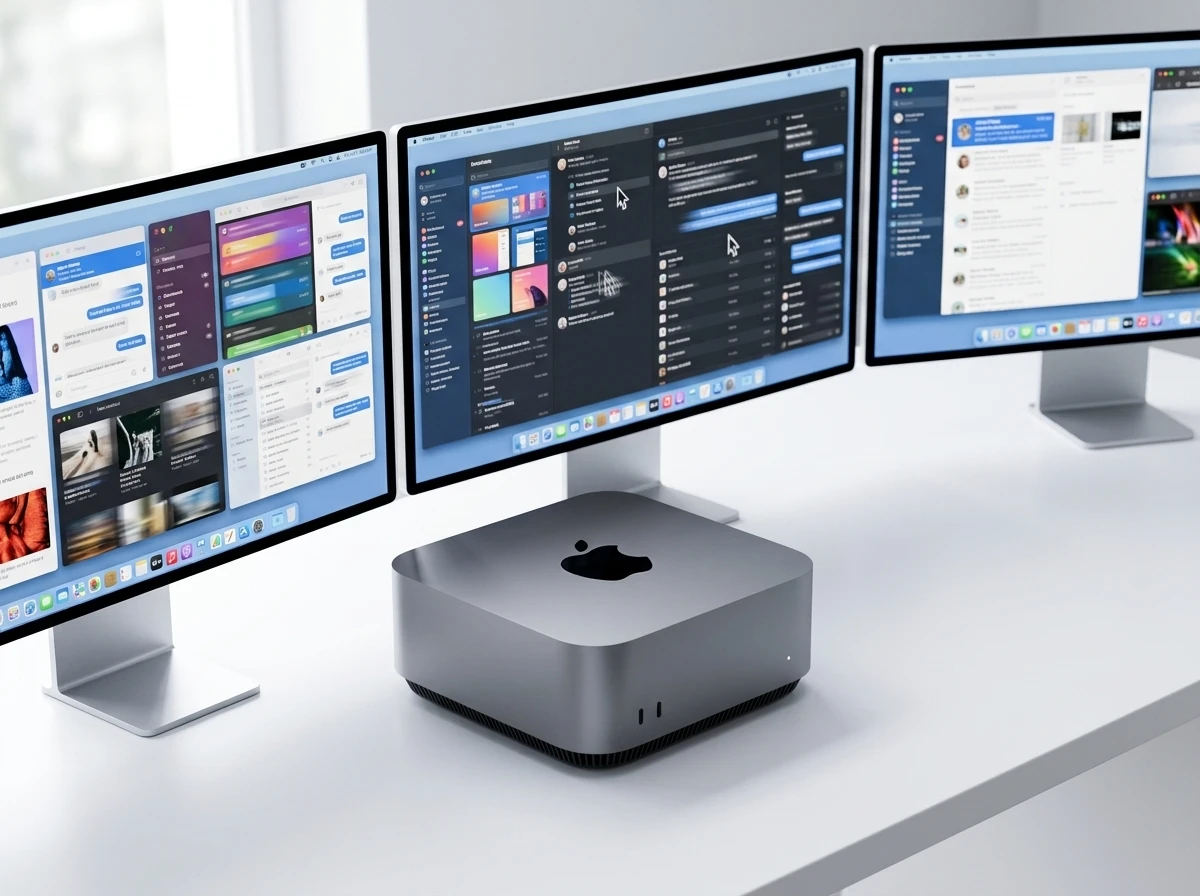
Apple’s new Mac mini with M6 and M5 Pro chips raises multi-monitor refresh rates to 4K at 165Hz, up from 144Hz on the M4 generation, while the M5 Pro reaches 4K at 200Hz on a second screen and can drive all three displays from one Thunderbolt port.
The models keep the same 5-inch square chassis and three-display ceiling. Pre-orders opened August 25 with shipping and store availability on September 22.
Those two changes define the update. The box does not grow. The number of external screens does not grow. What grows is how hard those screens can be pushed before the signal chain forces a drop in rate or a second cable.
What the Specs Now Allow Versus M4
Apple’s technical specifications page details the exact lifts. Single-display limits stay identical on both chips: 8K at 60Hz, 5K at 120Hz, or 4K at 240Hz. The changes hit multi-display configurations hardest.
| Setup | M6 Mac mini | M5 Pro Mac mini | Prior M4 / M4 Pro |
|---|---|---|---|
| Three displays | Two at 6K 60Hz or 4K 165Hz + third 5K 60Hz TB or 4K 60Hz HDMI | All three at 6K 60Hz or 4K 165Hz | Two at 6K 60Hz or 4K 144Hz + third limited; Pro three at 6K 60Hz |
| Two displays | One high (8K60/5K120/4K240) + second 5K 60Hz TB or 4K 60Hz HDMI | One high + second 5K 120Hz or 4K 200Hz | Similar high + second capped lower (4K 144Hz range) |
| Single port max | Two displays | Three displays | Pro already strong but lower Hz |
Both new chips support variable refresh rate, HDR and multichannel audio. The M6 lists two displays up to 4K at 165Hz in the three-display mix, while the M5 Pro extends that rate across all three.
Read the table left to right and the pattern is plain. Single-screen owners inherit the same peaks they already had. Dual- and triple-screen owners pick up the Hertz that high-end 4K panels already advertise on the box. The M4 generation’s 144Hz multi-display cap is the figure that moves.
The third display on the base M6 still lands at a lower rate or over HDMI. The Pro removes that step-down so every panel in a three-screen row can hold the same 165Hz target. That is the cleanest numerical difference between the two SKUs.
Thunderbolt Generations Decide the Flexibility
Port differences lock in the practical limits. The M6 carries three Thunderbolt 4 ports that support native DisplayPort 1.4. The M5 Pro steps up to three Thunderbolt 5 ports with native DisplayPort 2.1.
- M6: two displays maximum over a single Thunderbolt port
- M5 Pro: three displays possible over one Thunderbolt port
- Both keep HDMI and 2.5Gb Ethernet (10Gb configurable) on the rear, plus two front USB-C ports and a headphone jack
- Wi-Fi 7, Bluetooth 6 and Thread arrive on both
That single-port three-display path on the Pro model cuts cable clutter for dense desks. Daisy-chaining remains possible within the chip’s total display budget. Apple still documents the broader rules for how many displays Mac mini supports on prior generations for comparison.
Thunderbolt 4 with DisplayPort 1.4 sets a hard two-display ceiling per port on the M6. Thunderbolt 5 with DisplayPort 2.1 lifts that ceiling to three on the Pro. The rear HDMI port still covers the common third-screen fallback when a user stays on the base chip.
Front USB-C and the headphone jack do not change the display math. They do keep the small chassis usable as a desk hub without a dock for everyday peripherals. Wi-Fi 7, Bluetooth 6 and Thread land on both machines, so wireless feature parity holds even when the Thunderbolt generation does not.
Creators and High-Refresh Gamers Gain First
Single-screen owners already reached 4K 240Hz or 5K 120Hz on the M4 machines. The multi-monitor ceiling at 144Hz was the everyday friction for many three-screen setups.
Video editors scrubbing timelines, motion designers watching fluid previews, and competitive gamers running multi-monitor layouts now keep higher rates without dropping to lower resolutions or fewer screens. The Pro’s 4K 200Hz second display and full 165Hz triple setup matter most there.
Key practical lifts:
- 165Hz across multiple 4K panels on both models
- 200Hz available on the M5 Pro’s second screen in dual setups
- One-cable three-display option exclusive to M5 Pro via Thunderbolt 5
- Unchanged single-display peaks still cover 4K 240Hz for pure gaming or reference monitors
On X, the MacRumors post on the rates drew tens of thousands of views, with replies noting that many M4 users already pushed high rates on one screen via certain cables, making the multi-display bump the clearer real-world change. Smooth UI scrolling and lower motion blur on multi-monitor creative desks surfaced repeatedly as the daily win.
A pure gaming desk that runs one fast panel still tops out where it did before. A desk that spreads a timeline, a preview window and a chat or scopes panel across three 4K screens is the layout that feels the upgrade. The 200Hz second-screen option on the Pro gives dual-monitor competitive setups another notch without forcing a resolution cut.
Mac mini has always been our most versatile Mac. Whether it’s being used as a home computer, powering a professional studio, or as an always-on agentic device, it’s the little Mac that can do it all.
Johny Srouji, Apple chief hardware officer, Apple newsroom
M6 Brings 2nm and Neural Accelerators
The base model debuts Apple’s first 2nm chip, the M6, with a 12-core CPU (two more than M4) that Apple calls the world’s fastest single-threaded performer, a 12-core GPU with Neural Accelerators in every core, and a dual 16-core Neural Engine. Memory bandwidth reaches 170GB/s on higher configs. Apple cites up to 4x faster AI performance and 2x faster graphics versus the M4 Mac mini, plus specific gains such as up to 2x ray-traced gaming in Cyberpunk 2077.
The M5 Pro reuses the earlier Pro silicon with up to 18-core CPU and 20-core GPU, 307GB/s bandwidth and up to 64GB unified memory. It targets heavier 3D, VFX and large local AI models. Both machines ship with macOS 27 and the latest Apple Intelligence features.
| Attribute | M6 | M5 Pro |
|---|---|---|
| CPU | 12-core | Up to 18-core |
| GPU | 12-core with Neural Accelerators in every core | Up to 20-core |
| Neural Engine | Dual 16-core | Pro-class silicon retained |
| Memory bandwidth | 170GB/s on higher configs | 307GB/s |
| Unified memory | 16GB base, up to 32GB | 24GB base, up to 64GB |
| Process note | First 2nm Apple chip | Earlier Pro silicon |
Design stays identical to the 2024 redesign: 5.0 by 5.0 by 2.0 inches, silver aluminum, weights of 1.5 lb (M6) and 1.6 lb (M5 Pro). The same compact form continues Apple’s familiar cascade design path of refining the tiny chassis rather than reshaping it.
The 2nm M6 carries the volume story: more CPU cores than M4, Neural Accelerators on every GPU core, and the AI and graphics multipliers Apple lists against the prior base mini. The M5 Pro keeps the higher core counts, the 307GB/s pipe and the 64GB memory ceiling for work that outgrows the base chip’s 32GB cap. macOS 27 and current Apple Intelligence features ship on both, so software feature parity holds at launch.
Prices Rose and Shipping Starts September 22
Apple set the M6 Mac mini at a higher entry point than the prior base. The Mac mini with M6 starts at $899 (education $799). The M5 Pro starts at $1,699 (education $1,599). Base memory is 16GB on M6 (up to 32GB) and 24GB on M5 Pro (up to 64GB). Storage begins at 256GB or 512GB depending on config and climbs to 8TB on the Pro.
New Genlock support over USB-C helps video workflows that lock cameras (including iPhone 17 Pro) to displays. Thunderbolt 5 on the Pro also enables clustering multiple minis for larger on-device AI models.
Some forum and X reactions called the display-side gains worth the price step for multi-monitor users; others focused on the TB5 gatekeeping and the base price climb from earlier $599/$799 points.
Education pricing trims $100 from each starting figure. Memory and storage ladders still decide the final quote once a buyer leaves the base config. Genlock over USB-C ties the mini into camera-locked video chains without a separate sync box, and the Pro’s Thunderbolt 5 clustering path is the route Apple flags for larger local AI loads that need more than one chassis.
Availability and Configure Options
Pre-orders began the day of announcement. Units reach customers and Apple Stores on September 22. Configure-to-order covers extra memory, storage and 10Gb Ethernet. Both models include the same recycled-material and energy goals Apple listed for the line.
- August 25: pre-orders open on announcement day
- September 22: customer shipments and Apple Store availability begin
- Configure-to-order: extra memory, storage, and 10Gb Ethernet available at purchase
The three-display ceiling itself did not move. What changed is how smoothly those three screens can run at the refresh rates common high-end 4K panels already deliver.
Recycled-material and energy goals match the prior line, so the environmental claims do not shift with the chip swap. Buyers who need the faster Ethernet option select it at configure time rather than after the fact.
The Pro Chip Unlocks One-Cable Desks
The three-display ceiling is shared. The path to fill it is not. On the M6, two displays can ride one Thunderbolt 4 port and the third typically needs another Thunderbolt connection or the HDMI port. On the M5 Pro, one Thunderbolt 5 port can carry the full set.
That difference shows up on the desk as cable count. A Pro user can run a clean triple-4K row at 165Hz from a single rear port and still leave the other Thunderbolt ports free for storage, capture or docking. An M6 user who wants three screens spreads the load across ports and accepts the rate mix listed in the specs table.
Daisy-chaining still works inside each chip’s total budget. It does not erase the per-port cap on the base model. The Pro’s DisplayPort 2.1 path is what makes the one-cable triple layout a documented option rather than a workaround.
For studios that already standardize on Thunderbolt docks, the Pro reduces how many dock display outputs must be live. For home desks that hate cable nests, the same single-port path is the practical reason to step up from M6.
Who Feels the Refresh Rate Jump
Single-display peaks never moved. Anyone whose work lives on one 4K 240Hz or 5K 120Hz panel sees the same ceiling they had on M4 hardware. The Hertz story is a multi-monitor story.
- Triple-screen creative desks gain 165Hz on the panels that were stuck at 144Hz
- Dual-screen Pro setups can push the second panel to 4K 200Hz or 5K 120Hz
- Base M6 triple mixes still pair two fast Thunderbolt screens with a slower third
- Pure single-screen gaming and reference work keep 4K 240Hz unchanged
Forum and X replies already separated those groups. M4 owners who had coaxed high rates on one screen with particular cables treated the multi-display bump as the change that finally matched their panel purchases. Users who never leave one monitor treated the chip and Neural Engine gains as the larger headline.
Price reactions followed the same split. Multi-monitor buyers who needed the 165Hz floor or the Pro’s one-cable triple called the step up from earlier $599 and $799 entry points tolerable. Buyers locked to one screen weighed the base $899 tag against CPU, GPU and AI multipliers instead of against Hertz.
The chassis weight difference is only 0.1 lb between M6 and M5 Pro. The display and bandwidth differences are not small. Matching the desk layout to the port generation matters more than matching the aluminum finish.
Frequently Asked Questions
What refresh rates do the new Mac mini models support on multiple displays?
The M6 drives two displays at up to 6K 60Hz or 4K 165Hz plus a third at 5K 60Hz over Thunderbolt or 4K 60Hz over HDMI. The M5 Pro drives all three at up to 6K 60Hz or 4K 165Hz; its dual-display second screen reaches 5K 120Hz or 4K 200Hz.
Does single-display support change on the M6 or M5 Pro Mac mini?
No. Both chips still top out at one display of 8K 60Hz, 5K 120Hz or 4K 240Hz, matching the previous generation’s single-screen peaks.
Can the M5 Pro Mac mini run three displays from one Thunderbolt port?
Yes. The M5 Pro supports up to three external displays over a single Thunderbolt 5 port. The M6 remains limited to two displays per Thunderbolt 4 port.
When do the new Mac mini models ship and what are the starting prices?
Pre-orders are open now. Shipping and in-store availability begin September 22. The M6 starts at $899 and the M5 Pro at $1,699 in the U.S., with education pricing $100 lower on each.
What Thunderbolt and DisplayPort versions do the new models use?
The M6 uses Thunderbolt 4 with native DisplayPort 1.4. The M5 Pro uses Thunderbolt 5 with native DisplayPort 2.1. Both support VRR, HDR and multichannel audio over the connections.


NFL Three-Strike Safety Fouls Now Pull Coaches and Clubs In

Browns Fans Tape Protest Signs to Jim Brown Statue Over Watson

Amazon Pixel 11 Deal Erases the $100 Hike for One More Day

Elden Ring on Switch 2 Turns Its Own Worst Label Into a Portable Win

Ternus Takes the Stage With Apple’s Foldable Debut

Ikea Xbox Yxstaby Turns Controller Thumbstick Into Home Furniture

Pokémon Center Turns Past Worlds Wins Into Bundles and a Pikachu Coin

NFL Scraps Pro Bowl Game to Restore Pure Player Honor

New Twitter.now Bets the Brand Musk Left Behind

Bella Mir’s Famous First Loss Meets the Accountant Who Won

Double Fine Cuts 23 Jobs Weeks After Xbox Independence

Day-One Big Walk Lifts PS Plus August Beyond Recycled AAA

Curtis Mead’s Red Sox Debut Ends With Fractured Wrist

John Hight Exits Wizards After Digital Reckoning Hits

Red Sox Squander Hot Streak Chance in 4-3 Loss to Athletics

Moesch and Dressel Rewrite Night One at 2026 U.S. Nationals

Boutte’s Quiet Camp Takeover Forces Patriots Receiver Choices

Take-Two CEO Pushes Netflix Subs for GTA 6 Extended Look

Halo Campaign Evolved Skulls Meet Death Barriers That Kill the Hunt

Wildlands Free Update Hands Players the Tools They Already Invented
-

 TECHNOLOGY3 years ago
How to Adjust a Bulova Watch Band – An Easy Guide
-

 News3 years ago
Fred Pentland: Athletic Bilbao’s English mentor who changed the essence of Spanish football
-

 FINANCE3 years ago
Tax Planning for Every Season: Guide to Maximizing Your Tax Benefits
-

 Education3 years ago
African Ministers New Education Plan
-
 BUSINESS3 years ago
What is Entrepreneurial Operating System? A Comprehensive Guide to EOS
-

 Education3 years ago
Innovate Your Learning Journey with Technology and Enhance Education
-

 News3 years ago
Russians formally out of World Athletics Championships
-

 BUSINESS3 years ago
Top 9 Most Expensive American Cities to Rent an Apartment