
News
Microsoft Concedes Crash-Free Drivers Bled Windows 11 Batteries for Years

At WinHEC 2026 in Taipei on May 14, Microsoft finally said out loud what Windows laptop owners had been logging in support forums since 2018: third-party drivers were quietly draining batteries, cooking palm rests, and dragging frame rates, and the company’s own quality system was scoring those drivers as stable. The Driver Quality Initiative (DQI) announced by Robin Seiler, Corporate Vice President of Windows Ecosystem and Commercial Engineering, expands driver evaluation beyond crash counts to cover stability, functionality, performance, and power and thermal impact.
The reckoning is real. So is the bill. Hardware vendors that have shipped Windows drivers for years against a single pass-or-fail metric (does it crash?) are now being told to validate against four, and the smaller silicon partners are already raising concerns about cost and time-to-market.
The Loophole Microsoft Just Closed
For most of the past decade, Microsoft’s read on whether a third-party driver was good came down to one signal: did it trigger a kernel crash that bubbled up through Windows Error Reporting (WER, the diagnostic pipeline that ships fault data back to Redmond). If the driver loaded, ran, and avoided a bugcheck, it was logged as healthy and pushed through Windows Update.
DQI rewrites that scoring rubric. Quality is now measured across four pillars Microsoft is calling Architecture, Trust, Lifecycle, and Quality Measures. The fourth pillar is where the battery and thermal telemetry lives, and it pairs with a stricter version of the Windows Hardware Compatibility Program plus an automatic rollback path through Windows Update for drivers that regress on the new benchmarks.
The clearest way to see the shift is side by side.
| Evaluation dimension | Old WER-led model | DQI model |
|---|---|---|
| Crash and bugcheck rate | Primary metric | Retained |
| Battery drain in modern standby | Not measured | Power Efficiency Diagnostics telemetry |
| Thermal impact and skin temperature | Not measured | Tracked via partner dashboards |
| Frame pacing, audio latency, micro-stutter | Not measured | Performance counters via ETW providers |
| Enforcement | Block on bluescreen patterns | Block plus automatic rollback via Windows Update |
| Catalog hygiene | Older drivers stayed listed | Sub-standard drivers deprecated |
The architecture pillar matters too, even if it does not grab the headline. Microsoft is hardening kernel-mode drivers and pushing partners to move workloads into user mode or onto Microsoft-authored class drivers, with specific investments in PCIe direct-memory-access devices and the Wi-Fi stack.
How a Crash-Free Driver Drained Your Battery
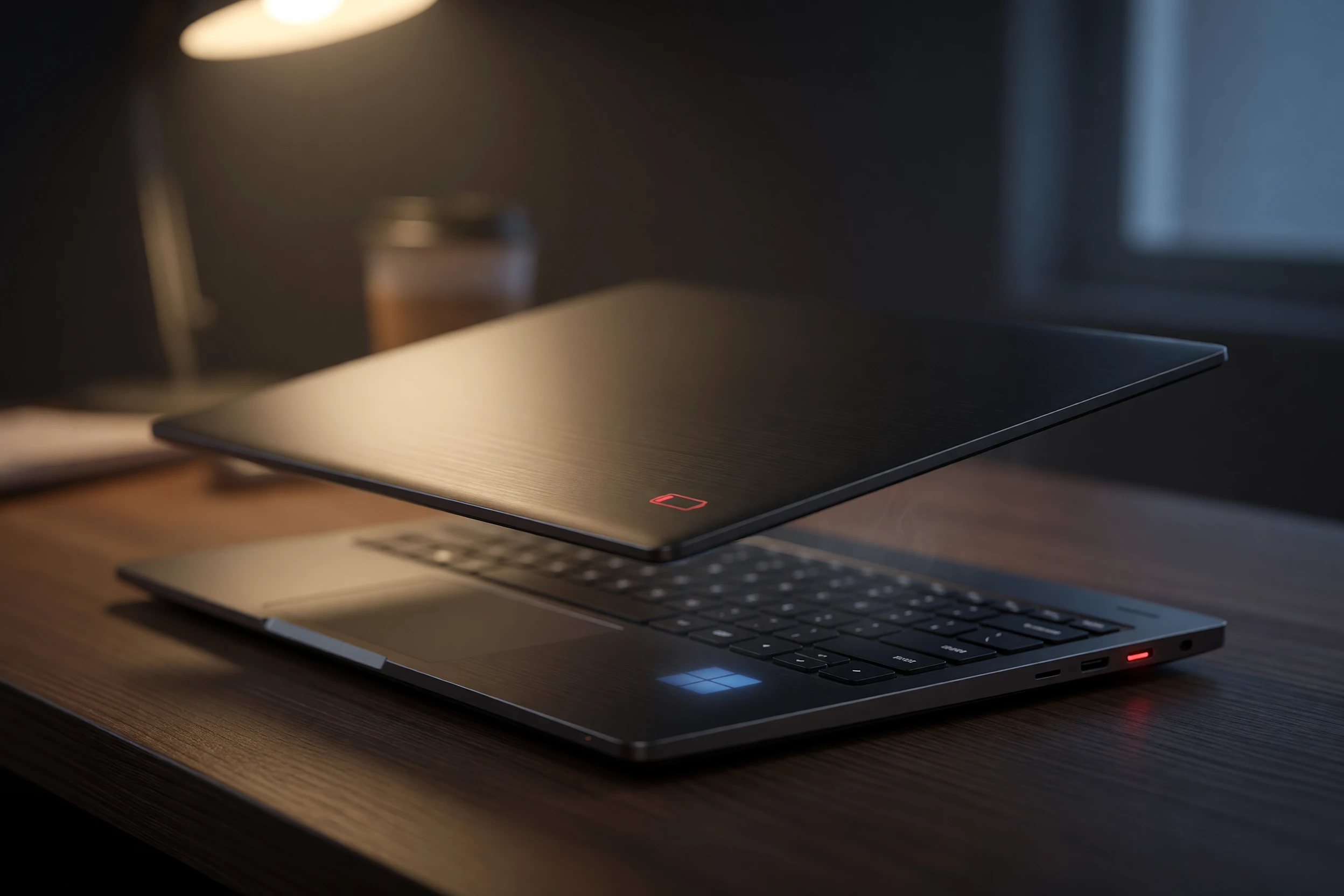
To understand why a stable-looking driver could quietly empty an 80 watt-hour battery overnight, you have to look at what happens when a modern Windows laptop closes its lid.
Modern Standby Is Not Real Sleep
Most Windows 11 laptops shipped in the last five years use Modern Standby, the S0 low-power idle model that replaced the older S3 hibernate state. Per Microsoft’s own Modern Standby specification, the system keeps the network alive, processes background tasks in short bursts, and is supposed to drop the System on Chip into its deepest idle state between those bursts. Done right, a closed laptop loses a single-digit percentage of battery overnight.
The C-State Problem
Done wrong, the CPU never gets there. Processors have a ladder of C-states, with C0 being fully active and deeper levels (C6, C7, C10 on Intel platforms) cutting voltage to cores that have nothing to do. If a single driver fails to release its power references when the system tries to idle, the processor is held at a shallow C-state, the fan spins up, and the battery quietly bleeds.
One Bad Actor, Whole-System Drain
The culprits Microsoft cited at WinHEC were not exotic. Wi-Fi radios, storage controllers, fingerprint sensors, and audio stacks were named as the most common standby blockers. None of these were crashing. They were simply refusing to go to sleep, and WER had no field that recorded the offense.
Why Windows Error Reporting Missed It for a Decade
WER is an event-based pipeline. It fires when something explodes. A driver that holds a CPU in C2 instead of C8 does not explode; it just runs hot and quiet until the battery dies. There was no event to fire, so there was no telemetry to aggregate, so there was no signal Microsoft could rank vendors against.
That gap explains the support-forum archeology of the past five years. Threads on the official Microsoft Q&A board on sleep and hibernation drain trace the same shape: user reports battery loss, runs powercfg /sleepstudy, finds a single device as the standby blocker, replaces or rolls back the driver, problem solved. The fix existed. The detection at scale did not.
What changed at WinHEC is the addition of Power Efficiency Diagnostics (PED) telemetry alongside extended Event Tracing for Windows providers, the Windows Driver Kit, and Windows Hardware Lab Kit tools that can simulate idle and active workloads and measure the actual energy consumed. For the first time, Microsoft has a way to score a driver on something other than whether it kept the lights on.
The Numbers Microsoft Demonstrated on Stage
Seiler’s keynote leaned on a handful of figures that reframe how big the blind spot actually was. Microsoft does not usually quote percentages on driver-driven battery loss, so the numbers are worth parking somewhere visible.
- 20 to 30 percent battery-life reduction caused by a single crash-free driver preventing deep C-state entry, per the live WinHEC demonstration.
- 70 percent of user dissatisfaction signals attributable to a driver involve no crash at all.
- 5 percent per hour drain threshold in standby that Microsoft is using as a new violation marker.
- 2 to 3 percent per hour extra drain attributed in one cited case to a fingerprint sensor driver that ran clean on WER but never released the SoC.
The 70 percent figure is the one to sit with. If most of what frustrates a Windows laptop owner is invisible to the system the platform owner uses to grade its drivers, the platform owner has been grading the wrong test for years.
What Hardware Partners Are Signing Up For
DQI is not a one-sided mandate. Microsoft launched the initiative in Taipei alongside named commitments from AMD, Dell, HP, Acer, and ASUS, with engineering leads from each vendor on the keynote stage. The framing was collaborative, the validation burden less so.
Platform quality depends on early, honest collaboration across OEMs, ODMs, silicon partners and IHVs.
That sentence is from Syam Poluri, vice president at Dell Technologies, speaking at the WinHEC stage on May 14. It is also a polite way of saying that the cost of meeting the new bar will be socialized across the supply chain rather than absorbed by Microsoft.
Big silicon can carry it. AMD’s David Harmon used the launch to talk up a shared commitment and a culture of close Microsoft collaboration. HP’s Deepak Patil described engineers from HP and Microsoft aligning early, solving real problems. These are not throwaway lines. They are public sign-offs from vendors with the lab budgets to run thermal and power benchmarks on every Wi-Fi or graphics driver they push.
The independent hardware vendors (IHVs) that ship niche peripherals, fingerprint readers, point-of-sale scanners, industrial sensors, are the ones quietly worrying. Several smaller IHV partners flagged that the added validation cost and time-to-market hit could push them off the catalog entirely. If they fall off, the long tail of Windows hardware support gets shorter, and a fingerprint reader bought in 2023 may stop seeing updates because no one wants to pay to revalidate it.
What Changes on Your Laptop
For owners of Windows 11 laptops, the user-facing changes will arrive in waves. Microsoft’s stated plan is to flight the new telemetry and the rollback machinery in Insider channels first, with the first drivers validated under the new regime appearing on Windows Update by late 2026 and broader availability in the next major feature update.
The practical effects will look like this:
- Automatic rollback: a freshly installed driver that regresses standby drain or thermals on telemetry can be reverted by Windows Update without the owner intervening.
- Catalog deprecation: older drivers that fail the new power and thermal bar will be pulled from the Windows Update catalog, so the next clean install pulls a vetted version or none at all.
- SleepStudy with teeth: the
powercfg /sleepstudyreport has existed for years as a diagnostic; the new PED telemetry feeds the same kind of data back to Microsoft at scale, which means a problem driver gets caught in weeks instead of years. - Slower OEM driver releases: every driver shipped via Windows Update will be subject to the new benchmarks, which adds validation time. Owners may see slightly less frequent driver updates, traded for fewer regressions.
None of this fixes a laptop you bought in 2022 that already has a problem driver baked in. What it does is reduce the odds that the next driver an automatic update lands on your machine breaks the battery you actually paid for. The reckoning Microsoft started in Taipei is a structural one, and structural fixes take a hardware generation to fully land. If the company holds the line through the next Windows 11 feature release, the silent battery tax that defined the past decade of laptop ownership starts being paid by the vendors that imposed it instead of the people who bought the machines.
Frequently Asked Questions
What is the Driver Quality Initiative and when does it take effect?
The Driver Quality Initiative is a Microsoft program announced at WinHEC 2026 on May 14 that expands how Windows evaluates third-party drivers. It adds power, thermal, and performance metrics on top of the existing crash-based scoring. Telemetry is flighting now in Windows Insider channels, with the first drivers validated under the new rules expected on Windows Update by late 2026.
Will my current laptop get better battery life automatically?
No, not on its own. The new evaluation applies to drivers as they are submitted or revalidated under the new program. If a problem driver on your machine is replaced via Windows Update with a DQI-validated version, you may see improvement, but already-installed drivers are not retroactively retested by your PC.
How do I check if a driver is killing my battery right now?
Open an elevated Command Prompt and run powercfg /sleepstudy. Windows generates an HTML report at C:\Windows\System32\sleepstudy-report.html showing which devices kept the system from entering its lowest power state during recent standby sessions. The named standby blockers are your suspects.
What is Modern Standby and why does it matter?
Modern Standby is the S0 low-power idle model used by most Windows 11 laptops in place of the older S3 hibernate. It keeps networking alive for instant-on behavior and is supposed to drop the processor into its deepest idle state between background tasks. A driver that fails to release its power references blocks that drop, which is the core mechanic behind the standby drain DQI targets.
Which drivers were named as the worst offenders?
Microsoft cited Wi-Fi radios, storage controllers, fingerprint sensors, and audio stacks as the most common categories of standby blockers in its WinHEC examples. No specific vendor was singled out from the keynote stage, but the categories match years of user reports on Microsoft’s Q&A board and OEM support forums.
Can I opt out of automatic driver rollback?
Enterprise and Pro editions of Windows 11 will retain the existing Group Policy and Windows Update for Business controls that let administrators defer or block driver updates. Home edition machines will receive rollback decisions through the standard Windows Update path. Microsoft has not announced a separate consumer toggle specifically for DQI rollback.





Guardians Rout Twins With Seven Homers, Leave Joe Ryan One Shy of Record

Jersey Mike’s IPO Pays Blackstone More Than It Raises for the Chain

Archer’s Military Pivot Takes Flight With Anduril’s Thunder Aircraft

Dan Ives Sticks With His $350 IBM Target While HPE Banks the Fallout

Bristol Myers Squibb Joins Nvidia’s Pharma AI Supercomputer Arms Race

Starter Homes Are Rebounding in the South, Yet Sales Keep Falling

Domino’s Posts Higher Profit as Its Franchisees Feel the Squeeze

AMC’s Record Quarter Lifts the Stock 20%, but Dilution Caps the Rebound

Space Force’s Rocket Contracts Balloon to $30 Billion for Golden Dome

Nvidia Is Quietly Betting Against OpenAI’s Push to Ban Kimi K3

Halo Studios Reverses PS Plus for Halo: Campaign Evolved on PS5

Star Wars: Galactic Racer Is a Roguelite Racer With a Podracing Skin

Black Ops 1 and 2 PS5 Ports: $40 Price Tag Has Fans Uneasy

Matt Brown Dismisses Rousey and Paul’s MVP MMA Ratings Win Over UFC

Julius Randle Traded to Nets as Wolves Reclaim Cap Space for Dosunmu

Sega’s $49.99 Sonic Classic and Modern Bundles Hit Switch in October

Colombia Edge DR Congo as Muñoz Books World Cup Knockout Place

Warriors Take Yaxel Lendeborg, the Oldest Pick in the 2026 NBA Draft

Douze Dixièmes Closes Five Months After MIO: Memories in Orbit

Warhammer Horus Heresy Super-Heavy Tanks Share a Plastic Chassis
-

 TECHNOLOGY3 years ago
How to Adjust a Bulova Watch Band – An Easy Guide
-

 News3 years ago
Fred Pentland: Athletic Bilbao’s English mentor who changed the essence of Spanish football
-

 FINANCE3 years ago
Tax Planning for Every Season: Guide to Maximizing Your Tax Benefits
-

 Education3 years ago
African Ministers New Education Plan
-
 BUSINESS3 years ago
What is Entrepreneurial Operating System? A Comprehensive Guide to EOS
-

 Education3 years ago
Innovate Your Learning Journey with Technology and Enhance Education
-

 BUSINESS3 years ago
Top 9 Most Expensive American Cities to Rent an Apartment
-

 News3 years ago
Russians formally out of World Athletics Championships