
News
Google Hands Out Fitbit Air Blueprints So Anyone Can Build Bands
Google released free Fitbit Air CAD drawings and accessory specs, letting makers, 3D-printing hobbyists and small brands build their own custom bands and cases.

Google has published the Fitbit Air blueprints, releasing free 2D CAD (computer-aided design) drawings and a full set of accessory design rules so anyone can build bands and cases for its screenless fitness tracker. The files cover the pill-shaped sensor pebble, the band sleeve, mating tolerances, snap-in forces and skin-safe material limits, and they went public on June 2, a month after the device launched at $99.99.
Plenty of coverage treated this as a gift to tinkerers. It is also a cheap way for Google to seed a third-party band economy around the Fitbit Air, the same move that turned the Apple Watch into a platform and the one thing Whoop, its closest rival, has refused to do.
What Google Put in the Public Files
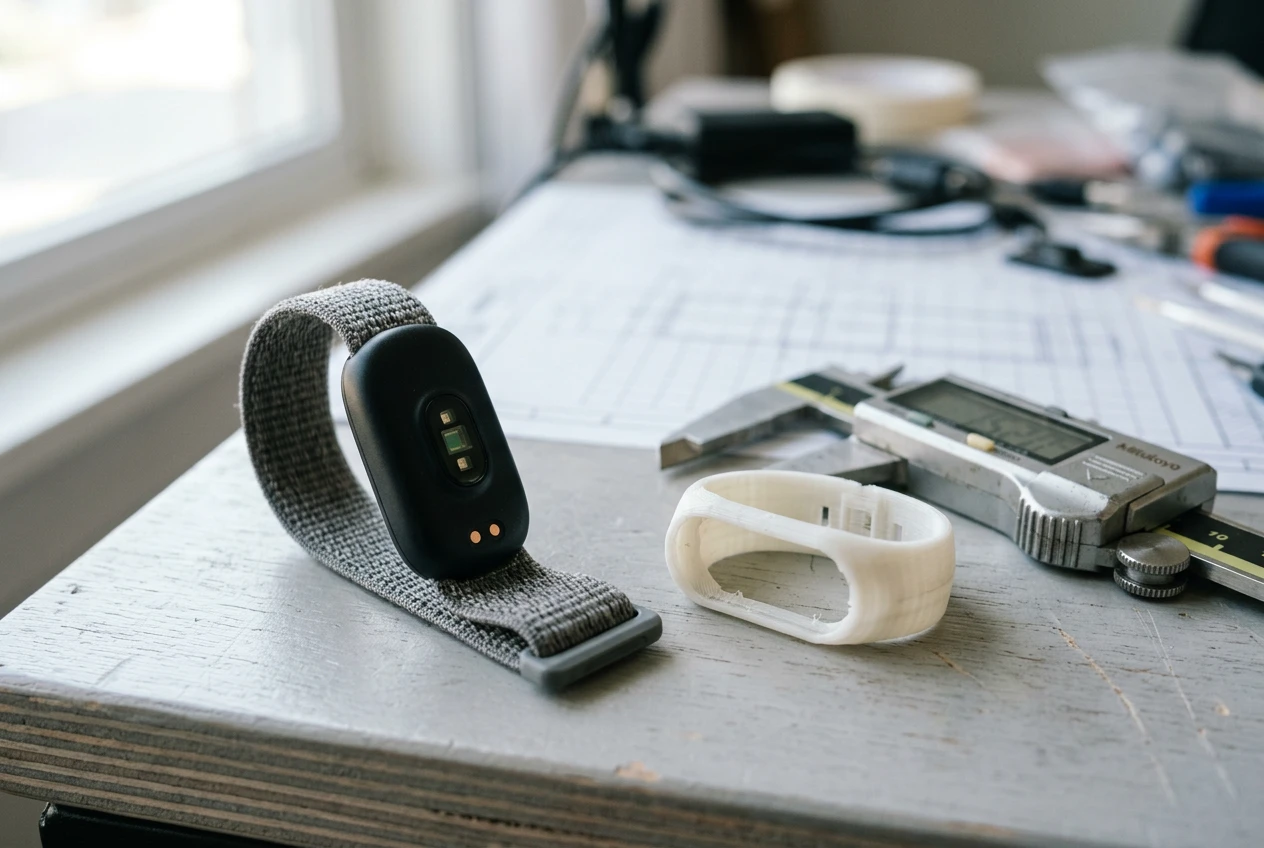
The release centers on 2D CAD drawings of the oval sensor module Google calls the pebble, plus the sleeve that the default Performance Loop Band wraps around. The PDF documentation runs to a handful of pages showing the pod from different angles with dimensional callouts, and it includes the practical numbers a band builder needs: mating dimensions, tolerances, and attach and detach force specs so a third-party enclosure holds the sensor without crushing it or letting it fall out.
This kind of information would normally sit behind a partner agreement, shared only with established accessory companies. Google opened it to everyone instead, citing owners who had already started building their own mounts since launch. The guidance lives on a Google Store support page split into five parts: general design principles, branding restrictions, the CAD link, technical rules for protecting the sensor, and a materials policy.
One catch worth flagging. Google posted PDFs rather than native CAD files, so makers get exact measurements but not a drag-and-drop model. For anyone who has read the in-depth coverage of the screenless Fitbit Air and its health coaching, the band system was always the obvious place a community could plug in, because the pebble pops out of the strap by design. You can buy the official Performance Loop Band on the Google Store, but the whole point of the pebble is that it does not care which band holds it.
The Specs Every Band Has to Hit
The drawings are the easy part. Google’s rules are what separate a band that tracks accurately from one that produces garbage data, and they read like a hardware brief rather than a marketing page.
| Requirement | Google’s specification |
|---|---|
| Sensor clearance | Optical heart-rate and SpO2 sensors stay entirely unobstructed, flush against the skin |
| Contact pressure | 35 mmHg (0.68 psi) minimum for nominal wear, sustained while moving |
| Retention | Tension-based snap-in; follow the CAD tolerances so the pebble locks but still pops out |
| Materials | Lead-free and PFAS-free, with defined chemical limits, environmental standards and testing |
Keeping the Sensor Honest
The optical sensor on the base of the pebble reads your pulse and blood oxygen, and it only works if it sits steady against skin. Google’s wording is blunt about it.
We recommend that the optical heart rate and SpO2 sensors on the base of the tracker remain entirely unobstructed and maintain flush, consistent skin contact. To get the best performance while a user is moving, your band should be designed to maintain a steady, gentle pressure against the skin in the sensing area.
That is from Google’s Fitbit Air accessory design guidelines on the Google Store. The PPG (photoplethysmography, the optical method wearables use to read heart rate from light bouncing off blood vessels) only stays accurate in motion if the band keeps pressing. Hence the floor of 35 mmHg (0.68 psi), a number most loose fashion straps would miss.
Locking the Pebble In
Retention is the make-or-break engineering problem. The tracker uses a tension-based snap-in mechanism, so an enclosure has to grip hard enough that a 5.2-gram module survives a sprint or a swim, yet release easily for a band swap. Google says following the published tolerances is what gets you both at once.
Skin-Safe Materials
Then there is what touches your wrist all day. Google wants accessories built from skin-friendly materials and spells out chemical limits to head off irritation and allergic reactions, with the bands required to be lead-free and PFAS-free (per- and polyfluoroalkyl substances, the “forever chemicals” tied to long-term health concerns) and to pass defined testing.
Who Gets to Build Now?
The interesting shift is in the audience. Specs like these usually go to accessory brands under contract. Google explicitly widened the door to independent designers and artisan makers, and the early community had already been improvising before the files dropped.
- Accessory companies that mass-produce straps for every popular wearable now have official tolerances instead of guesswork from calipers.
- Independent designers and small studios can sell low-volume bands without reverse-engineering the pebble.
- 3D-printing hobbyists can rebuild the sleeve in CAD software and print a fitted enclosure at home.
- DIY owners who wanted a bicep mount or an ankle strap, options Google never shipped, can finally make one that holds the sensor correctly.
The files are not ready-to-print STL models (the standard mesh format a 3D printer reads), so there is a step of redrawing the geometry from Google’s dimensions. With cheap modeling tools and a bit of AI help, that gap is small, and existing 3D-printing model libraries like Printables are exactly where the first wave of fitted bands tends to land. Expect bicep bands, clip mounts and dressier cases to show up fast.
Why Google Gave the Blueprints Away
Handing out hardware specs costs Google almost nothing and buys it something valuable: lock-in. The Fitbit Air sells on hardware, not a monthly fee, and hardware-first wearables live or die on whether owners keep them on the wrist and stay inside the brand. A wall of bands, cases and mounts you can only buy for this device is one of the cheapest ways to make leaving feel expensive.
The contrast with Whoop is the whole strategy. Whoop runs a closed model built around a paid membership and its own first-party bands; you wear what Whoop sells you. By publishing the pebble’s dimensions, Google is betting that an open band catalog beats a tightly controlled one for a $99.99 tracker fighting on price. It is the same logic Google has applied across the Pixel Watch 5 and the rest of its wearable lineup, where standard band sizing matters, but the Air pushes it further by inviting outsiders to design the hardware shell itself.
There is a brand-control trade in there too, which is why the guidelines include branding restrictions. Google wants the ecosystem without third parties slapping the Fitbit name on shoddy gear that produces bad heart-rate data and bad reviews.
The Apple Watch Band Lesson
Apple wrote the playbook Google is copying. The Apple Watch shipped with a simple slide-and-lock band connector, and an entire accessory industry grew around it, from luxury leather houses to dollar-store silicone. Owners buy multiple straps, switch them by occasion, and that small ritual quietly raises the cost of ever switching watches.
You can see the scale of it in the sprawling Apple Watch band lineup and the far larger third-party market around it. Whoop chose the opposite path and kept its accessories close, leaning on Whoop’s subscription membership to bind users instead. Google is planting itself firmly on Apple’s side of that line, only it is starting from a cheaper device and a published blueprint, which lowers the barrier for makers even more than Apple’s connector did.
If the band economy materializes, the Fitbit Air gets a moat that Google barely had to build. If it does not, Google is out one PDF.
Frequently Asked Questions
Are the Fitbit Air blueprints free to use?
Yes. Google released the Fitbit Air hardware specifications and accessory design guidelines to the public at no cost, opening them to anyone rather than only licensed accessory partners. The files sit on a Google Store support page.
What files did Google actually release?
Google posted 2D CAD drawings as PDFs covering the pill-shaped sensor pebble and the sleeve used by the Performance Loop Band, along with mating dimensions, tolerances, attach and detach force specs, and written design guidelines. It did not release native CAD files, so you get exact measurements rather than an editable 3D model.
Can I 3D print my own Fitbit Air band?
You can, but not straight from Google’s download. The files are not ready-to-print STL models, so you rebuild the geometry in CAD software using Google’s dimensions, then print a fitted enclosure. Hobbyists with basic modeling tools are already doing this.
What pressure does a Fitbit Air band need to maintain?
Google recommends a minimum sustained contact pressure of 35 mmHg (0.68 psi) for normal wear, kept steady while the wearer is moving. That pressure keeps the optical heart-rate and SpO2 sensors reading accurately during activity.
What materials are allowed for custom bands?
Google requires skin-friendly materials that are lead-free and PFAS-free, and it sets specific chemical limits, environmental standards and testing requirements to prevent skin irritation or allergic reactions. Meeting those limits is part of building a band that is safe for all-day wear.
How much does the Fitbit Air and its official bands cost?
The Fitbit Air starts at $99.99, with a Stephen Curry Special Edition at $129.99. Additional first-party swappable bands start at $34.99, and custom or third-party bands built from Google’s blueprints will price independently.
The blueprints are public now. The real test is whether a band economy actually grows around a $99 tracker the way it did around the Apple Watch, and Google spent next to nothing to find out.






Halo Campaign Evolved Skulls Meet Death Barriers That Kill the Hunt

Spotify Running Mode Returns After the 2015 Experiment Failed

Amazon AWS Hits Fastest Growth in Years as AI Spend Pays Off

Amazon Bets Platform Beats Models in the AI Race

Apple C2 Modem Edges Into iPhone 18 Pro After Qualcomm Drop

Google Earth Adds Nano Banana 2 to Reimagine Real Places

Apple Upgrade Turns Phones Into Monthly Utility Bills

Asha Sharma Bets Xbox Growth on Console and Four C’s

MacBook Ultra Design Follows Apple’s Familiar Cascade Path

TAG Heuer Carrera x Team Ikuzawa Revives 1970s Roadmaster Stopwatch DNA

Pokémon GO Developer Niantic Rebrands as Scopely Explore

Jaylen Brown Traded to 76ers for Paul George and Four Draft Picks

Persona 4 Revival Hands All Anime Cutscenes to Studio MAPPA

Doom Studio id Software Cuts Half Its Staff in Xbox Layoffs

Nintendo Switch Online Adds Four Classics and One Japan-Only Title

Jordan Henderson Hospitalized After Wrist Injury at the Azteca

Mexico’s World Cup Run Ends at Azteca as England Hold On 3-2

Meta’s Muse Image Lets Anyone Use Your Instagram Photos in AI

Louis Vuitton Beats Molly Tea in China, Triggers Cultural Backlash

Pink Bearista Cup Returns July 13 as Starbucks Pink Vibes Drops
-

 TECHNOLOGY3 years ago
How to Adjust a Bulova Watch Band – An Easy Guide
-

 News3 years ago
Fred Pentland: Athletic Bilbao’s English mentor who changed the essence of Spanish football
-

 FINANCE3 years ago
Tax Planning for Every Season: Guide to Maximizing Your Tax Benefits
-

 Education3 years ago
African Ministers New Education Plan
-

 BUSINESS3 years ago
What is Entrepreneurial Operating System? A Comprehensive Guide to EOS
-

 Education3 years ago
Innovate Your Learning Journey with Technology and Enhance Education
-

 News3 years ago
Russians formally out of World Athletics Championships
-

 BUSINESS3 years ago
Top 9 Most Expensive American Cities to Rent an Apartment