
News
Google Meet Take Notes Now Captures In-Person Rooms Too
Gemini-powered Take Notes now works offline in rooms via Android, web and iOS, saving transcripts and actions to Drive.

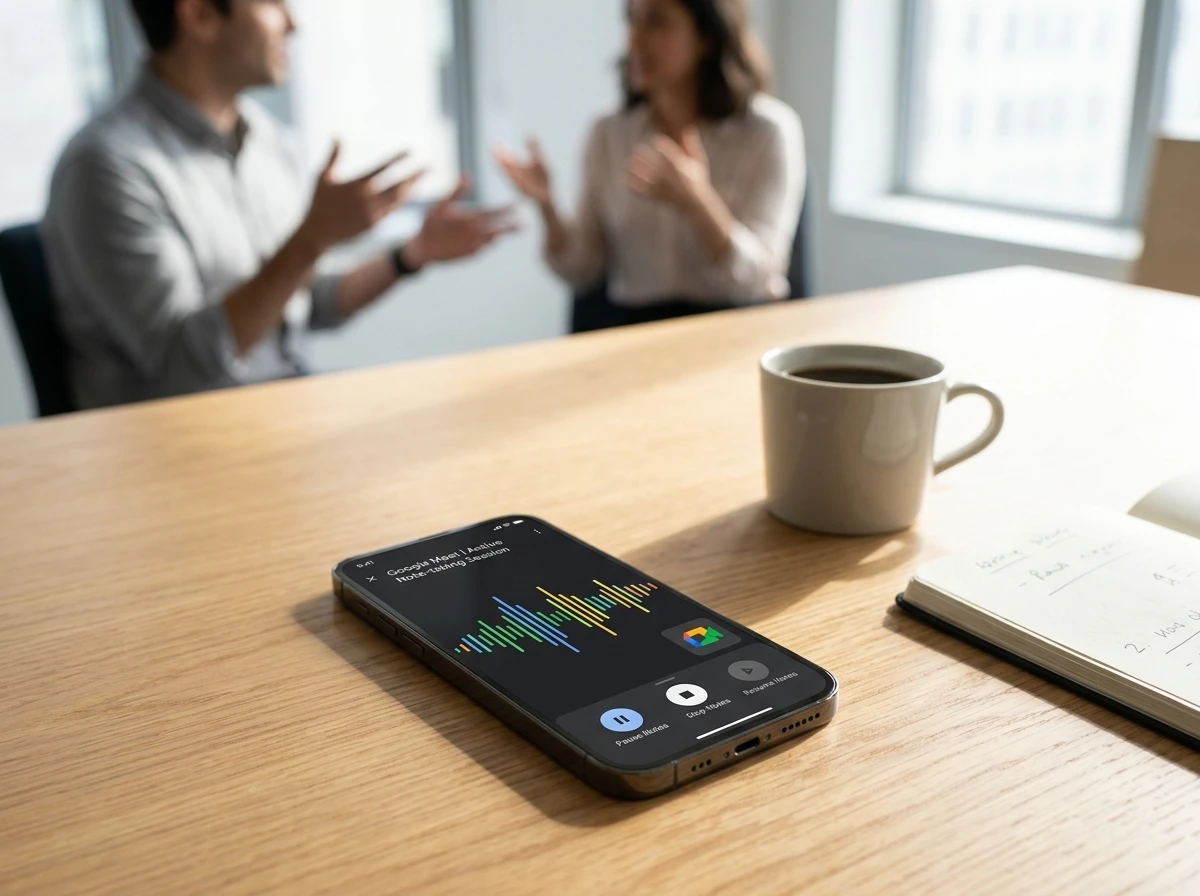
Google Meet’s Gemini-powered Take Notes feature now works for face-to-face meetings, not only video calls. On Android first, then web and iOS, users open the Meet app, tap Take notes, set the phone nearby, and receive a full transcript, summary and action items in a Drive Doc after the session ends.
The move, detailed in Google’s August 13 Workspace update, aims to make Meet the capture point for every kind of conversation. That second effect reaches beyond one more button. The same Gemini stack that already listened on video calls now treats a phone on a conference table as a valid capture surface, and the output still lands in Drive rather than a separate notes product.
How an In-Person Session Runs
You no longer need to start a video call. From the Meet home screen on phone or browser, select the Take notes control next to New call. Gemini begins listening once you confirm the device is set nearby, the same habit people already use with Pixel Recorder or voice memos.
Controls stay simple during capture:
- Pause freezes both transcription and note generation; Continue resumes from the same point.
- Stop ends the session after a confirmation prompt.
- You can still convert the audio session into a full video meeting if a remote colleague needs to join mid-stream.
When the meeting finishes, Gemini builds a structured Google Doc. That Doc holds three fixed pieces of output:
- the complete transcript
- a summary
- a list of action items
The Doc lands in the Drive of the person who started notes, and that user also gets an email with the link. Meeting notes follow the organization’s existing Meet retention rules in Vault. Nothing in the flow creates a parallel archive outside Workspace.
Google’s own help guidance says the recommended length is 15 minutes or more; shorter sessions can produce incomplete or missing summaries. Only one spoken language is supported in a given session at launch, matching the single-language rule that already applies to online Take Notes. The conversion path from pure audio to a live video leg keeps hybrid groups from restarting capture when someone dials in late.
Who Can Turn It On and What It Costs
Access sits behind paid tiers. Consumers need Google AI Pro or AI Ultra. Workspace coverage is limited to higher editions.
| Segment | Eligible editions or plans |
|---|---|
| Consumer | Google AI Pro, Google AI Ultra |
| Business | Business Standard, Business Plus |
| Enterprise | Enterprise Standard, Enterprise Plus |
| Other | Frontline Plus |
| Education | Google AI Pro for Education add-on |
The Google AI Pro plan at $19.99 monthly also includes 5 TB of storage and higher Gemini limits; Ultra starts higher with more capacity. Admins control the feature through existing Meet notes settings. On some support pages the capability still shows as limited to alpha users while the public blog describes the wider rollout, a typical Google staggered window.
Rollout order is Android first, web support next, and iOS beginning at the end of August 2026. The website homepage itself was redesigned recently, giving the Take notes entry a cleaner spot on meet.google.com. That homepage change matters for discovery: users who only open Meet in a browser now see the control without hunting through menus.
Meet Becomes the Default Room Scribe
Google’s language is explicit. The company wants to make Meet the home for all of your meetings, expanding past video into physical collaboration. That is the second-order shift.
Phones already sit on conference tables. Now one of the most common video apps can turn that idle device into a continuous Gemini listener that dumps structured output straight into the same Drive and Docs stack teams already use. No separate bot joins the call. No extra browser extension. The artifact lives where the rest of the work lives.
For Google-centric organizations this deepens lock-in. Notes, transcripts and action items appear in the same ecosystem as the calendar invite, the shared Doc and the follow-up email. Hybrid teams that bounce between conference rooms and remote dial-ins gain a single capture path. The earlier online version of Take Notes, opened to AI Pro and Ultra subscribers on June 29, already showed the pattern: permission-based background capture that frees participants to talk instead of type.
That same pattern now walks into the room. The practical habit change is small: place the phone face-up, start the session, keep talking. Over weeks the habit compounds. Decisions that used to vanish into unshared paper notes or forgotten chat threads start arriving as searchable Docs. Search inside Drive then becomes the recovery path for action items that once lived only in someone’s private notebook.
Language Caps and Consent Friction Stay Real
The feature is not free of constraints. Online Take Notes already covers eight languages: English, French, German, Italian, Japanese, Korean, Portuguese and Spanish. The in-person launch is described as supporting one language, with multi-language speech in the same room unsupported. Teams that switch languages mid-meeting or work outside those eight will still need another tool.
Physical rooms also raise consent questions that pure video calls handle with on-screen banners. In the United States eleven states require all-party consent for recording conversations. Google already offers admins tools to require explicit consent for note-taking, recordings and transcripts. In a conference room the phone on the table does not flash a giant banner the way a Meet window does. Organizations will need clear spoken disclosure or written policy, especially when guests or clients are present.
Connectivity drops, policy violations or sessions shorter than the recommended length can leave summaries incomplete or missing. Notes land only in the Drive of the person who started the capture, so ownership and sharing still require a conscious follow-up step. That single-owner model keeps Vault retention simple, yet it also means the starter must remember to share before the rest of the room can edit action items.
Where Dedicated Notetakers Still Compete
Specialized services such as Otter.ai and Fireflies already supported in-person audio and multi-platform capture long before this update. They often advertise broader language coverage, CRM push, conversation intelligence and cross-tool search that a native Meet Doc does not match today.
| Capability | Meet Take Notes (in-person) | Typical dedicated notetaker |
|---|---|---|
| Native Drive/Docs save | Yes, automatic | Usually export or integration |
| Bot-free room capture | Yes, via Meet app | Yes, via mobile or desktop app |
| Language breadth | Limited (one language per session; eight total for Gemini notes) | Often dozens to 100+ |
| Extra platforms | Meet-centric | Zoom, Teams, Meet, in-person |
| Pricing entry | AI Pro $19.99 or Workspace Standard+ | Often freemium or lower seat prices |
For pure Google Workspace shops the native path removes friction and cost. For mixed-tool companies or heavy CRM users the dedicated apps keep their edge. Earlier reaction on X when Gemini first joined Meet calls asked what happens to the startups that built AI note takers. The in-person expansion sharpens that pressure for Google-first teams while leaving room for specialists everywhere else.
Gemini captures real-time notes and action items inside the meeting surface itself, which is the convenience argument Google is selling. Accuracy still depends on clear audio, single-language speech and the model’s current training. Users who already polish Gemini notes manually will keep doing so. The comparison table above makes the trade plain: automatic Drive placement versus broader language and CRM reach.
What Hybrid Teams Change in Practice
The immediate workflow looks like this. A product stand-up moves from Zoom to a physical room. One participant opens Meet, taps Take notes, sets the phone on the table, and the group talks. Fifteen or twenty minutes later everyone has a shared Doc with action items they can assign without retyping. Remote colleagues who join late can be pulled into a video leg of the same session.
Over the next quarter expect admins to decide whether automatic note-taking is on by default, whether consent banners are mandatory, and which organizational units get the feature. Consumers on AI Pro will treat it as another reason to keep the subscription active. Education users with the Pro add-on gain a classroom or office-hour capture tool.
Device habits matter. A phone that is also the primary camera or notification hub may need a second device on the table, or users will start carrying a cheap spare. Audio quality in noisy open offices will test the transcript. The 15-minute floor means quick hallway chats may stay uncaptured or produce thin results.
Google’s broader AI moves, including Google’s recent AI leadership shifts, keep pushing Gemini deeper into daily surfaces. Meet is simply the latest room the model walks into.
The Rollout Path Staggers Who Gets Access
The feature did not appear in one global switch. Google sequenced video capture first, then room capture, and still phases clients by platform. That order shapes who can form the habit this month and who waits.
- June 29 – Online Take Notes opened to AI Pro and Ultra subscribers, establishing the permission-based pattern on video calls.
- August 13 – The Workspace update detailed in-person Take Notes and framed Meet as the home for all meetings.
- Android first – Phone users on the eligible plans can start room capture immediately after the staged release reaches their accounts.
- Web next – Browser users gain the same Take notes control on the redesigned meet.google.com homepage.
- End of August 2026 – iOS support begins, closing the client gap for mixed device fleets.
Admins who already manage Meet notes settings can reuse those controls rather than learn a new console. The staggered window also explains why some support pages still label the capability as limited to alpha users while the public blog describes wider availability. Teams that standardize on Android can pilot room capture while iOS-heavy groups plan training for later.
Why Sharing Still Needs a Manual Step
Capture ends in one person’s Drive. The starter receives the email link; everyone else waits until that person shares. Vault retention follows the same Meet rules the organization already set, which keeps compliance consistent but does not auto-distribute the Doc to the calendar invite list.
That design favors clear ownership over instant group access. It also creates a small failure mode: if the starter leaves the room without sharing, action items stay private until someone notices. Hybrid sessions that convert mid-stream into video inherit the same ownership model, so the person who tapped Take notes remains the Doc owner even after remote colleagues join.
Spoken disclosure before capture remains the practical fix in all-party consent states. Admin tools can require explicit consent for note-taking, recordings and transcripts, yet a phone face-up on the table still lacks the on-screen banner of a Meet window. Written policy plus a short spoken line at the start of the meeting closes that gap without waiting for a new UI treatment.
The Capture Layer Keeps Expanding
Take Notes for in-person meetings is a quiet but consequential step. It does not invent AI transcription. It places that capability inside the app millions already open for video and makes the phone on the table the default scribe. Teams that live in Workspace gain speed and consistency. Teams outside that stack, or those that need richer languages and analytics, keep their third-party tools.
The practical test starts now on Android. Place the device, hit start, and see whether the Doc that arrives actually saves the hour of cleanup that used to follow every room discussion. The feature is rolling; the habit change will take longer. Web and iOS arrivals will widen the experiment, but the core question stays the same: does the structured Doc replace the private notebook often enough to become routine.


Sony and Warner Sue Anthropic Over Torrented Song Lyrics

Microsoft 365 Auth Fault Took Down Exchange and Teams

OpenClaw 2.0 Ships a Team Workplace With Host-Trust Defaults

Honor’s Robot Phone Works, Then Prices Itself Out

Florida Cities Top Retirement Rankings the Scores Cannot Explain

Walmart’s $50 Million Opioid Settlement Closes Case Without Admission

California Sues Over $120 Million Morro Bay Wind Lease Buyout

Gilead Bixlenvo FDA Nod Opens Single Pill Path for Complex HIV Cases

Meta’s $18B Kids Deal Forever Shields Data Used to Spot Under-13s

Lettuce Outbreak Drove Record Cyclospora Spike Across 20 States

Take-Two CEO Pushes Netflix Subs for GTA 6 Extended Look

Quake Gets 19 Free Maps From MachineGames Quake Club

Destiny 2 Fans Unlock Vaulted Maps After Live Service Ends

Wildlands Free Update Hands Players the Tools They Already Invented

Quordle Monday Delivers Gavel Crush Speed Ethos Cleanly

Stripe Bid Shows PayPal Moat Cracked After Years of Slide

Tyson’s Five-Year Utah Plant Falls to Cattle Shortage Reckoning

Silver Lake Workday Talks Signal Private Floor for Software

Kennedy Lewis Takes Majority Control of The Greenbrier in $500M Deal

Best Buy Marks 60 Years With Sale That Echoes Its Audio Shop Roots
-

 TECHNOLOGY3 years ago
How to Adjust a Bulova Watch Band – An Easy Guide
-

 News3 years ago
Fred Pentland: Athletic Bilbao’s English mentor who changed the essence of Spanish football
-

 FINANCE3 years ago
Tax Planning for Every Season: Guide to Maximizing Your Tax Benefits
-

 Education3 years ago
African Ministers New Education Plan
-

 BUSINESS3 years ago
What is Entrepreneurial Operating System? A Comprehensive Guide to EOS
-

 Education3 years ago
Innovate Your Learning Journey with Technology and Enhance Education
-

 News3 years ago
Russians formally out of World Athletics Championships
-

 BUSINESS3 years ago
Top 9 Most Expensive American Cities to Rent an Apartment