
News
Spotify Playlist Notes Bring Back Liner Notes for Streaming
Spotify rolls out Playlist Notes so users and editors can explain song picks, reviving mixtape-style storytelling across 100-plus markets after hitting 300.

Spotify launched Playlist Notes on Monday, a feature that lets users and the company’s own editors attach short explanations to songs, podcast episodes and audiobooks inside playlists. The tool grows directly out of User Notes, which arrived last month, and arrives two weeks after Spotify reported crossing 300 million Premium Subscribers for the first time.
Anyone who can view a playlist can read the notes. The company is rolling the user side out on iOS and Android in more than 100 markets while limiting editor notes and new Editor Profiles to free and Premium listeners 16 and older in six English-speaking countries at launch.
Notes Sit Right Beside the Tracks
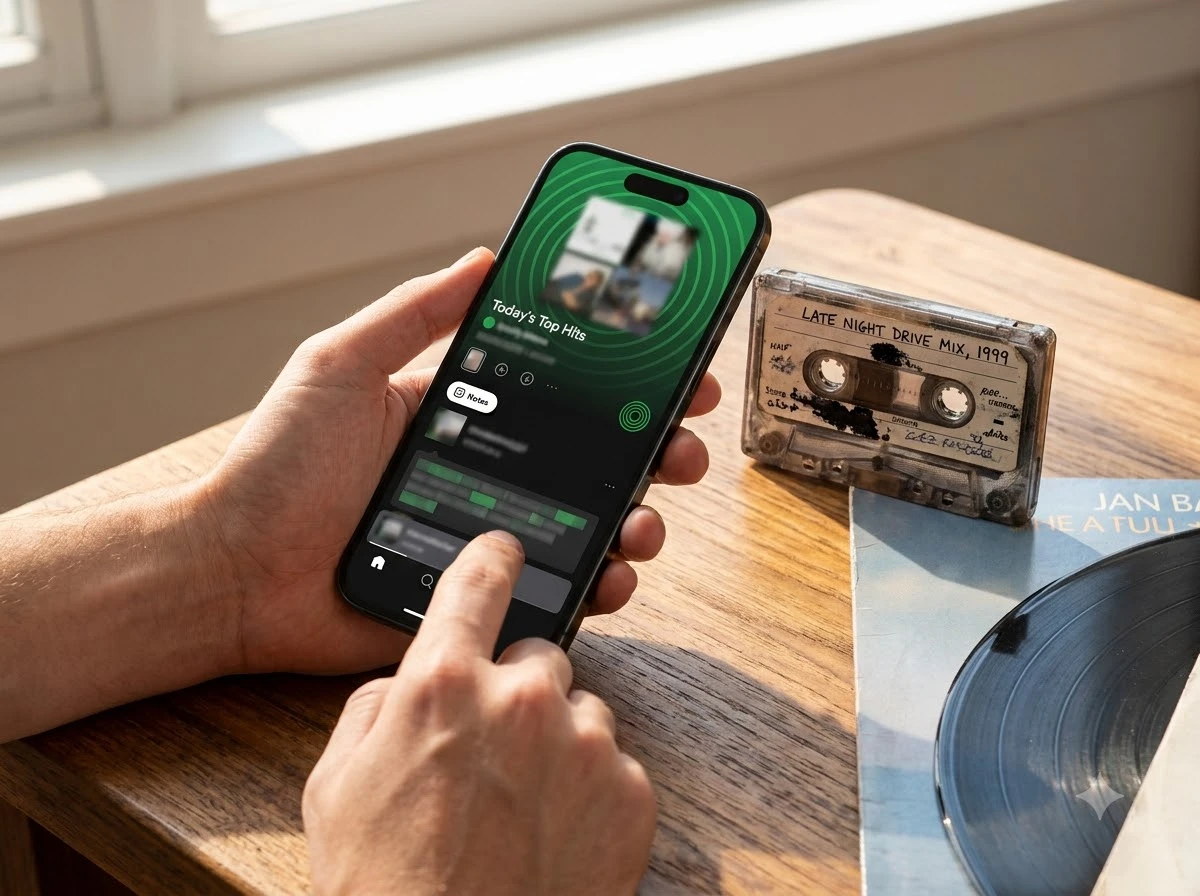
On mobile, owners and collaborators open a playlist, tap the three dots next to a track, episode or audiobook, choose Add note, type and save. The note appears under the item for every viewer, with the author’s name linking to their profile. Notes also surface in Now Playing even when the listener is outside the original playlist.
Spotify says the idea is simple: capture a memory, flag a hidden gem, or explain why a pick made the cut. The company requires every note to follow its Platform Rules and Terms of Use. Earlier reporting on the related User Notes feature put the caption length at 240 characters; Playlist Notes inherit the same personal-caption spirit.
- Who can write: playlist owners and collaborators on the user side; Spotify’s editorial team on the company side.
- Who can read: anyone with view access to the playlist.
- Where notes appear: inside the playlist and in the Now Playing view.
- Content types: songs, podcast episodes and audiobooks.
The move turns a plain queue of audio into something closer to an annotated mixtape. Listeners who share a playlist no longer have to send a separate message explaining the first three tracks.
Editors Finally Get Names and Faces
Spotify is putting the same tool in the hands of its globe-spanning editorial team. Editors can now explain why a track matters, what makes it culturally relevant, or why it belongs on a given list. To start, notes appear on some of the service’s biggest playlists.
| Playlist | Launch status |
|---|---|
| Today’s Top Hits | Notes live at launch |
| RapCaviar | Notes live at launch |
| Hot Country | Notes live at launch |
| All New Pop | Notes live at launch |
| mint | Notes live at launch |
| Fresh Finds Hip-Hop | Notes live at launch |
Listeners tap Notes at the top of those playlists to browse. Tapping an editor’s name opens a new Editor Profile that shows the person’s top tracks and albums plus the playlists they work on. Editor notes and profiles are available to free and Premium users ages 16 and older in the United States, Canada, the United Kingdom, Ireland, Australia and New Zealand.
This is not the first time Spotify has tried to put faces on curation. In June the company added editor-led video recommendations inside New Music Friday for U.S. listeners. John Stein, Head of North America Editorial, said at the time that the goal was a closer connection to the people behind the playlist and more context around the songs shaping culture. Earlier Drop Weekly video experiments more than doubled engagement through saves and likes, according to the company.
With Playlist Notes, editors share why a track matters, what makes it culturally relevant, or why it belongs in that particular playlist.
That line comes straight from Spotify’s own announcement. The new profiles give those same editors a persistent identity instead of remaining anonymous names on a playlist description.
How Ordinary Listeners Add Their Own
User-created Playlist Notes are rolling out more broadly than the editor tools. Spotify lists iOS and Android availability in more than 100 markets, though exact country lists can still vary from the editor rollout.
- Open a playlist you own or collaborate on.
- Tap the three dots next to a track, podcast episode or audiobook you added.
- Select Add note.
- Type the note and tap Save.
The company positions the feature as a way to bring more of yourself to your playlists. A shared road-trip list can now carry the reason each song made the cut. A collaborative workout playlist can carry tempo tips or inside jokes. On X, early reaction framed the tool as liner notes for the streaming era, shifting discovery from “what song next” toward “why this person is worth following.”
Skeptics on older User Notes threads joked that no one would read them and that the notes would stay private diaries. That objection still applies. Yet the public layer on shared and collaborative playlists turns the same habit into readable context for friends, followers and strangers who land on the list.
Timing After a 300-Million-Subscriber Quarter
The launch lands two weeks after Spotify’s Q2 2026 earnings. Premium subscribers grew 9 percent year over year to 300 million. Monthly active users climbed 12 percent to 777 million. Total revenue rose 14 percent to €4.8 billion, and gross margin hit a record 33.4 percent. Co-CEO Alex Norström pointed to scale that few companies reach and to Spotify living across a user’s whole day. Co-CEO Gustav Söderström stressed faster shipping of new products and new ways for users to engage.
In the same earnings package Spotify highlighted Running Mode, Talk to Spotify conversational controls, Personal Podcasts, Studio by Spotify Labs and expanded DJ languages. Running Mode workout playlists match tempo to pace; Playlist Notes tackle a different layer of personalization, the human story around each pick.
Scale snapshot
- 300 million Premium subscribers at end of Q2 2026
- 777 million monthly active users
- €4.8 billion quarterly revenue
- 100-plus markets for user Playlist Notes at launch
The company frames the notes as part of a longer push to make the app feel more social and personal. That framing matches the pattern of earlier social tools that also started small and then expanded.
A Line That Runs From Mixtapes to Jam
Physical albums once carried liner notes that explained songs, thanked collaborators and told stories. Homemade cassettes and burned CDs often arrived with handwritten track lists and little messages. Streaming largely erased that layer. Playlists became efficient queues ordered by algorithm or simple drag-and-drop.
Spotify has spent years trying to put social texture back. Collaborative playlists let friends add and reorder tracks. Blend builds shared daily lists from two people’s tastes. Jam turns real-time group listening into a live session for up to 32 people. Those tools already generate heavy use: earlier company figures cited tens of millions of Blends and hundreds of millions of hours on collaborative playlists in short windows.
- 2020, Collaborative playlists open full editing to invited friends.
- 2022, Blend expands multi-person shared playlists.
- 2023, Jam adds live group listening sessions.
- July 2026, User Notes let individuals caption individual tracks.
- August 2026, Playlist Notes extend the idea to full playlists for both users and editors, plus Editor Profiles.
Playlist Notes sit at the end of that chain. They do not replace the algorithm. They give the human side of curation a permanent place next to the songs.
What Changes for Discovery and Rivals
Editorial playlists have long been powerful but opaque. A note that says why a track landed on RapCaviar or Hot Country gives listeners a reason to trust the next pick and a name to follow. Editor Profiles turn anonymous curators into people with taste that can be explored. That visibility is the second-order effect: discovery starts to travel through people as well as through song similarity.
On the user side, shared playlists become denser. A friend who receives a link can read the story behind the first five tracks without asking. Collaborative lists gain a running commentary. The same notes follow a song into Now Playing, so context travels beyond the original list.
Rivals already offer social listening signals. Apple Music shows friends’ activity and profiles. YouTube Music leans on the broader YouTube comment and community layer. Neither has rolled out an identical track-by-track annotation tool inside playlists at the same scale. Spotify’s bet is that attaching short, permanent human context will make its playlists stickier and give its editors a clearer voice.
Early reaction on X treated the feature as a natural extension of mixtape culture rather than a radical reinvention. That reading fits the evidence. The tool is small. The pattern it continues is large: every few years Spotify finds another way to put human judgment and personal story next to the algorithm.
Listeners who update the app can start adding notes today in supported markets. Editors are already writing on the flagship playlists. The liner notes are back, only this time they live inside the stream.
Frequently Asked Questions
How do I add a Playlist Note on Spotify?
Open a playlist you own or collaborate on in the mobile app, tap the three dots next to a track, podcast episode or audiobook, select Add note, type your text and tap Save. The note becomes visible to anyone who can view the playlist.
Which markets get editor Playlist Notes and profiles first?
Editor notes and Editor Profiles are rolling out to free and Premium users ages 16 and older in the United States, Canada, the United Kingdom, Ireland, Australia and New Zealand. User notes are available more widely on iOS and Android in over 100 markets.
What do Spotify Editor Profiles show?
Each Editor Profile lists the editor’s top tracks and albums along with the playlists they contribute to. Listeners reach a profile by tapping the editor’s name next to a note or at the top of a participating playlist.
Can notes appear outside the original playlist?
Yes. Spotify says notes also show up in the Now Playing view even when a listener is hearing the song, episode or audiobook outside the playlist where the note was first added.
Do Playlist Notes work on desktop or only mobile?
The company describes the add-note flow for the mobile apps on iOS and Android. Availability and interface details for desktop or web players were not listed in the launch materials.


Shelby’s $42.9 million Daytona Coupe cashes the bet that beat Ferrari

AI forces Apple into third security drop in three weeks

Lamborghini banks 2027 revenue with sold-out Revuelto SV

Apple’s Labor Day Habit Locks iPhone 18 Pro September Dates

Frogwares Ships Sinking City 2 After Years of Air Raids

AirTag 2 Hits Near Lows Just as Travel Season Peaks

McLaren Pop Art F1 GTR Hits $34.6 Million and Resets the Tier

Spotify Playlist Notes Bring Back Liner Notes for Streaming

AirPods Max 2 hit $429 and finally close the value gap

Star Citizen private demo of Siege of Orison still wiped the devs

Spain’s Diaspora-Rooted Squad Wins Over New York Ahead of the Final

Guardians Rout Twins With Seven Homers, Leave Joe Ryan One Shy of Record

Rainout Gives Red Sox Two Shots at a Franchise-Record Win Streak

Caitlin Clark Skips the WNBA 3-Point Contest for a Third Straight Year

Double Fine Cuts 23 Jobs Weeks After Xbox Independence

John Hight Exits Wizards After Digital Reckoning Hits

Day-One Big Walk Lifts PS Plus August Beyond Recycled AAA

Red Sox Squander Hot Streak Chance in 4-3 Loss to Athletics

Curtis Mead’s Red Sox Debut Ends With Fractured Wrist

Moesch and Dressel Rewrite Night One at 2026 U.S. Nationals
-

 TECHNOLOGY3 years ago
How to Adjust a Bulova Watch Band – An Easy Guide
-

 News3 years ago
Fred Pentland: Athletic Bilbao’s English mentor who changed the essence of Spanish football
-

 FINANCE3 years ago
Tax Planning for Every Season: Guide to Maximizing Your Tax Benefits
-

 Education3 years ago
African Ministers New Education Plan
-

 BUSINESS3 years ago
What is Entrepreneurial Operating System? A Comprehensive Guide to EOS
-

 Education3 years ago
Innovate Your Learning Journey with Technology and Enhance Education
-

 News3 years ago
Russians formally out of World Athletics Championships
-

 BUSINESS3 years ago
Top 9 Most Expensive American Cities to Rent an Apartment