
News
ClickLock Malware Kills Mac Apps Until Victims Type a Password
ClickLock Stealer kills macOS apps every 210 milliseconds until victims type their password, hitting 100+ targets in 33 countries, Group-IB says.

A new macOS infostealer called ClickLock answers a victim’s refusal to hand over their password by killing their own apps, over and over, every 210 milliseconds, until they give in. Group-IB, the threat intelligence firm that found it, counted at least 100 victims across 33 countries since May, more than half of them in Europe.
Apple shipped a Terminal warning built to stop exactly this kind of attack in late March. ClickLock launched about a month later, and it was built for the paste anyway.
Type Nothing and the Kill Loop Takes Over
The attack starts with one copied command pasted into Terminal, the same motion behind a wave of macOS scams this year built on ClickFix, a technique that tricks someone into running a malicious command themselves instead of exploiting a bug. A fake system dialog then asks for the login password, wearing a downloaded Apple icon and the victim’s own username.
Cancel it, and the script does not stop. It drops two LaunchAgents, small configuration files macOS uses to relaunch programs automatically at login, named com.authirity.plist and com.chromer.plist into ~/Library/LaunchAgents/, then exits quietly. Nothing looks wrong yet.
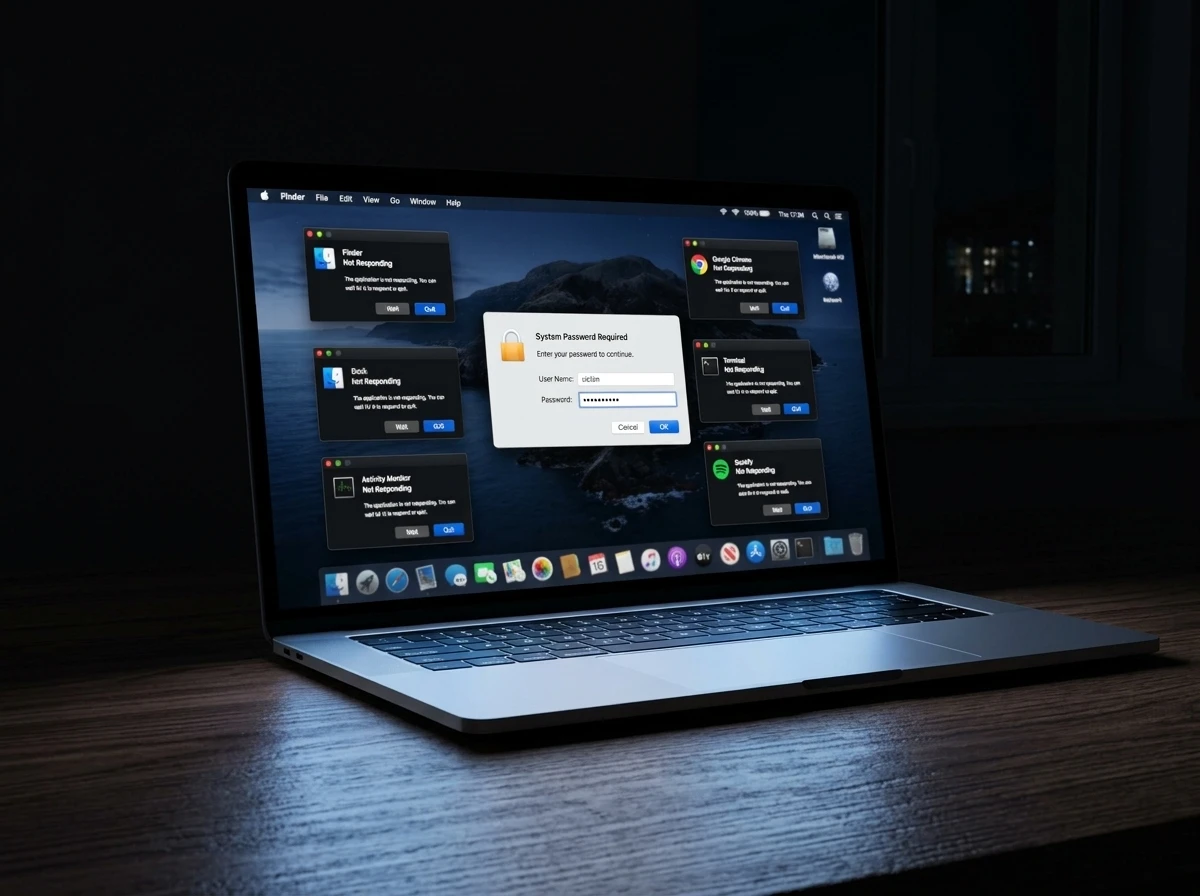
The damage starts at the next login. com.authirity.plist fires a kill loop that ends Finder, the Dock, Spotlight, Terminal, Activity Monitor and the major browsers every 210 milliseconds, a cycle Group-IB says can run for up to 83 hours, leaving one password box glowing on an otherwise dead desktop.
com.chromer.plist runs a second loop at 0.2-second intervals for up to 3,000,000 seconds, roughly 34.7 days. That loop exists for one target: a real macOS Keychain prompt that forces approval to capture Chrome’s Safe Storage key, the AES key that unlocks every password and cookie Chrome has saved. A background process checks for that prompt every half second, and the loop holds the desktop hostage until the victim clicks approve.
A third loop kills NotificationCenter for six hours, long enough to keep any Gatekeeper warning from ever rendering. If Terminal lacks Full Disk Access, the malware opens System Settings to the right pane itself and walks the victim through granting it.
Group-IB does not equivocate about what that combination of loops is for.
This behavior is unique to forced-interaction malware and has no legitimate use case.
That is the firm’s judgment on the sub-second process-killing bursts aimed at Finder, Dock, SystemUIServer and NotificationCenter, the one piece of the chain with no cover story anywhere else in it.
A Hundred Targets in 33 Countries Since May
Group-IB’s telemetry puts the campaign’s reach at more than 100 victims across 33 countries since May, concentrated in Europe with more clusters in North America, the Middle East and Africa. The firm frames it as a financially motivated operation aimed at high-income regions where crypto adoption and Mac ownership both run high.
- 100+ confirmed victims tracked since the campaign began in May
- 33 countries hit, with more than half concentrated in Europe
- 31 cryptocurrency wallet browser extensions the malware searches, alongside 8 browsers and 8 desktop wallet apps
- 0 antivirus detections on VirusTotal when the sample was uploaded June 9
Analysts assume from the code structure that the malware is still being built out, not finished.
Apple Tried to Close This Door in March
Apple’s answer arrived in macOS 26.4, shipped in late March. It watches for suspicious paste activity inside Terminal and blocks outright anything the system already recognizes as known malware, a mitigation Microsoft has pointed to as a direct answer to ClickFix delivery. The prompt itself, according to a writeup of the warning’s March rollout, tells users “Possible malware, paste blocked.”
Apple’s own design shows how much room that warning leaves. It only fires if someone does not regularly rely on Terminal, and it ships with a Paste Anyway button sitting right next to it. The hard block needs macOS to already recognize the malware, and ClickLock arrived with zero VirusTotal detections, exactly the condition that block cannot catch.
Two campaigns found a way through that room within weeks of each other, moving in opposite directions. Jamf Threat Labs, a Mac device security research team, documented a campaign that skips the Terminal paste entirely, using an applescript:// URL to open Script Editor with a payload already loaded, so Apple’s check never fires at all.
Thijs Xhaflaire, a researcher on that team, wrote that “when one door closes, attackers find another.”
ClickLock is the other route. It kept the paste, and it engineered around the person typing it instead of the code checking it.
Old Tricks Wearing a New Coercion Loop
Almost none of ClickLock’s individual pieces are new. Microsoft documented the same password-validation trick in Macsync and Shub Stealer in May, the same wave of macOS ClickFix campaigns that also carried Atomic macOS Stealer (AMOS). Telegram exfiltration and LaunchAgent persistence are boilerplate across this malware family by now.
Group-IB’s own teardown names five working files and what each one does once it lands.
| File | Role | What It Does | Fate |
|---|---|---|---|
| script.sh | Orchestrator | Hides the cursor, fakes a Cloudflare check, pulls four payloads | Forges timestamps, deletes itself |
| zsh.txt | Credential stealer | Runs the 210ms kill loop until a password lands | Unloads its LaunchAgent, deletes itself |
| chromer.txt | Keychain stealer | Forces approval of the Chrome Safe Storage prompt | Unloads its LaunchAgent, deletes itself |
| finderv2.jpg | Crypto stealer | Scans 31 wallet extensions and 8 desktop wallets | Piped straight into bash, no disk footprint |
| goyim | Backdoor installer | Installs a gs-netcat reverse shell via a GSocket relay | Stays installed, never self-deletes |
Four of the five erase their own tracks before they finish. The fifth does not, and that is where the campaign actually ends up.
The Backdoor That Doesn’t Clean Up After Itself
goyim is roughly 80 percent a copy of the public deploy script for GSocket, an open-source tunneling toolkit built by The Hacker’s Choice. Its authors pitch the gs-netcat component as an encrypted reverse backdoor that needs no command-and-control server of its own. It rides a relay instead.
Group-IB traced this particular copy to an operator relay at gsnc[.]eu:67, with the binary pulled from gsocket.io itself. A near-identical abuse of the same open-source tool showed up in a bash script that hides its filesystem changes with forged timestamps months earlier, the same anti-forensic trick ClickLock’s own modules echo when they backdate their traces off ~/Movies.
Sit through the loop, type the password, and the desktop comes back looking normal. What is left behind is a reverse shell running as SystemUIServerl, one letter off the name of the real macOS process, sitting in ~/Library/Application Support/iCloudsync and disguised as iCloud.
The Safe Storage key is the piece that outlasts everything else. It encrypts Chrome’s saved passwords and cookies on disk, so once the operator has it, Login Data and Cookies get decrypted offline, on the attacker’s own machine, whenever they get around to it. There is no rush and no second warning.
A completed run leaves the operator holding the validated macOS login password, that Safe Storage key, and a ZIP archive built from browser credentials and cookies, crypto wallet extension storage, desktop wallet files, password manager vaults, the Keychain, shell history, and FileZilla’s saved server credentials.
Why Hasn’t Anyone Found ClickLock’s Lure Page?
Group-IB has the entire payload chain, every file and every host serving the four components, but not one lure page. Its indicator list carries three compromised payload hosts and zero lure domains, meaning the landing page design, the sites hosting it, and whatever drives victims there all remain unconfirmed.
The firm assesses with high confidence that ClickLock is delivered through a ClickFix page, based on the script’s structure and behavior rather than a captured sample. The orchestrator opens with a fake “CLOUDFLARE CAPTCHA ACCESS CONTROL” banner and a progress bar cycling status lines about verifying and collecting, cosmetic theater for a visitor who has already pasted a command.
- What Group-IB confirmed: four payloads pulled from two compromised sites, panalobet[.]ph and store.grafsynergy[.]com, plus a backdoor relay traced to gsnc[.]eu:67
- The initial sample carried zero VirusTotal detections when it was uploaded on June 9
- What’s still unconfirmed: the lure page’s design, the domain or domains hosting it, and what actually drives traffic toward it
- Whether any of the 100-plus victims Group-IB counted ever triggered the goyim backdoor is a question the report leaves open
Getting Out Once It’s Already Running
The Warning Signs
Group-IB flagged five behaviors that separate this from anything with a legitimate reason to run.
- security find-generic-password called from a shell script rather than a browser
- osascript spawning password dialogs with icons pulled from /tmp/
- Bulk reads of browser profile directories followed by traffic to api.telegram.org
- curl piped directly into bash where the URL ends in .jpg, .txt or .css
- LaunchAgent creation in ~/Library/LaunchAgents/ by a shell process, paired with launchctl load
None of that belongs in a routine software fix.
If the Loop Has Already Started
If a Mac starts killing its own apps and leaves a single password box on screen, Group-IB’s advice is simple: do not type it. No legitimate verification page needs access to a Terminal. Cloudflare’s own check runs inside the browser, which is the entire point of it.
The firm recommends holding the power button until the machine shuts down, then booting into Safe Mode. On Apple silicon, that means holding the power button until “Loading startup options” appears, selecting the volume, then holding Shift and clicking Continue in Safe Mode. The Shift-at-startup shortcut most people remember is the Intel-only version.
Anyone who already typed the password should assume everything is gone. Revoke active browser sessions, and treat every saved password, cookie and wallet key as compromised. Change all of it, starting with whatever the Keychain and FileZilla were holding.
ClickLock’s operators launched in May, a month into the warning’s life, betting that a person staring at a dead desktop will type the password before they think to shut it down.
Frequently Asked Questions
What Is ClickFix, and How Is It Different From Typical Malware?
ClickFix tricks a visitor into pasting and running a command themselves, rather than exploiting a software bug. Malwarebytes reported it drove over half of 2025’s malware loader activity, and the technique now targets Windows, macOS and Linux alike.
Does Antivirus Software Catch ClickLock Stealer?
Not reliably yet. The initial sample carried zero detections on VirusTotal when Group-IB analyzed it on June 9, and the firm says defenders need to watch for suspicious behavior, like repeated password prompts or apps closing on a loop, rather than rely on known malware signatures.
Why Does ClickLock Need a Second Kill Loop Just for Chrome?
Because since macOS Tahoe 26, Safe Storage keys require a keychain unlock rather than sitting available on disk, according to separate research from Netskope Threat Labs. ClickLock’s chromer.txt module runs its own loop specifically to force that Keychain approval, since the stolen password alone cannot reach it.
What Should I Rotate First if I Already Typed the Password?
Start with anything saved in Chrome and the macOS Keychain, since ClickLock’s whole design exists to capture the Safe Storage key that decrypts them offline. Then move to FTP credentials saved in FileZilla and any crypto wallet extensions or desktop wallet apps, since those categories are named specifically among the data the malware archives and sends to Telegram.
Does ClickLock Target iPhones or Only Mac Computers?
Every report on ClickLock describes it as a macOS desktop threat, built around Terminal, Finder, the Dock and desktop wallet applications. None of the research from Group-IB or other firms tracking the campaign mentions an iOS or iPadOS component.


Iowa Farmer Built Resilience for 16 Years Then Tariffs Hit Hard

HHS Adds FDA Tech and Drugs Deputies to Lock In AI and Review Power

Nvidia Earnings Carry a Built-In Sell-the-News Trap

HP Licenses Huawei Wi-Fi Patents Despite the Entity List

Poland Named in $131B F-15 Deal Echoes Apache Path

Sewer Scavengers Near Penn Station Repeat a Decades-Old NYC Pattern

Second Muni Fatigue Crash Exposes Surface Line Gaps

Chick-fil-A Chicken and Waffles Closes Its 80-Year Loop

Musk Data Centers Leave a Mississippi Family’s Historic Land Empty

OpenAI Data Center Chief Exits as Stargate Strategy Shifts

Double Fine Cuts 23 Jobs Weeks After Xbox Independence

Day-One Big Walk Lifts PS Plus August Beyond Recycled AAA

Curtis Mead’s Red Sox Debut Ends With Fractured Wrist

John Hight Exits Wizards After Digital Reckoning Hits

Moesch and Dressel Rewrite Night One at 2026 U.S. Nationals

Red Sox Squander Hot Streak Chance in 4-3 Loss to Athletics

Boutte’s Quiet Camp Takeover Forces Patriots Receiver Choices

Take-Two CEO Pushes Netflix Subs for GTA 6 Extended Look

Halo Campaign Evolved Skulls Meet Death Barriers That Kill the Hunt

Wildlands Free Update Hands Players the Tools They Already Invented
-

 TECHNOLOGY3 years ago
How to Adjust a Bulova Watch Band – An Easy Guide
-

 News3 years ago
Fred Pentland: Athletic Bilbao’s English mentor who changed the essence of Spanish football
-

 FINANCE3 years ago
Tax Planning for Every Season: Guide to Maximizing Your Tax Benefits
-

 Education3 years ago
African Ministers New Education Plan
-

 BUSINESS3 years ago
What is Entrepreneurial Operating System? A Comprehensive Guide to EOS
-

 Education3 years ago
Innovate Your Learning Journey with Technology and Enhance Education
-

 News3 years ago
Russians formally out of World Athletics Championships
-

 BUSINESS3 years ago
Top 9 Most Expensive American Cities to Rent an Apartment