
NEWS
macOS 27 Golden Gate Ends Intel Support and Free Albums
Golden Gate shipped September 14 as the first Apple-silicon-only Mac system, the last full Rosetta year, and the end of free Shared Album storage.

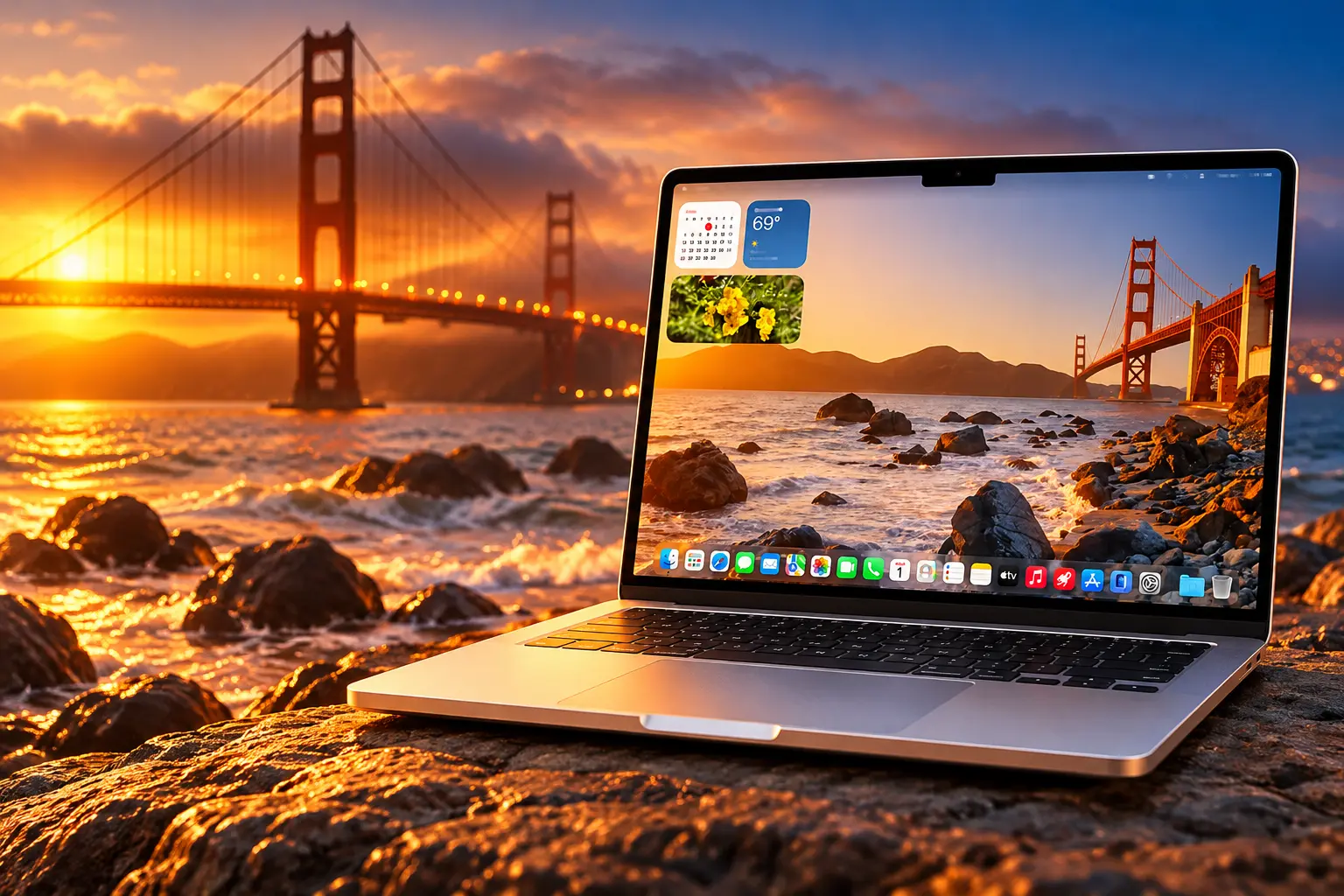
macOS 27 Golden Gate, which Apple released on September 14, 2026, will not install on any Intel Mac. It is the first Mac system limited to Apple silicon, including the A-series chip in the MacBook Neo, and the last version with general-purpose Rosetta for Intel-only apps.
Golden Gate still adds Siri AI, a Liquid Glass slider, and Shared Albums that keep full-resolution photos while drawing from the owner’s iCloud plan.
Four Intel Macs Stay on Tahoe
Apple said a year earlier that macOS 26 Tahoe would be the last major system for Intel hardware. Golden Gate makes that stick. Software Update simply does not offer 27 on a machine with an Intel processor.
Apple’s own compatibility page is blunt: you can install Golden Gate on any Mac with Apple silicon, meaning an M-series chip or an A-series chip. That covers every MacBook Air and MacBook Pro with Apple silicon from 2020 on, the 2021 iMac, 2020 Mac mini, 2022 Mac Studio, 2023 Mac Pro, and the 2026 MacBook Neo.
THE FOUR MACS LEFT ON TAHOE
- 16-inch MacBook Pro: The 2019 model that still ran Tahoe is off the Golden Gate list.
- 13-inch MacBook Pro: The 2020 four-Thunderbolt-3 model is the other leftover notebook.
- 27-inch iMac: The 2020 Retina 5K desktop does not get the installer.
- Mac Pro: The 2019 tower is the last Intel workstation Apple will leave on Tahoe.
Those four Macs keep getting security fixes on Tahoe. They do not get Siri AI, Visual Intelligence, or the rest of the 27-only work. There is no unofficial path that Apple still blesses.
HOW THE SILICON CUTOFF LANDED
- November 2020: Apple ships the M1 MacBook Air, MacBook Pro, and Mac mini and starts the move off Intel.
- WWDC 2025: The company says Tahoe is the last major macOS for Intel Macs and that Rosetta will remain a general-purpose tool through macOS 27.
- June 8, 2026: WWDC names the next system Golden Gate and confirms it is Apple silicon only.
- September 14, 2026: Golden Gate ships. Intel Macs stay on Tahoe.
Six years after the first M1 machines, the installer is the cutoff. If the chip is Intel, the Mac is done with major macOS releases.
Rosetta Gets One Last Full Year
Hardware support is only half of the close. On Apple silicon Macs, Rosetta has been the quiet layer that still launched old Intel-only apps. Apple told developers on September 1, 2026, that this chapter is ending.
In 2020, we introduced Apple silicon for Mac computers, providing Rosetta as a translation layer during the transition period. As announced at WWDC last year, we’re now concluding this transition.
Apple, developer note, September 1, 2026
The same note calls macOS 27 the final release to support Rosetta. Intel-only apps are slated to stop on Apple silicon after this generation, except for older unmaintained games that still rely on Intel frameworks. Golden Gate’s release notes also point Settings at Intel-based apps that will not run in macOS 28.
People who have already upgraded have found another wrinkle. The 27 installer has been stripping Rosetta off the disk, even though the system can still run it. The layer can be put back from Terminal with Apple’s softwareupdate –install-rosetta command. Skip that step and an old Intel utility simply fails to launch, which is a nasty surprise on a Mac that is otherwise fine.
From macOS 26.4 on, the system can already nag when an app still depends on Rosetta. The practical work is the same as it was in 2020: ship a native or universal build, or plan to live on Golden Gate when the next major release arrives.
The iCloud Bill Inside Shared Albums
The Photos change is easier to miss than a dead Intel installer, and it hits more people. For years, a Shared Album could hold up to 5,000 photos and videos without touching the owner’s iCloud quota. Shots were shrunk to 2,048 pixels on the long edge, panoramas to 5,400 pixels, and video arrived at up to 720p and 15 minutes. The quality was the fee. The gigabytes were not.
Albums created in version 27 of macOS, iOS, iPadOS, visionOS, or on the web flip that deal. Apple’s limits page says photos and videos in albums you own are stored in original formats at full resolution, and they count towards your iCloud storage. Shots that other people add count against the owner too. There is no 5,000-item cap on a regular new album, and no 200-album cap, beyond whatever space the owner still has. Temporary albums are the exception: they stay off the meter and still top out at 5,000 items.
SHARED ALBUMS BEFORE AND AFTER VERSION 27
| Rule | Created in 26 or earlier | Created in 27 or on the web |
|---|---|---|
| iCloud storage | Does not count | Owner pays, including guest uploads |
| Photo size | 2,048 px long edge (panoramas 5,400 px) | Original format, full resolution |
| Video | Up to 15 minutes, up to 720p | Original format, full resolution |
| Items per album | 5,000 | No cap except storage (5,000 if temporary) |
| People | 100 subscribers | 100, including the owner |
Apple still gives every account 5 GB of iCloud storage for free. In the United States, iCloud+ then runs $0.99 a month for 50 GB, $2.99 for 200 GB, $9.99 for 2 TB, $29.99 for 6 TB, and $59.99 for 12 TB. A family dump of original iPhone video will not fit in 5 GB, and it will not hide in the old 5,000-item bucket either.
New Albums Meter the Owner
Golden Gate also lets people on Android or Windows join and contribute through iCloud.com, even without an Apple Account. An album can be set to expire after 30 days, and viewers can filter, check recent activity, and react with any emoji. That is a real sharing upgrade. It is also a way for a relative’s full-resolution burst to land on the owner’s tab.
Old Albums Stay Until You Upgrade
Albums created on version 26 or earlier keep the old rules until the owner taps Upgrade Shared Album. After an upgrade, shots already in the album stay off the meter. New items count against the owner from then on, and people still on older software have to update or use iCloud.com. Leave the album alone and the 2,048-pixel copies keep sitting in the free bucket.
Apple Turned the Glass Down
Tahoe’s Liquid Glass look was the other unpaid bill. Users spent a year arguing that translucent panels were pretty and hard to read. Golden Gate does not throw the design out. It gives you a slider.
In System Settings, under Appearance, Liquid Glass now runs from ultra-clear to fully tinted. Apple also tightened contrast, window shadows, and toolbar layout, and it lets sidebars run to the edges of a window. App icons pick up extra Liquid Glass layers in light, dark, clear, and tinted modes. A Show Borders accessibility switch draws edges around controls when the glass still blends into the chrome.
That slider sits on top of the simpler Clear and Tinted switch that arrived in the 26.1 update. If the fight was with the whole idea of see-through windows, Golden Gate will not convert you. If the fight was that you could not finish a Mail message, the tinted end of the slider is the fix Apple shipped.
Widgets can be extra-large on the desktop, and they update live while their app is open. The Dock tints an icon light gray when you quit an app that is still running in the background, and you can stop that process from the icon’s menu. Finder columns gain autosize and reset. External displays get more resolution and refresh choices, including 5K at 120Hz on some ultrawide screens, and window placement is supposed to come back when a monitor is unplugged and plugged in again.
What Siri AI Can Do on a Mac
Siri is no longer a round bubble you summon and dismiss. Spotlight is now a Search or Ask bar. You can hunt the Mac, talk through a question, pull facts from Mail and Photos, and hand work to supported apps. A dedicated Siri app stores past chats on a card layout, syncs them across Apple devices, and lets you pin the threads you reuse. Apple’s product page says Siri AI is rolling out in English, and usage limits may apply.
You can still point that bar at ChatGPT from the Ask menu. Conversation context does not come along when you switch. The menu is clearly built to host more than one backend; what ships in 27 is Apple’s assistant plus that ChatGPT option.
NEW MAC MOVES WORTH ACTUALLY TRYING
- Visual Intelligence: Shift-Command-Space selects something onscreen so Siri can explain it, translate it, search similar images, or file a flyer into Calendar.
- Photos edits: Reframe changes apparent camera angle on compatible shots, Extend grows a crop with generated edges, and Clean Up reconstructs busier backgrounds in Fast, High Quality, or Auto modes.
- Safari: Tabs can group themselves by topic, Notify Me watches a page for a restock or price drop, and Create an Extension turns a plain-language request into a custom add-on.
- Writing and automations: Write with Siri drafts or rewrites almost anywhere you type, Shortcuts build a workflow from a description, and Calendar and Reminders fill in dates from ordinary sentences.
Mail search ranks by relevance, so an order confirmation can beat a promo from the same store. Swipe-down-to-refresh lands in Safari, Mail, News, Podcasts, and Calendar. Notes and Freeform finally draw on the Mac without borrowing an iPhone canvas. Photos can save a video frame as a still, add keywords and star ratings, build a slideshow from any album, and sort a “Captured by Me” pile plus an Identity Documents collection. iPhone Mirroring windows are resizable and can play protected video, though mirroring remains unavailable in the European Union and streaming apps can still block it.
Parents get category-level Screen Time allowances by day and time, Ask to Browse for new Safari sites, and wider filters for gore and violence. Call Context on the Mac Phone app can surface a confirmation code from Mail when you dial an airline or hotel, using the number, not the call audio.
Expressive Voices Need an M3 and 12GB
Apple Intelligence on Golden Gate is not one switch. Every Apple silicon Mac, including M1 machines and the MacBook Neo, can run the system and the new Siri. The stronger on-device model is narrower.
WHO GETS WHICH SLICE
| Capability | Hardware that qualifies |
|---|---|
| Install Golden Gate | Any Mac with an M-series or A-series chip |
| Siri AI and Apple Intelligence | Those same Macs, English rollout, usage limits may apply |
| Expressive Siri voices and the stronger dictation model | M3 or newer with at least 12GB of memory |
| Intel Macs | Stay on macOS 26 Tahoe |
Voice settings now include sliders for expressiveness and pace. If the Mac is an M1 or M2, or an M3 with less than 12GB, you get the assistant without that voice pack. Image Playground, Clean Up, Extend, and some Shortcuts cloud models can also hit usage limits. A later software update is supposed to let the Passwords app change eligible weak logins in Safari by itself; that repair step is not in the first Golden Gate build.
The Mac that can run 27 is not always the Mac that gets the loudest Siri. The Mac that cannot run 27 at all is still on Tahoe, with Liquid Glass and no path to the new Photos tools. Album owners who tap Upgrade Shared Album keep their old shots off the meter, and every new photo a guest drops in from iCloud.com lands on the owner’s iCloud tab from then on.
Frequently Asked Questions
Which Macs can install macOS 27 Golden Gate?
Apple lists every Mac with Apple silicon: MacBook Air and MacBook Pro models from 2020 on, the 2021 and later iMac, 2020 and later Mac mini, 2022 and later Mac Studio, the 2023 Mac Pro, and the 2026 MacBook Neo with an A18 Pro chip. If the computer has an Intel processor, Software Update will not offer Golden Gate.
Do Shared Albums use iCloud storage in macOS 27?
New albums created in version 27, or on the web, store originals at full resolution and bill the owner’s iCloud plan, including photos other people add. Temporary shared albums do not count against storage and still cap at 5,000 items. Albums created in version 26 or earlier keep the old free, downsized rules until the owner upgrades them.
Will Intel apps still run on Apple silicon in Golden Gate?
Yes, if Rosetta is present. macOS 27 is the last major release with general-purpose Rosetta. Apple says Intel-only apps will stop in the next major release, with a remaining path for older unmaintained games. The 27 installer has been removing Rosetta, which you can put back with softwareupdate –install-rosetta.
What happens if I upgrade an old Shared Album?
After Upgrade Shared Album, pictures already in the album still do not count against iCloud. Any new photo or video added after the upgrade counts against the owner, and people on older software need to update or open the album on iCloud.com.
How much iCloud storage does Apple give for free?
Every Apple Account still includes 5 GB. Paid iCloud+ plans in the United States start at $0.99 a month for 50 GB and rise through 200 GB at $2.99, 2 TB at $9.99, 6 TB at $29.99, and 12 TB at $59.99, which can be shared with up to five family members.

Final Fantasy Resonance Turns a Dead Gacha Into HD-2D

PHP2Shell Forced Sites Offline While Exploits Stalled

Kindle+ Folds AI Audiobooks Into the Page-Read Fund

Chip Stocks Fall as the Bond Rally Cheapens AI Spend

Comcast’s Record Odyssey Quarter Doubles as the Exit

Microsoft 365 Auth Fault Took Down Exchange and Teams

Xbox Caps Game Pass Cloud Gaming at 15 Hours

OpenClaw 2.0 Ships a Team Workplace With Host-Trust Defaults

OpenAI Unveils GPT-6 Astra With a Critical Cyber Label

Diesel Breaks Its Record as the White House Claims Credit
-
 NEWS2 months ago
Microsoft 365 Auth Fault Took Down Exchange and Teams
-
 GAMING2 months ago
Xbox Caps Game Pass Cloud Gaming at 15 Hours
-
 NEWS2 months ago
OpenAI Unveils GPT-6 Astra With a Critical Cyber Label
-
 NEWS2 months ago
OpenClaw 2.0 Ships a Team Workplace With Host-Trust Defaults
-
 BUSINESS2 months ago
Diesel Breaks Its Record as the White House Claims Credit
-

 LIFESTYLE2 months ago
Squishy Dumpling Toys Recalled After Hiding Illegal Water Beads
-

 BUSINESS2 months ago
ChargePoint Stock Rally Prices Wilmer’s Three-Year Cash Plan
-

 AUTO2 months ago
Tesla Puts Its Wheel-Free Cybercab on Austin Streets