
NEWS
Windows 11 Restores Old Basics After a Five-Year Wait
Windows 11 is getting a movable taskbar, WinUI 3 Search, and a 2GB memory break, five years late and in the middle of a DRAM price spike.

Microsoft said on October 15, 2026, that Windows 11 is now up to 20% more responsive and can keep 2GB more working data in RAM. Navjot Virk, who leads Windows experiences, put that claim at the top of a long quality rundown for Insiders, with a wider release due later in 2026.
The same package restores a movable taskbar, rebuilds Search and Photos as native WinUI 3 surfaces, and quietly aims the memory work at PCs with 8GB of RAM. Windows 11 shipped on October 5, 2021. Windows 10’s regular support already ended on October 14, 2025.
Microsoft Puts a Number on a Five-Year Wait
Virk wrote that the speed work reaches Start, File Explorer, Search, Snipping Tool, Microsoft 365, and Edge, and that you should feel it from the first boot. Microsoft also says Bluetooth headphones pair more cleanly, with an AirPods flow that is up to 15 seconds faster, and that Windows Hello face and fingerprint sign-in is quicker. Those are lab claims, not independent benches, and they sit next to features that are not on every PC yet.
WHERE EACH WINDOWS 11 CHANGE STANDS
| Change | Who has it | Limit |
|---|---|---|
| Taskbar on top, left, or right | Recent 26H2 installs and staged 24H2/25H2 updates | Auto-hide and a smaller bar still fail on the sides |
| WinUI 3 Search with typed actions | Insider Experimental, English only | Start menu still uses the old Search until 2027 |
| Photos Gallery, Editor, and Viewer | Insiders from October 15, 2026 | Everyone else waits until later in 2026 |
| 2GB working-set hold; Widgets on demand | Rolling with the quality work | Microsoft says 8GB PCs feel it most |
| 25-game bundle with a new PC | Starts November 2026 in the United States | Eligible new PCs only; some cannot run every title |
That table is the honest map. Microsoft is shipping a pile of 2021 complaints as a drip, not as one ISO, and several rows still say preview.
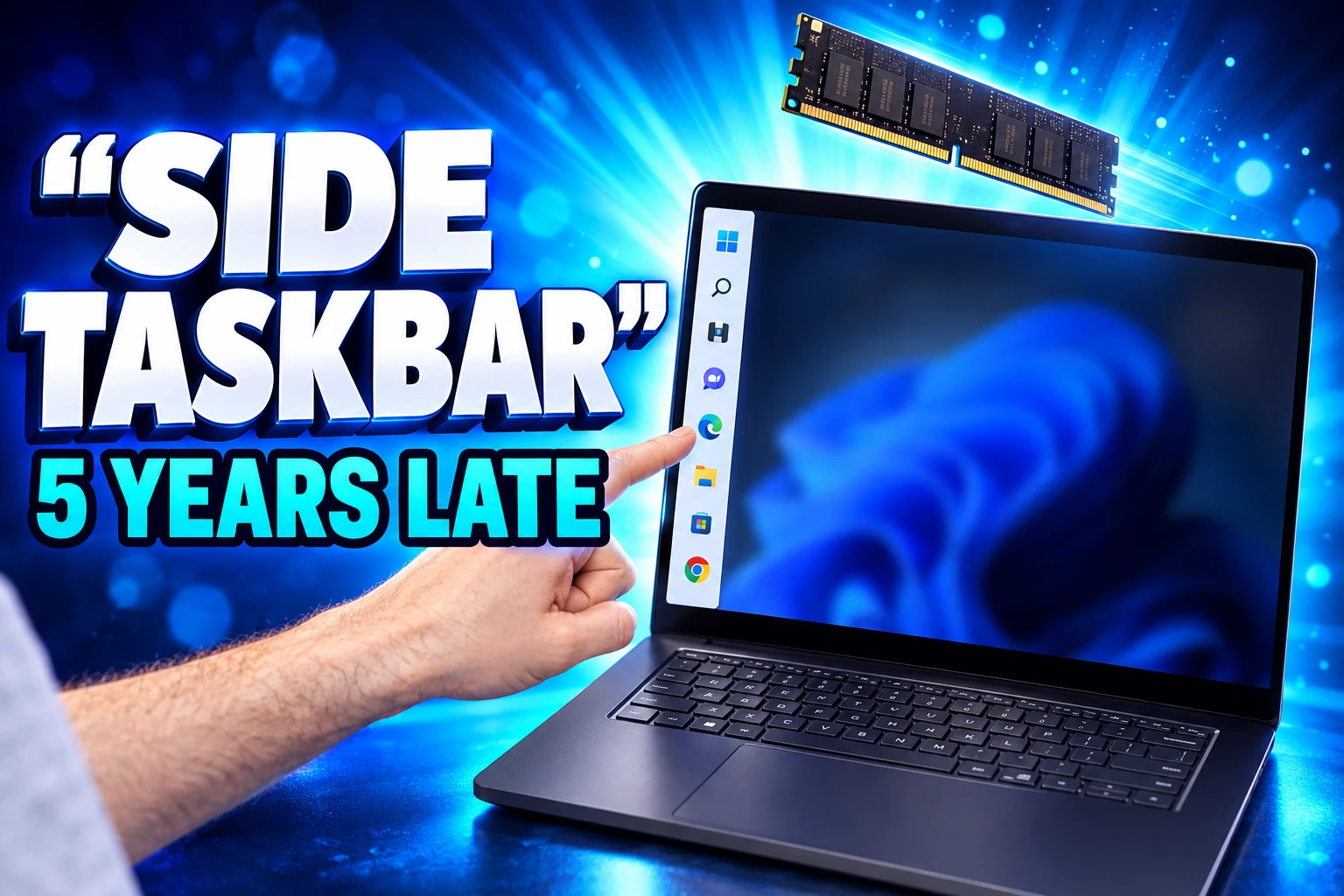
Side Taskbars Return Without Auto-Hide
When Windows 11 launched, the taskbar sat on the bottom and stayed there. You could slide the icons left, which is not the same as docking the bar on a tall monitor. In 2022, Tali Roth, then head of Windows Core experience, said putting the bar on the left or right forced a huge reflow job for every app, and that Microsoft did not plan to build it then.
The control is now in Settings under Personalization, Taskbar, then Taskbar behaviors, with Bottom, Top, Left, and Right. Tooltips and flyouts are supposed to follow the bar. Touch gestures, the Search box, and Ask Copilot in those other spots are still in progress. Auto-hide and the tablet bar are not supported off the bottom, and the new smaller taskbar only works on the top and bottom edges.
Shopify CTO Mikhail Parakhin installed 26H2, tried to put the bar on the left, and wrote that the side taskbar still not usable yet because auto-hide fails and the size cannot be changed. People who park a vertical bar on an ultrawide, then hide it to reclaim pixels, still cannot do both. The setting Microsoft removed in 2021 is back as a partial port.
What the New Windows Search Can Do From the Taskbar
The new Windows Search, rolling out to Insiders from October 7, 2026, is a WinUI 3 taskbar list that can switch dark mode, toggle Bluetooth, dim the screen, mute audio, and arrange windows without opening Settings. Microsoft says a broader release comes later in 2026, with the Start menu version due in 2027.
Anshul Rawat, writing on the Windows Insider Blog, said the rebuild sits on WinUI 3 so it uses fewer resources, and that almost every click in the old layout already came from the left-hand list, so the giant preview pane is gone. Typo and synonym matching is being tightened. Inline file previews and richer web answers, such as weather or a landmark height, are promised later in 2026. Phone Link actions, including sending a text, are listed as coming soon.
SEARCH ACTIONS THAT SKIP SETTINGS
- Theme and radios: Type “switch to dark mode,” “turn on night light,” or “turn on Bluetooth,” then complete the change in the result row.
- Quick hardware: Type “dim my screen” or “mute” to move a slider or kill audio without opening Quick Settings.
- Window chores: Type “minimize all my windows” or “arrange windows on screen” to clear or snap the desktop from the same box.
That launcher behavior is what a lot of people already install extra tools to get, and it is why the preview is landing as a relief. It is also still a gated test. Rawat said Insiders on Experimental build 26340.9616, or Experimental 26H1 build 28120.3181, can turn on the New Windows Search Experience flag after a Windows Update check and a restart. English is the only language in this first cut. Until 2027, searching from Start still opens the old experience.
Microsoft’s own write-up of the inline actions from taskbar Search is careful about Copilot, describing “thoughtful integrations” in the year ahead rather than a Bing pane in your face. The current Preview still has to prove it will not dump a web hit into Edge when you wanted a keyboard-backlight toggle.
8GB PCs Get a 2GB Memory Break
The number Microsoft wants next to the quality work is not a new Copilot. It is RAM. Virk said Windows can keep up to 2GB more of your active data in memory instead of shoving it to slower storage, which matters when you open more apps or browser tabs. On PCs with 8GB of memory or less, Widgets load only when you open them, which Microsoft says frees more than 200 MB.
Windows can now keep up to 2GB more of your active data in memory instead of moving it to slower storage, helping your PC stay responsive as you open more apps or browser tabs.
Navjot Virk, Windows Experience Blog
Those two figures are not the same gift. The 2GB hold is a working-set change for whatever you are using. The 200 MB is Widgets staying out of the way on small machines. Search and the Photos editor are also being rebuilt on the native WinUI 3 user interface framework, which Microsoft Learn describes as the native UI stack for desktop apps, so those surfaces no longer need to host a web control just to draw a pane.
THE MEMORY CLAIMS NEXT TO THE MARKET
- Up to 20%: Microsoft’s claimed snappiness gain across the shell and everyday apps.
- 2GB hold: Extra active data kept in RAM instead of slower storage.
- 200 MB: Approximate headroom when Widgets stay closed on 8GB or smaller PCs.
- 90-95%: TrendForce’s outlook for conventional DRAM contract prices in the first quarter of 2026, quarter on quarter, with PC DRAM at least doubling.
TrendForce’s October 2026 memory survey is the cold water. Standard DRAM contracts are projected to jump 90 to 95 percent in the first quarter of 2026, and PC DRAM is expected to at least double in that same quarter. Microsoft is finally treating 8GB as a machine people still own. Buying a fresh 16GB laptop in that market is the expensive move, which is why a software backfill now does work a cheaper DIMM used to do.
A Native Photos Editor, Relight Included
Giorgio Sardo, vice president for Microsoft Store and Windows apps, said the new Photos app starts rolling to Insiders on October 15, 2026, then to everyone later in the year. Gallery pulls pictures from the PC, OneDrive, and Apple iCloud into one place, with natural-language search so you can type “a family picnic by the lake” instead of a file name. People filters, albums, Favorites, and OneDrive Moments sit on top of that library.
The Editor is the part Microsoft rebuilt from scratch in WinUI 3. Sardo said it launches 25 percent faster than the prior version, in tests against Photos Version 2026.11060. Tools sit in four groups: Crop, Enhance, Repair, and Stylize. Repair can circle or brush out an object. Relight, now listed for all Windows 11 devices, lets you place up to three lights, set their colors, and aim them at a focus point, or tap a golden hour preset. HDR is kept through the edit, and HEIC and WebP can be saved in their own formats.
The Viewer is a third clock. Microsoft says startup is 15 percent faster on average and up to 30 percent faster on HEIC files, with SVG support and a cleaner photo-first layout. Virk, separately, said the Photos app as a whole launches up to 20 percent faster. That 20 percent is the app open. The 25 percent is the Editor. The 15 and 30 percent figures are the Viewer. They should not be mashed into one “Photos is 30 percent faster” line.
Xbox Throws 25 Games at Holiday PC Buyers
Starting in November 2026, Microsoft will let buyers of eligible Windows 11 PCs in the United States claim 25 games at no extra cost, a pile the company values at more than $500. Virk named The Elder Scrolls V: Skyrim Special Edition, Halo: Combat Evolved Anniversary, Age of Empires II: Definitive Edition, Minecraft Dungeons, and Gears of War: Reloaded. Once claimed, the PC versions attach to a Microsoft account. Some eligible devices cannot play every title, and only some of the set is Xbox Play Anywhere.
That offer is a hardware shove, not a patch for the PC you already own. The other gaming note in Virk’s post is Advanced Shader Delivery, which ships precompiled shaders for supported games so first loads drop from minutes to seconds. Microsoft named Forza Horizon 6 and Gears of War: E-Day for that pipeline, a different Gears title from the Reloaded SKU in the 25-game bundle. You are told to install the Xbox PC app and update graphics drivers first.
Phone-to-PC work is in the same post: Android apps in separate resizable windows, phone files in File Explorer, message previews from Android or iPhone in Start, and a one-click prompt when you snap a photo on the phone. None of that needs a new tower. It also does not fix a side taskbar that will not hide.
Security Patches for Windows 10 Run to 2027
The quality tour is easier to read against the calendar Microsoft already closed.
THE WINDOWS 11 LOCK-IN, THEN THE WALK-BACK
- October 5, 2021: Windows 11 ships with a centered, bottom-locked taskbar and a 4GB RAM floor.
- 2022: Microsoft says moving that taskbar to the sides is a huge reflow job and is not on the plan.
- October 14, 2025: Windows 10 Home and Pro lose regular security updates, feature updates, and technical help.
- May 2026: Insider builds put top and side taskbar positions back into Settings.
- October 7, 2026: WinUI 3 Search with typed actions starts in the Experimental channel.
- October 15, 2026: Virk publishes the quality rundown; Photos begins its Insider pass.
- November 2026: Eligible new U.S. PCs can claim the 25-game bundle.
Home users who stayed on Windows 10 can still enroll for consumer security updates through October 2027. Microsoft’s ESU page says coverage for enrolled PCs runs through October 12, 2027, with sign-up open until that date, via PC settings sync at no extra cost, 1,000 Microsoft Rewards points, or a one-time $30 fee plus tax. ESU is critical and important security fixes only. It is not new features, and it is not helpdesk support.
That extra year is the tell. Microsoft already ended Windows 10, then kept a paid-or-points hose open while notebook DRAM was heading into a 90 to 95 percent contract jump. The Windows 11 work Virk is selling, including a 2GB hold and a Widgets diet for 8GB boxes, is the software answer to a hardware bill a lot of those holdouts cannot pay.
Search from Start still waits until 2027. A left-edge taskbar still will not auto-hide. Microsoft’s own 8GB tuning is the part that can reach a machine you already own, if the update actually lands on it.

Final Fantasy Resonance Turns a Dead Gacha Into HD-2D

PHP2Shell Forced Sites Offline While Exploits Stalled

Kindle+ Folds AI Audiobooks Into the Page-Read Fund

Chip Stocks Fall as the Bond Rally Cheapens AI Spend

Comcast’s Record Odyssey Quarter Doubles as the Exit

Microsoft 365 Auth Fault Took Down Exchange and Teams

Xbox Caps Game Pass Cloud Gaming at 15 Hours

OpenClaw 2.0 Ships a Team Workplace With Host-Trust Defaults

OpenAI Unveils GPT-6 Astra With a Critical Cyber Label

Diesel Breaks Its Record as the White House Claims Credit
-
 NEWS2 months ago
Microsoft 365 Auth Fault Took Down Exchange and Teams
-
 GAMING2 months ago
Xbox Caps Game Pass Cloud Gaming at 15 Hours
-
 NEWS2 months ago
OpenAI Unveils GPT-6 Astra With a Critical Cyber Label
-
 NEWS2 months ago
OpenClaw 2.0 Ships a Team Workplace With Host-Trust Defaults
-
 BUSINESS2 months ago
Diesel Breaks Its Record as the White House Claims Credit
-

 LIFESTYLE2 months ago
Squishy Dumpling Toys Recalled After Hiding Illegal Water Beads
-
 BUSINESS2 months ago
ChargePoint Stock Rally Prices Wilmer’s Three-Year Cash Plan
-

 AUTO2 months ago
Tesla Puts Its Wheel-Free Cybercab on Austin Streets