
NEWS
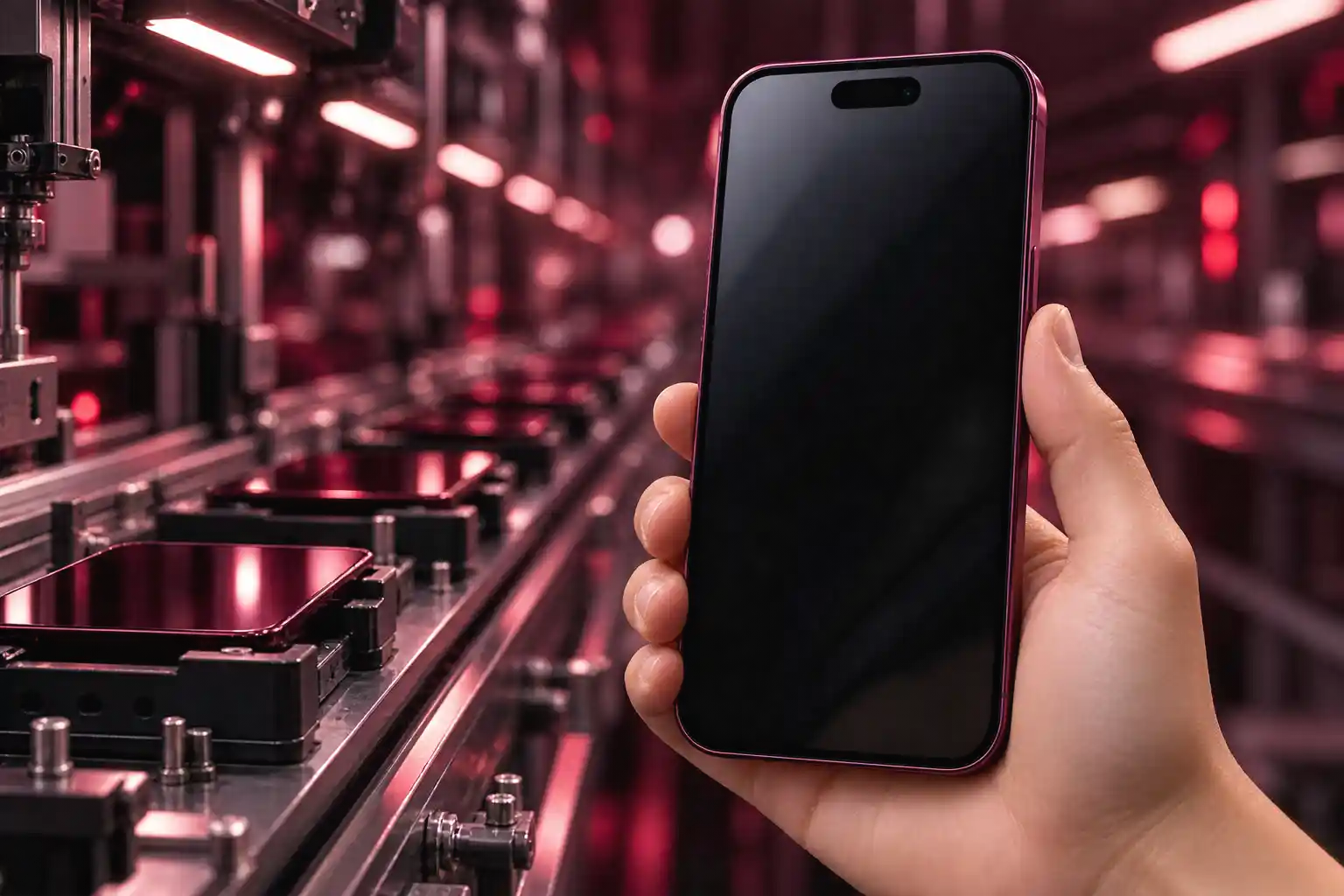
iPhone 18 Pro Leaves the Factory on an Older iOS 27
iPhone 18 Pro and Pro Max boot factory iOS 27 builds 24A427 or 24A8428, a yearly freeze behind the September 14 public 24A437 release.

iPhone 18 Pro and Pro Max phones reaching buyers on September 18, 2026 boot iOS 27 on factory builds 24A427 or 24A8428. The public launch build, posted four days earlier, is 24A437.
That gap is the same factory freeze Apple has used on new iPhones for years, not a one-off glitch in this hardware.
iPhone 18 Pro Units Leave the Factory on 24A427
Apple locked iOS 27 for the public on September 14, 2026, as build 24A437. The new Pro phones were already moving through factories on two earlier iOS 27 variants, which is why the first boot asks for a download before the home screen settles.
Model ids in the restore files are iPhone19,2 for iPhone 18 Pro and iPhone19,3 plus iPhone19,7 for iPhone 18 Pro Max. A Japanese unboxing already showed Settings listing iOS 27.0 (24A427) on a unit that had not taken the public build.
FACTORY VERSUS PUBLIC BUILDS
| Device | Factory build | Public build | Public date |
|---|---|---|---|
| iPhone 18 Pro | 24A427 or 24A8428 | 24A437 | September 14, 2026 |
| iPhone 18 Pro Max | 24A427 or 24A8428 | 24A437 | September 14, 2026 |
| Apple Watch Series 12 | 24R359 | 24R364 | September 14, 2026 |
| Apple Watch Ultra 4 | 24R359 | 24R364 | September 14, 2026 |
iOS 27 started rolling out September 14 across iPhone, iPad, Mac, Watch, Vision Pro, and Apple TV, with Siri AI opening as a beta in English. The Pro in the box is already on an iOS 27 branch. It is just not on 24A437 yet.
Last Year the Same Gap Was 23A330 to 23A345
iPhone 17, iPhone 17 Pro, iPhone 17 Pro Max, and iPhone Air left the factory on iOS 26 build 23A330. Apple then posted 23A341 on September 15, 2025, and a Pro-only 23A345 build on September 18, 2025, the day those phones went on sale.
The freeze is older than that pair. Factory batches of iPhone 15 used 21A326 and 21A327. iPhone 13 Pro units used 19A345 while the non-Pro 13 line used 19A344. iPhone 7 and iPhone 7 Plus shipped 14A346. Each time the version name on the box matched the public release, and the build number did not.
Researchers who log those factory images describe them as release-to-manufacturing builds: the software has to be frozen before phones leave the line, even when customers will open the box on the same day the public build goes live. Later cartons usually match whatever public build is current. The first weekend’s phones are the ones that still show the freeze.
Why Factory Builds Trail the Public Launch Build
iOS 27’s release candidate was 24A435 on September 9, 2026, the day of Apple’s Surprise and Shine event. Factory 24A427 sits earlier on that train. 24A8428 is a second factory variant of the same generation, not a newer public release.
FACTORY RTM BUILD
- The job: A factory build is flashed so phones can be packed before the public build is locked.
- The tell: It keeps the same version name, iOS 27, and an earlier build number than the file customers download.
- The follow-up: Later production lots typically take the public build, so the day-one prompt fades as stock turns over.
Firmware diffs of the candidate and the public file show 24A435 and 24A437 share a kernel dated August 13, 2026, with only small firmware-file changes between them. The leap buyers actually take is from the older factory image onto that public file, not from iOS 26 onto iOS 27.
THE IOS 27 FREEZE CALENDAR
- September 9, 2026: Apple holds Surprise and Shine and seeds iOS 27 RC 24A435, with watchOS 27 RC at 24R363.
- September 14, 2026: Public iOS 27 24A437 and watchOS 27 24R364 go live.
- September 16, 2026: iOS 27.2 beta 24B5084k lands for developers, including iPhone 18 Pro hardware.
- September 18, 2026: iPhone 18 Pro, iPhone 18 Pro Max, Apple Watch Series 12, and Apple Watch Ultra 4 go on sale still carrying the factory builds.
Apple does not publish a changelog for the factory-to-public step. Last year’s Pro-only 23A345 build was discussed as a camera fix. This year’s 24A427-to-24A437 hop should be treated as unknown until Settings finishes the install.
The Watch and AirPods Carry Their Own Freeze
Apple Watch Series 12 and Apple Watch Ultra 4 ship watchOS 27 as 24R359. The public watchOS 27 build is 24R364. The Watch release candidate on September 9 was 24R363, so the watch in the box is behind both the candidate and the public file, just as the phone is.
Apple’s Watch update page says the paired iPhone should already be on the latest iOS, the watch should sit at least 50 percent charged, and the install can run from several minutes to an hour. Some iPhone updates also throw an “Update Apple Watch” alert so Activity data keeps syncing. The practical order on September 18 is phone first, then watch, with both on power.
AirPods 5 are expected to take a firmware update over the air after pairing, which is a quieter wait than the iPhone setup screen. On September 14 Apple also shipped AirPods firmware 9A350 to AirPods Pro 2, AirPods Pro 3, AirPods 4, and AirPods Max 2, adding iOS 27 support such as custom EQ stored on the buds. That 9A350 file is for those current models. It is not the AirPods 5 image.
WHAT THE ACCESSORY UPDATES NEED
- Watch charge: Leave Series 12 or Ultra 4 on the charger at 50 percent or more and keep the iPhone nearby.
- Watch path: Use the Watch app on the phone (My Watch, General, Software Update) or Settings on the watch itself.
- AirPods 5: Pair, then leave the buds in the case next to an iOS 27 phone so the over-the-air image can land.
- Older AirPods: 9A350 already covers Pro 2, Pro 3, AirPods 4, and Max 2 once they sit in a case on iOS 27.
watchOS 27 works with Apple Watch SE 3, Series 9 and later, and Ultra 2 and later, and it wants iPhone 11 or later (or SE, 2nd generation or later) running iOS 27. The new Series 12 and Ultra 4 sit inside that list once 24R364 is on them.
Setup Can Loop After the Day-One Download
The download itself is the ordinary wireless path: power, Wi-Fi, then Settings, General, Software Update. Apple’s own pages tell people to update an iPhone over Wi-Fi and to back up first, which on a brand-new Pro usually means finishing Quick Start from the old phone before the new build installs.
That handoff is the fragile part. A dropped Quick Start session can send the new phone back to the start of setup, which reads like a broken unit when it is a transfer that did not stick. One owner moving from iPhone 16 Pro Max to iPhone Air last year hit the same rewind, even with a store employee standing there.
This is the 5th time my iPhone 18 Pro Max has had to start the set up process again. First time it needed a day one update, it then started again…second time it disconnected automatically from the old iPhone and said I needed to erase and start again.
Daniel Scuteri, tech YouTuber, setting up an iPhone 18 Pro Max
The day-one file is doing what the freeze always does. The extra restarts sit on top of it when the old phone drops off mid-copy. If setup asks to erase and begin again, the safer move is to skip Quick Start, set the Pro up as new, then restore from iCloud, rather than looping the cable transfer.
WHAT THE SETUP DOWNLOAD NEEDS
- Power and Wi-Fi: Plug the Pro in and use a stable network; a VPN or proxy can block Apple’s update servers.
- The menu: Settings, General, Software Update, then Download and Install when 24A437 appears.
- Space: If iOS asks to offload apps for room, let it; those apps come back after the install.
- Hands off: Do not restart the phone, the Watch, or the Watch app while a progress wheel is on screen.
Developers who want to skip past 24A437 already have iOS 27.2 beta 24B5084k, seeded September 16, 2026, with a combined restore for iPhone19,2, iPhone19,3, and iPhone19,7. That beta is optional. Retail setup only needs the public 24A437 file.
MDM Admins Get iPhone 18 Pro Before the Duo
iPhone 18 Pro and iPhone 18 Pro Max are the September 18 hardware. Omnissa’s Workspace ONE note puts the iPhone Duo following on October 23, so the foldable is not in this unboxing wave and is not on the factory 24A427 list.
Jon Duncan, writing for Omnissa on September 16, 2026 (updated September 17), said iOS 27 retires the legacy ScheduleOS Update MDM command and leaves declarative device management as the only supported path. Admins who still push the old command will not have it on 27. Workspace ONE’s SaaS tenants were already seeded for iPhone 18 Pro and Pro Max enrollment, with new keys landing in 2602 Patch 15, 2604 Patch 15, and 2607 Patch 2.
Apple’s own enterprise notes for iOS 27 add remote AppleCare log collection on supervised devices, new status items for enrollment type and Setup Assistant waits, and a way to restrict Siri AI. Those payloads assume the phone has finished the public build. A fleet that unboxes 24A427 and enrolls before 24A437 will show mixed build numbers until the day-one file is forced through declarative updates.
On-prem servers also have to meet Apple’s stricter network rules for OS 27, including TLS 1.2 or later. Store lines in India and elsewhere were already forming as sales opened, which means the first MDM check-ins will arrive while those factory builds are still on the devices.
Later production lots of iPhone 18 Pro should pick up 24A437 at the factory, the way every recent freeze has faded after the first wave. The phones in the September 18 lines will keep asking for the file at setup until that stock turns over.

Final Fantasy Resonance Turns a Dead Gacha Into HD-2D

PHP2Shell Forced Sites Offline While Exploits Stalled

Kindle+ Folds AI Audiobooks Into the Page-Read Fund

Chip Stocks Fall as the Bond Rally Cheapens AI Spend

Comcast’s Record Odyssey Quarter Doubles as the Exit

Microsoft 365 Auth Fault Took Down Exchange and Teams

Xbox Caps Game Pass Cloud Gaming at 15 Hours

OpenClaw 2.0 Ships a Team Workplace With Host-Trust Defaults

OpenAI Unveils GPT-6 Astra With a Critical Cyber Label

Diesel Breaks Its Record as the White House Claims Credit
-
 NEWS2 months ago
Microsoft 365 Auth Fault Took Down Exchange and Teams
-
 GAMING2 months ago
Xbox Caps Game Pass Cloud Gaming at 15 Hours
-
 NEWS2 months ago
OpenAI Unveils GPT-6 Astra With a Critical Cyber Label
-
 NEWS2 months ago
OpenClaw 2.0 Ships a Team Workplace With Host-Trust Defaults
-
 BUSINESS2 months ago
Diesel Breaks Its Record as the White House Claims Credit
-

 LIFESTYLE2 months ago
Squishy Dumpling Toys Recalled After Hiding Illegal Water Beads
-
 BUSINESS2 months ago
ChargePoint Stock Rally Prices Wilmer’s Three-Year Cash Plan
-

 AUTO2 months ago
Tesla Puts Its Wheel-Free Cybercab on Austin Streets