
NEWS
Siri Recap Listens to Rooms That Never Opted In
Apple Watch Audio Intelligence can summarize nearby speech the wearer opted into, while Siri Recap gives the rest of the room no warning chime.

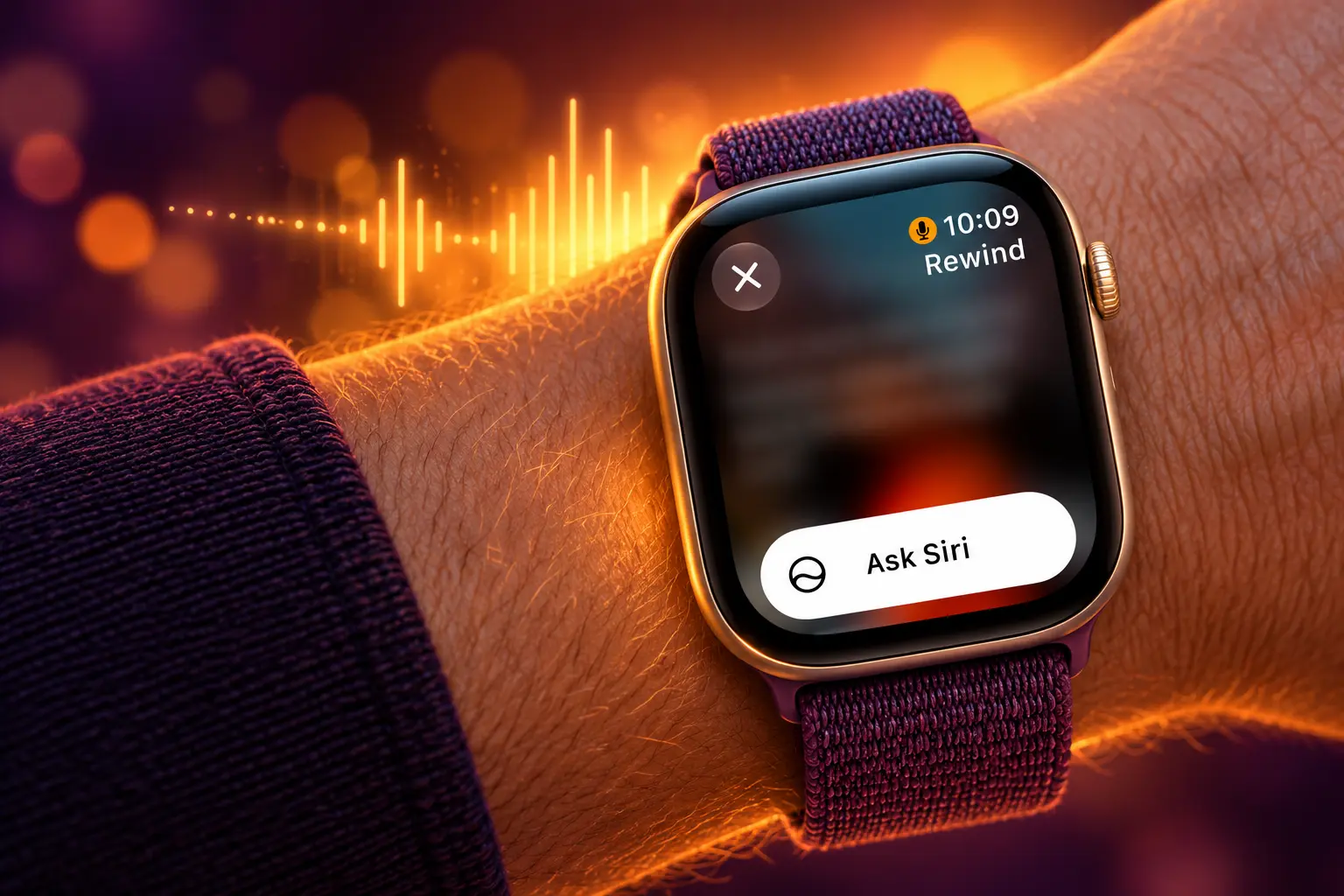
Apple Watch Audio Intelligence on Series 12 and Ultra 4 can turn nearby speech into notes the people in the room never agreed to give. Live Rewind can show the last 15 seconds as text after a double-press of the Digital Crown. Siri Recap can write a high-level summary of talks that happened around the watch.
Both conversation tools are opt-in, start in English, and wait for a late 2026 beta. Apple says no recording exists. The person across the table still never gets a switch.
A Rolling 15-Second Buffer Lives in the S11 Chip
Apple announced the watches on September 9 at its Surprise and Shine event and opened pre-orders the same day. Series 12 starts at $399. Ultra 4 starts at $799, per the company newsroom. Both reach stores on September 18. Both use a new S11 chip with a hardware-isolated Secure Exclave that holds a short stream of microphone audio, overwrites it continuously, and never hands that stream to watchOS, apps, the wearer, or Apple.
Audio Intelligence is the name for four tools that share that microphone path: Sound Recognition, automatic Music Recognition with Shazam, Live Rewind, and Siri Recap. Apple’s September 10 support page groups the first two as ready on the new watches with a wide iPhone range. It parks Live Rewind and Siri Recap in a later beta that also needs Apple Intelligence and Siri AI.
THE FOUR AUDIO INTELLIGENCE TOOLS
| Tool | What it returns | Signal to other people | When Apple says it arrives |
|---|---|---|---|
| Sound Recognition | Alerts for sirens, alarms, doorbells, a baby crying | Vibration and a pop-up for the wearer | On Series 12 and Ultra 4 with iOS 27 |
| Music Recognition | Song title and artist in the Smart Stack | None described for the room | On Series 12 and Ultra 4 with iOS 27 |
| Live Rewind | Text of the last 15 seconds of speech | Chime, full-screen animation, microphone indicator | Beta, late 2026, English first |
| Siri Recap | Title, summary, and key points in the Siri app | None described while it runs | Beta, late 2026, English first |
Live Rewind does not keep transcribing after that glance. The text snippet vanishes from the watch about 30 seconds after the display dims, unless the wearer saves it to the Siri app or taps Ask Siri. Siri Recap is the longer listener. Once it is on, it takes ambient notes through the day, then Apple Intelligence writes a brief summary meant to jog memory rather than stand in for a transcript.
Siri Recap Takes Notes the Room Did Not Approve
Every Audio Intelligence tool is off until the wearer turns it on. That is a real control, and it is also a one-sided one. The setting lives on the watch and in the Watch app on iPhone. Nothing equivalent exists for a colleague, a patient, a cashier, or a child who happens to be talking nearby.
Apple wrote a whole section of its support page on how Audio Intelligence protects people nearby. The features do not label speakers, and they do not write lines such as “John said.” Siri Recap may still include a name if someone spoke it aloud. Live Rewind may transcribe words as they were said. Neither step asks the speaker first.
While audio is not recorded and stored, and no speakers are attributed, consider those around you where conversations might be private or sensitive.
Apple, Audio Intelligence support document, September 10, 2026
That sentence is the whole bystander model. Apple asks the wearer to be careful. It does not give anyone else a way to refuse. In a clinic, a classroom, or a kitchen, the person who bought the watch is the only person who ever saw the prompt.
The legal argument Apple is building sits in a single claim: because no audio file is kept, there is nothing to produce if someone later asks for a recording. A summary can still hold a decision, a number, a diagnosis, or a name. Wearers who treat the chime as a courtesy, and Recap as invisible because it never beeps, will be the ones testing that distinction in rooms that never voted.
Apple Says No Recording Exists
On paper the privacy design is strict, and it is aimed at Apple, apps, and the wearer, not at consent in the room. Audio flows into a protected buffer in the S11 Secure Exclave. Apple says the operating system cannot read it, apps cannot read it, and Apple cannot read it. After processing, that buffer is deleted. Apple also published a Secure Exclave and Audio Intelligence overview as a PDF from its privacy features page.
Live Rewind and Sound Recognition run on the watch and the paired iPhone. If the wearer later asks Siri about a Live Rewind snippet or saves it, that text is sent to Private Cloud Compute. Siri Recap always needs that cloud step for the finished summary. Encrypted audio moves from the watch’s Secure Exclave to the iPhone’s Secure Exclave, where it is decrypted, turned into text, and condensed. Apple says that condensed version is designed to be less than half as long as the original transcript, with filler and tone stripped out. Private Cloud Compute then writes the summary and sends it back encrypted. Apple says data in that cloud path is not stored and is not accessible to the company, and that outside security experts can inspect the server software.
Saved Recap summaries and saved Live Rewind snippets sync in the Siri app with end-to-end encryption when iCloud uses two-factor authentication and a device passcode. Apple says it does not hold those keys. Unsaved Recaps auto-delete after 7 days. The wearer can edit or delete them on every synced device, and can export them to Notes, Journal, and other apps.
CONTROLS THE WEARER GETS
- Opt-in only: Each of the four tools stays off until it is turned on in Settings, the Watch app, or a Smart Stack prompt.
- Recap on a schedule: Siri Recap can run by time, by location, or from Control Center, including patterns Apple names such as only at work or never at night.
- Rewind on a gesture: Live Rewind fires only after a double-press of the Digital Crown, and it does not keep a running transcript in the background.
- Age gates: Live Rewind and Siri Recap are blocked under age 13, and a parent or guardian must turn them on for a Child Account under 18.
Apple also warns that the summaries and snippets are generated by Apple Intelligence and may be incomplete or wrong. Important details can be omitted or twisted. Recap is built to drop some sensitive material, including financial data, government-assigned identifiers, and authentication data, but Apple says automated filters may not catch everything. When the note matters, the support page tells people to check with the humans who were actually in the talk.
The Chime Covers Rewind, Not Recap
Live Rewind is the tool Apple wrapped in theater. A double-press plays an audible chime from the watch speaker even if the watch is on silent or headphones are connected. A full-display animation and a microphone indicator appear at the same time. Apple says that package exists to alert people nearby. It is also the only bystander signal in the suite.
Siri Recap has no equivalent chime described while it is listening. It can sit on a wrist through a staff meeting, a parent-teacher conference, or a dinner, write a title and key points afterward, and never make a sound the table can use as a warning. The wearer can limit it with a schedule. Other people cannot see that schedule.
That split is what the first wave of argument on X keeps missing when it treats the watch as just another always-listening gadget. Phones have listened for a wake word for years. Recap is different because it keeps the meaning of a talk after the sound is gone. A chime at the moment someone pulls 15 seconds of text is a courtesy for Rewind. It does nothing for hours of quiet summarizing.
Apple cannot force a wearer to ask permission, and it does not pretend otherwise. The design assumes good manners will fill the hole. In an office that already bans unannounced recording, a watch that stores conclusions without storing audio will be the awkward new object on the table, whether or not a lawyer ever sees a file.
Which iPhones Pair With Live Rewind?
Sound Recognition and Music Recognition need a Series 12 or Ultra 4 paired with iPhone 11 or later, or iPhone SE (2nd generation or later), running iOS 27. Live Rewind and Siri Recap need the same watches plus a shorter phone list: iPhone 16, iPhone 16 Plus, iPhone 16 Pro, iPhone 16 Pro Max, iPhone 17, iPhone 17e, iPhone 17 Pro, iPhone 17 Pro Max, iPhone Air, iPhone 18 Pro, iPhone 18 Pro Max, and iPhone Duo. The support list does not include iPhone 16e. Both conversation tools also need Apple Intelligence and Siri AI in beta.
Siri AI itself rolls out gradually. Apple says it will not initially be available in the EU on iOS, iPadOS, and watchOS, which takes Live Rewind and Siri Recap with it in that region at the start. Usage limits may apply because part of the work runs on server-side models. Older Apple Watch models are out. The buffer and the Secure Exclave are sold as S11 features, so a Series 11 or Ultra 3 cannot pick this up in software.
watchOS 27 arrives on September 14, four days before the hardware is in stores. Buyers who open a new Series 12 that week will get Sound Recognition and the always-on Shazam path if they opt in. They will not get the conversation rewind or the day recap until Apple opens the later beta.
Sound Recognition and Shazam Turn On First
Sound Recognition is the piece that most clearly serves people who are deaf or hard of hearing. The watch listens for sirens, alarms, doorbells, and a baby crying, then vibrates and shows a pop-up even when the iPhone is not nearby. If Sound Recognition is already on for the iPhone, Apple says it turns on automatically for the new watch. Everyone else has to enable “Detect using Apple Watch” under Accessibility, then Sound & Name Recognition, then Sound Recognition.
SOUNDS APPLE NAMES FOR WATCH ALERTS
- Sirens: Emergency tones the wearer might miss in headphones or a loud street.
- Alarms: Household or workplace alerts that fire when the phone is in another room.
- Doorbells: A visitor or a delivery while music is up.
- A baby crying: A named infant alert, grouped with the other environmental cues.
Music Recognition is the least new idea and the most automatic. Shazam has lived on iPhone since Apple bought the company in 2018. On Series 12 and Ultra 4, the watch can identify a song without a tap and put the title and artist on a Music Recognition widget in the Smart Stack. The Secure Exclave builds an acoustic signature that cannot be turned back into the original audio, then sends that signature, not the sound, to Shazam’s servers. The toggle sits in Settings under Smart Stack as Music Detection, and it also appears as an enable widget in the stack.
Those two tools still put a live microphone in the room. They do not write down what people said. That is why they can ship with the watches while Recap waits. It is also why treating all four features as one privacy story flattens a real split: alerts and song IDs are environmental. Recap is social.
Live Rewind Waits for a Late 2026 Beta
THE AUDIO INTELLIGENCE CALENDAR
- September 9, 2026: Apple unveils Series 12 and Ultra 4 and opens pre-orders, with Audio Intelligence listed among S11 features.
- September 10, 2026: Apple publishes the Audio Intelligence support page that sets the no-recording rules, the nearby-privacy section, and the split iPhone lists.
- September 14, 2026: watchOS 27 and iOS 27 go to the public, with Siri AI rolling out in English and usage limits on the table.
- September 18, 2026: Series 12 and Ultra 4 reach stores. Sound Recognition and Music Recognition can be turned on. Live Rewind and Siri Recap stay in the later beta.
- Late 2026: Live Rewind and Siri Recap open in beta, English first, with more languages to follow, and with no initial EU path on iOS, iPadOS, and watchOS.
Apple has not named a week for that beta. Until it does, the watches will ship as health and fitness upgrades that happen to carry a new microphone pipeline. The conversation features will sit in documentation, in a PDF, and in a support page that already tells wearers to think about the people around them.
The people around them still have no setting of their own. Recap can wait until late 2026 and still arrive as a tool that remembers a room’s meaning after it has forgotten the room’s voice.

Liberty Parks MotoGP on Formula 1’s Austin Stage

The Salary Cap Fight That Can Freeze Baseball’s TV Payday

The 2027 Mercedes GLE and GLS Keep Alabama Busy

Margaret Hamilton Dies at 90 With a Harder Fight Unfinished

Unity Parks Its Engine Inside Google’s Prompt Games

Microsoft 365 Auth Fault Took Down Exchange and Teams

Diesel Breaks Its Record as the White House Claims Credit

Xbox Caps Game Pass Cloud Gaming at 15 Hours

Squishy Dumpling Toys Recalled After Hiding Illegal Water Beads

IFA 2026’s Weird Gadgets Are Building a Sensor Home
-
 NEWS2 months ago
Microsoft 365 Auth Fault Took Down Exchange and Teams
-
 GAMING2 months ago
Xbox Caps Game Pass Cloud Gaming at 15 Hours
-
 BUSINESS2 months ago
Diesel Breaks Its Record as the White House Claims Credit
-

 AUTO2 months ago
Tesla Puts Its Wheel-Free Cybercab on Austin Streets
-

 NEWS2 months ago
OpenClaw 2.0 Ships a Team Workplace With Host-Trust Defaults
-

 NEWS2 months ago
Sony and Warner Sue Anthropic Over Torrented Song Lyrics
-
 LIFESTYLE2 months ago
Squishy Dumpling Toys Recalled After Hiding Illegal Water Beads
-

 BUSINESS2 months ago
ChargePoint Stock Rally Prices Wilmer’s Three-Year Cash Plan