
NEWS
Samsung App Lock Arrives, and Secure Folder Loses Casual Users
One UI 9.5 App Lock puts a biometric gate on Galaxy apps in place and leaves Secure Folder as a Knox vault for copies.

Samsung opened the One UI 9.5 beta on November 18, 2026, with native App Lock on the Galaxy S26 series. Eligible owners in Germany, India, Korea, Poland, the UK, and the U.S. can apply through the Samsung Members app.
The lock uses biometrics or the screen lock on apps you already keep on the home screen, hides their notification content, and strips their widgets. Secure Folder remains the isolated copy, not the tool most people will reach for when they hand a phone across a table.
A Fingerprint Gate on the Apps You Already Use
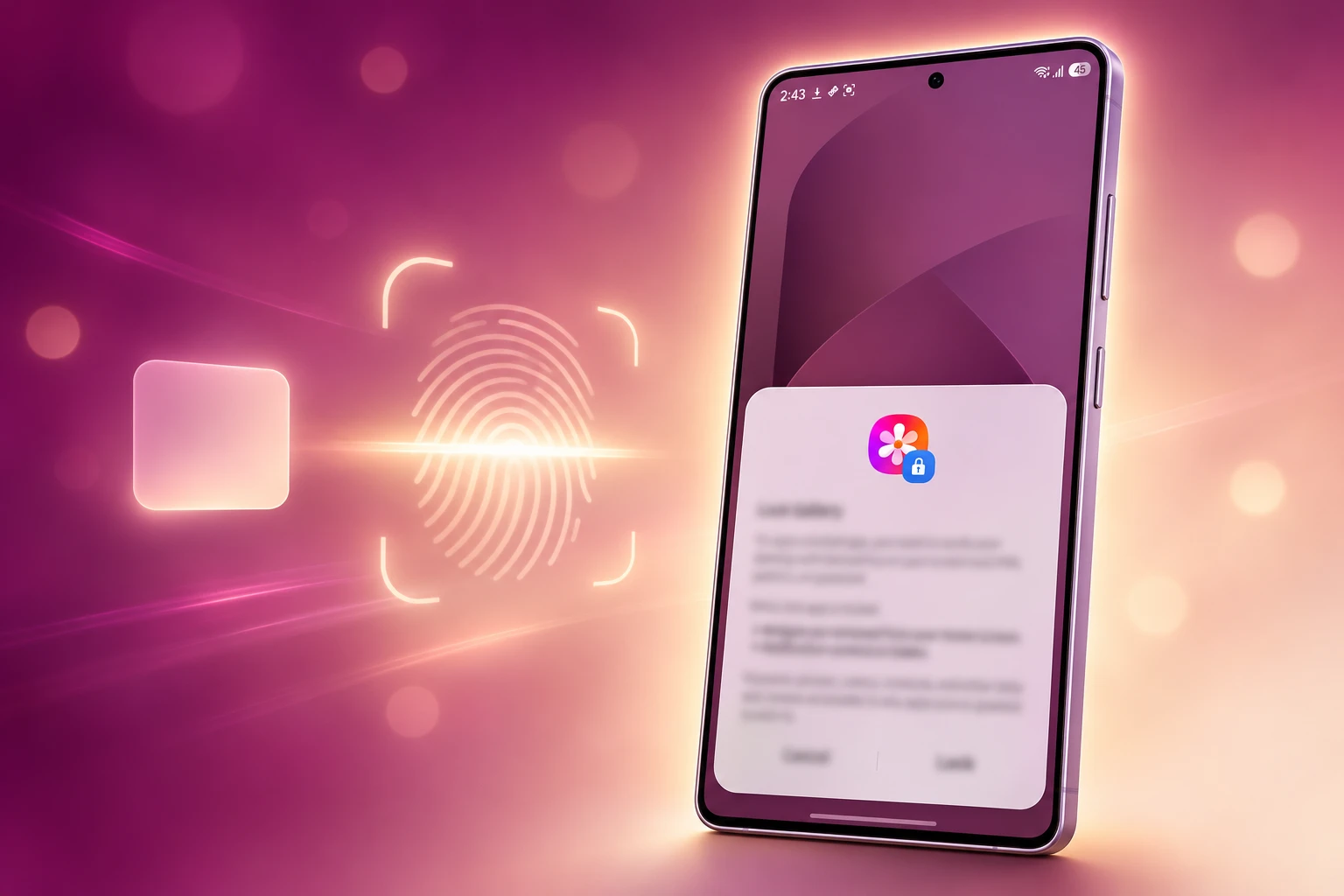
Samsung’s One UI 9.5 beta announcement says App Lock keeps individual apps private by locking them with biometric authentication or the screen lock, so the messaging, gallery, or banking app you already use stays in place with its existing login. You do not install a second copy, and you do not walk into a separate vault to open it.
Opening a locked app asks for a fingerprint or the PIN, pattern, or password that already unlocks the phone. One UI 9.5 also lets fingerprint and face recognition run at the same time when both are registered, which removes an extra tap some Galaxy owners still hit at a prompt.
WHAT LOCKING AN APP CHANGES
- The unlock: A locked app opens only after biometrics or your screen lock.
- Notification content: Alerts from locked apps stay hidden even on an unlocked phone.
- Home screen widgets: Locking an app removes its widgets from the home screen.
- The install: The app stays in the main profile, with no second copy and no second login.
That last point is the product change Galaxy owners kept asking for. For years the built-in answer was to clone an app into Secure Folder, then live with two logins and a vault you had to enter. App Lock is a latch on the same icon you already tap.
The cost is glanceable information. A locked app no longer puts a widget on the home screen, and its notification text does not appear for anyone holding the unlocked phone, including you until you open it. That is the trade Samsung is now willing to ship as default privacy, rather than as a Knox workspace.
Secure Folder Still Asks You to Clone the App
Secure Folder is still on the phone, and it still does a different job. Add an app and Samsung gives you a separate instance inside a Knox workspace. You sign in again. Photos and files stored there stay apart from the main Gallery, and sharing them back out takes extra steps because the folder is a second profile, not a PIN on the original app.
That design is strong if you want a second WhatsApp, a work login beside a personal one, or documents that should never appear in the main profile. It is clumsy if you only want to stop a colleague opening Messages after you pass the unlocked phone across a table. App Lock is built for that second case, and it will pull casual privacy use out of the vault.
APP LOCK VERSUS THE VAULTS
| Tool | How it protects | What happens to the app | While it is locked |
|---|---|---|---|
| App Lock (One UI 9.5) | Biometrics or screen lock on the app you already use | Same install and same login | Notification content hidden; widgets removed |
| Secure Folder | Isolated Knox workspace with its own lock | Duplicate copy, often a second login | The copy lives in the folder; sharing with the main profile takes extra steps |
| Private Space (Android 15 and later) | Separate locked profile on the device | Fresh install; original data is not copied | Apps are stopped and cannot show notifications |
The vault does not disappear. People who need two accounts, hidden files, or a space that can vanish from the app list still have a reason to open Secure Folder. Everyone who was cloning Gallery just to keep a partner off photos now has a lighter switch, which is why the folder stops being the default answer the moment App Lock is on the phone.
The Xiaomi White Paper Already Describes App Lock
Per-app lock was ordinary on other Android skins long before this beta. Xiaomi’s MIUI 13 security white paper describes an App lock module through Security that uses a pattern, PIN, or password, then adds fingerprint and face unlock, with a choice to lock an app as soon as you leave it or one minute after you exit.
OxygenOS on the OnePlus 6 already included a native App locker in 2018, with a switch to hide notification content from locked apps, and the same idea was on earlier OnePlus phones in that line. Current Vivo, OPPO, realme, and OnePlus software still put App Lock in Settings, often beside hide-apps tools and a private album or file safe.
Samsung had Knox, Secure Folder, and a hide-apps toggle, and none of those put a lock on the app you already tap. Developers filled the hole. A One UI-styled locker built on Accessibility services was already circulating among Galaxy owners in June 2026, which is what a missing OS latch produces. Shipping App Lock inside One UI 9.5 does not invent the feature. It retires the workaround.
Google’s Private Space Still Stops the Apps Inside It
Google did not ship a per-app latch either. Private Space, which arrived with Android 15, is a second profile on the phone: a digital safe you set up under Settings, then Security and privacy. Apps you add there are new installs. The previous instance is not copied or modified, and Google recommends a dedicated Google Account so photos, mail, and history do not leak back to the main profile.
When that space is locked, Google says those apps are completely stopped when private space is locked, and they cannot show notifications or use sensors in the background. They drop out of the launcher, Recents, search, and the photo picker. The platform installs them as separate copies in a new profile, and no app data is copied over from the main space.
That is the same family of product as Secure Folder, not as App Lock. A dating app or a second mail account belongs in a space that can disappear. A banking app you open twice a day belongs behind a fingerprint on the icon you already have. Samsung now sells both ideas on the same phone, after years of offering only the heavy one.
What App Lock Hides When You Hand Over a Phone
Samsung wrote the hand-over case into the beta note in plain language. The lock is for an unlocked phone in someone else’s hands, not for a lost device that still needs a screen lock.
When an app is locked, its notification content and widgets remain hidden, helping protect personal information even when others have access to the device.
Samsung Global Newsroom, One UI 9.5 beta announcement
The icons still sit in the drawer. App Lock does not hide that WhatsApp is installed, and it does not stop the app from existing on the home screen. Private Space can hide the whole container. Secure Folder can hide its own icon. Samsung’s new latch only blocks opening, preview text, and widgets.
That is enough for a child, a store clerk, or a colleague who needs maps or a flashlight. It is not enough if the threat is someone who will look for a hidden profile, plug the phone into a computer, or read that a vault exists. Samsung did not say locked apps are frozen in the background the way Private Space apps are, so treat App Lock as a door, not as a stopped profile.
When App Lock screenshots circulated with the beta, the conversation moved on to animation smoothness within minutes. That is what a catch-up toggle sounds like. Galaxy owners wanted the latch so they could stop explaining Secure Folder to relatives. They did not want a keynote about it.
Privacy Display Follows Locked Apps Only on the Ultra
On the Galaxy S26 Ultra, App Lock can also turn on Privacy Display, the hardware privacy panel that makes the screen harder to read from the side. The beta can switch that panel on automatically for secure features, then keep the protection up in the notification panel and in Recents previews for any app set to use it.
PRIVACY DISPLAY AUTO TRIGGERS ON THE S26 ULTRA
- Locked apps: Privacy Display can turn on when you open an app protected by App Lock.
- Samsung Browser: The same trigger works for Secret mode.
- Gallery: Private albums can bring the panel up on their own.
- Samsung Notes: Locked notes get the same automatic shield.
Those four switches live with the rest of Privacy Display’s conditions, and they apply together rather than app by app in a second menu. The S26 and S26+ get App Lock in this beta. They do not get this automatic Privacy Display tie-in, which stays an Ultra hardware feature in the changelog. A locked banking app on a base S26 still asks for a fingerprint. It will not dim the viewing angle on its own.
Six Markets Get the One UI 9.5 Beta
Samsung opened the program to Galaxy S26, Galaxy S26+, and Galaxy S26 Ultra owners in six markets: Germany, India, Korea, Poland, the UK, and the U.S. Sign-up runs through the Samsung Members app, and the company frames the build as an early look ahead of the official debut. Owners outside those countries have no beta seat on this round, and older Galaxy models are not in it.
Samsung says it will expand the beta to more devices before the stable version of One UI 9.5 in 2027. The company has not published the full phone list that will get App Lock, and it has not named a month for the stable train. The source beta note says the feature will likely arrive on Galaxy devices that receive One UI 9.5, which is a working assumption, not a roster.
WHAT WE KNOW
- The latch: One UI 9.5 App Lock protects individual apps with biometrics or the screen lock and hides notification content and widgets.
- Who has it now: The Galaxy S26 series in Germany, India, Korea, Poland, the UK, and the U.S., via Samsung Members.
- The Ultra extra: Privacy Display can auto-on for locked apps, Secret mode, private albums, and locked notes.
WHAT IS UNCONFIRMED
- The device list: Samsung has not confirmed every Galaxy phone and tablet that will get App Lock with stable One UI 9.5.
- The calendar: The stable release is dated 2027, with no month in the beta announcement.
- Background behavior: Samsung has not said locked apps are fully stopped the way Private Space apps are when that space is locked.
Until that stable build lands, most Galaxy owners still have the old menu: Secure Folder for copies, hide-apps for icons, and a third-party locker if they want a fingerprint on WhatsApp. S26 owners in the six beta countries can put the latch on the app itself and leave the vault closed. That is the split Samsung just shipped, and it is the one the rest of the lineup will live with until 2027.

The Strip Bojangles That Charged $100 for 10 Minutes

The Security Fixes Took Microsoft and the NSA Offline

iOS 27 Finally Shrinks the Giant iPhone Lock Screen Clock

AirPods Pro 3 Are $179 Again, Below Last Year’s Cut

Dragon Returns ISS Samples Only It Can Bring Home

Microsoft 365 Auth Fault Took Down Exchange and Teams

OpenClaw 2.0 Ships a Team Workplace With Host-Trust Defaults

Xbox Caps Game Pass Cloud Gaming at 15 Hours

OpenAI Unveils GPT-6 Astra With a Critical Cyber Label

Squishy Dumpling Toys Recalled After Hiding Illegal Water Beads
-
 NEWS3 months ago
Microsoft 365 Auth Fault Took Down Exchange and Teams
-
 NEWS3 months ago
OpenClaw 2.0 Ships a Team Workplace With Host-Trust Defaults
-
 GAMING3 months ago
Xbox Caps Game Pass Cloud Gaming at 15 Hours
-
 NEWS3 months ago
OpenAI Unveils GPT-6 Astra With a Critical Cyber Label
-
 LIFESTYLE3 months ago
Squishy Dumpling Toys Recalled After Hiding Illegal Water Beads
-

 BUSINESS3 months ago
Diesel Breaks Its Record as the White House Claims Credit
-

 NEWS3 months ago
IFA 2026’s Weird Gadgets Are Building a Sensor Home
-

 BUSINESS3 months ago
ChargePoint Stock Rally Prices Wilmer’s Three-Year Cash Plan