
NEWS
Apple Closes Old Messages Gaps After Years of Green Bubbles
Apple made Messages retry failed sends, filter spam, and encrypt RCS chats with Android, while iMessage stays first and green bubbles stay.

Apple spent 2026 making iPhone Messages retry failed sends, hide spam, and encrypt RCS chats with Android, then restated that iMessage is still best between Apple devices.
The lock icon arrived in iOS 26.5 on May 11, 2026. Apple still marks the setting as beta.
Typing Dots Finally Show Up in Group Chats
iOS 26, which landed in 2025, treated the group thread like a product instead of a pile of blue bubbles. The upgrades that people notice first are the ones third-party apps shipped years ago, and they all live inside Messages rather than a new chat app.
GROUP TOOLS THAT LANDED IN IOS 26
- Typing dots: Group chats now show who is drafting, the cue that used to appear only in one-to-one iMessage threads.
- Polls: A poll sits behind the plus button, so a dinner vote does not have to be a stack of conflicting replies.
- Apple Cash: Group members can send money inside the same thread instead of breaking out into private chats to split a bill.
- Backgrounds: Each thread can get its own image, including a photo or an Image Playground still, and everyone in an iMessage chat sees it.
- Add Contact: A button in the group sheet saves an unknown number without leaving the conversation.
On Apple Intelligence phones, Messages can also suggest a poll when the thread is clearly trying to pick a time or a place. The poll itself does not need that hardware. You can still build one by hand, then let people add options and see who voted.
Backgrounds are shared, which is the part that surprises people who treat them like wallpaper. If a group sets a loud photo, every member on compatible Apple software sees it until someone changes it or backgrounds are turned off in Settings. That is customization with a social cost, not a private theme.
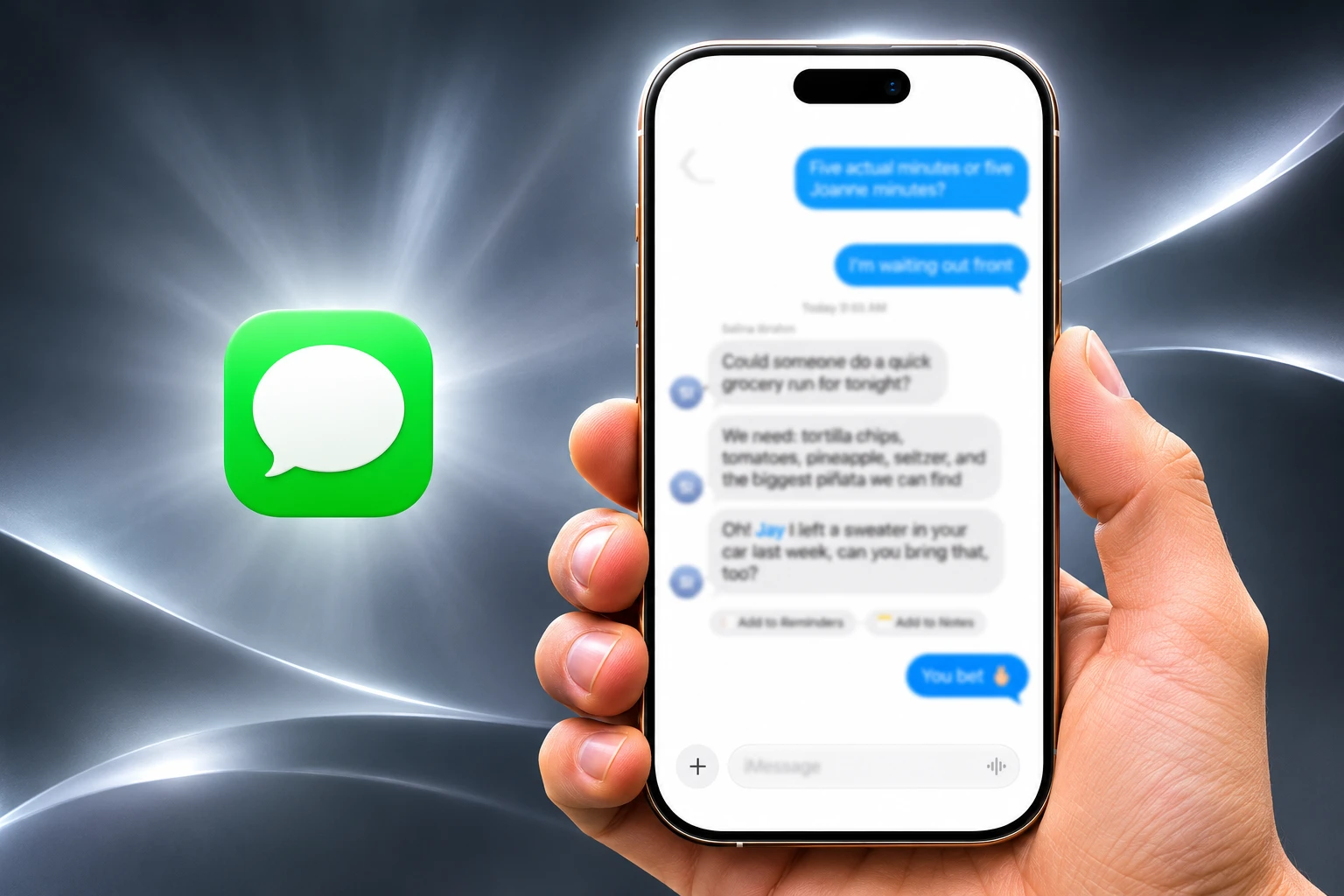
How iPhone Messages Now Files Spam
The other iOS 26 change is less pretty and more overdue. Spam and gray-market texts had been landing in the same list as family threads, and Apple finally split that pile into labeled views instead of leaving everything in one scrolling inbox.
The filter control sits in the upper-right corner of Messages. Tap it and the inbox breaks into separate lists rather than one mixed feed of cousins, delivery codes, and junk.
THE FOUR FILTER VIEWS
| Filter | What it holds | How you get it |
|---|---|---|
| Unknown Senders | Texts from numbers that are not in Contacts | Turn on Screen Unknown Senders |
| Spam | Messages the on-device filter flags as junk | Filter Spam is on by default |
| Transactions | Receipts, shipping notes, and similar business texts | Enable Text Message Filter |
| Promotions | Marketing blasts and sales pitches | Enable Text Message Filter |
Screen Unknown Senders also hides alerts until you accept the thread, which cuts the lock-screen drip of one-time codes and random pings. It will also hide a relative who just switched numbers, so the Unknown Senders count in that menu is worth a look after you turn it on. Filter Spam uses on-device detection and still misses some junk, and it can file an odd legitimate text if the wording looks canned.
Failed Messages Now Retry on Their Own
iOS 27, which arrived in September 2026, did not open with another sticker pack. Apple described the release as a bug-fix and performance pass, and Messages got three send-path changes that matter more on a bad radio than a new background does.
THREE SEND FIXES IN IOS 27
- Auto-retry: A failed message tries again in the background instead of waiting for a tap on the red exclamation.
- Continuous send: Photos, videos, and texts keep going instead of stalling behind a blue progress bar at the top of the thread.
- Sync: Conversations are supposed to match more reliably when you move from iPhone to Mac or iPad.
The old failure mode was quiet. You hit send, swiped home, and learned later that the bubble never left the phone. iOS 26 still expected you to open the thread and retry by hand. iOS 27 treats that miss as the software’s problem, which is an admission that the send path had been failing people who were already doing the normal thing.
Continuous send hits the same nerve. A stuck video used to freeze the next photo behind it, so a burst of weekend pictures became a queue you had to babysit. If those three fixes hold, the flashy iOS 26 items get a network that actually delivers them.
iOS 27.2 Puts Calendar Buttons in the Thread
Apple Intelligence is the other half of the iOS 27 Messages brief, and it did not all ship on day one. The September notes leaned on Siri AI and a Smart Reply that follows your phrasing. The one-tap buttons that turn a dinner plan into a calendar event showed up later.
iOS 27.2, released on October 26, 2026, is the build that introduces Suggestions in Messages. Apple’s own update page says the chips help you take quick actions in Calendar and Reminders, with a dinner invite as the example. A friend texts a time and a place, and a control under the bubble can file it instead of leaving you to copy the line into another app.
A new iPhone can still leave the factory on an older iOS 27 factory build, which would miss those buttons until the owner installs 27.2 or later. Next-generation Apple Intelligence, including Siri AI, is listed for iPhone 16 models and later plus iPhone 15 Pro and iPhone 15 Pro Max. Siri AI is not available in the EU or mainland China, so the richer suggestion layer is still a hardware and region bet, not a universal Messages upgrade.
Smart Reply is separate. In Messages it sits above the keyboard as a suggested line, and Apple says the newer version follows your writing style rather than offering a generic yes. You can ignore the chip and type. You can also shut suggested replies off in Siri app access if the extra row feels like clutter. The feature is most useful on short, obvious questions, which is also where it most risks sending a polished shrug that does not match what you meant.
Why Encrypted RCS Still Shows a Beta Label
The 2026 change that does the most work for people who do not own iPhones is not a background. It is encryption on the Android path, and Apple still will not treat it as finished iMessage.
On May 11, 2026, Apple began a beta rollout of end-to-end encrypted RCS messaging for iPhone users on iOS 26.5 with supported carriers, paired with Android users on the latest Google Messages. A lock icon marks a chat that qualifies. Encryption is on by default and, Apple said, turns on over time for new and existing RCS threads. The messages cannot be read while they travel between devices.
Elmar Weber, Google’s GM of Android and Business Communications, wrote that Google Messages has had encrypted messaging between Android devices for years, and that the company knew it could not stop there. Sundar Pichai, CEO of Google and Alphabet, posted the same-day line that the rollout had started between Android and iPhone users.
Today, we’re starting to roll out end-to-end encryption for RCS messaging between Android and iPhone users! https://t.co/oDpeMZJHFy
— Sundar Pichai (@sundarpichai) May 11, 2026
Alex Sinclair, chief technology officer at the GSMA, said end-to-end RCS messages cannot be read by anyone but the sender and receiver in transit, even by Apple or Google. The work sits on RCS Universal Profile 3.0, published on March 14, 2025, using the IETF Messaging Layer Security protocol. On July 28, 2026, the GSMA refined encryption specifications for RCS after interoperability tests, which is the sound of a standard that is live and still being sanded down.
RCS ON IPHONE, DATE BY DATE
- September 2024: Apple adds RCS to iPhone in iOS 18, with typing indicators, read receipts, and higher-quality media, but without cross-platform end-to-end encryption.
- March 14, 2025: The GSMA publishes Universal Profile 3.0, putting MLS encryption into the RCS spec.
- May 11, 2026: iOS 26.5 starts the beta rollout of encrypted RCS with Google Messages on supported carriers.
- July 28, 2026: Universal Profile 4.1 tightens those encryption rules after testing.
- November 16, 2026: Telstra says Android customers get RCS from this date, with iPhone customers after a December iOS update, and those iPhones need iOS 27 or later.
Apple’s U.S. and Canada carrier pages, updated in September 2026, still list the feature as End-to-end encrypted RCS messaging (beta) for AT&T, T-Mobile, Verizon, and a long tail of brands. Both ends of a chat need a carrier on that list. A lock icon is a status, not a promise that every green thread is private.
iMessage was built with privacy in mind and has always been end-to-end encrypted. It remains the best way to communicate between Apple devices.
Apple Newsroom, May 11, 2026
That last sentence is the tell. Apple will encrypt the Android path and still rank it below blue bubbles. The lock icon does not change the color of the thread, so the social cue that made mixed groups awkward is still there. The upgrade is in transit privacy, not in status.
The lock also covers the body of the message, not the fact that the message happened. Phone numbers, timing, and the carrier hop remain visible to the networks that carry RCS. Treat the icon as a check that the text is not sitting in SMS cleartext, not as a cloak over the whole conversation.
November 9 Closed Two Group Chat Flaws
While the public list of Messages changes ran toward polls and retry, Apple’s November security notes went back to group membership, the same surface iOS 26 had just dressed up.
iOS 27.2.1 shipped on November 9, 2026, fourteen days after 27.2, for iPhone 11 and later. The bulletin lists nine fixes. Two of them are in Messages, both credited to an anonymous researcher, and Apple did not say they had been used in attacks.
WHAT WE KNOW
- Join flaw: CVE-2026-113961 is an authorization bug whose impact line says a remote attacker may be able to join an iMessage group chat and receive its messages, fixed with improved validation.
- History flaw: CVE-2026-113960 says a user added to an iMessage group may be able to access messages sent before they joined, fixed by removing the vulnerable code.
- Reach: Matching iPadOS 27.2.1 notes carry the same Messages entries, and Apple published companion updates the same day for older iOS trains.
WHAT IS UNCONFIRMED
- Exploit path: The notes do not describe how a remote attacker would attach to a group in practice.
- In-the-wild use: Apple makes no claim that either Messages flaw was exploited, and it also does not prove they were not.
For anyone who runs family or work life through an iMessage group, the membership list is now part of the update chore. A stranger in the roster is easy to miss if you never open the details sheet. Install 27.2.1, then look at the names.
Cross-Platform Chats Still Lack Unsend and Effects
Encrypted RCS narrows the worst gap, the SMS-era open text, and it does not make a green thread into iMessage. Apple still routes Apple-to-Apple traffic through iMessage first. RCS is the fallback when the other phone is not in that club, which usually means Android.
WHAT CROSSES THE BLUE-GREEN LINE
| Capability | iMessage | Encrypted RCS | SMS or MMS |
|---|---|---|---|
| End-to-end encryption | Yes, Apple to Apple | Beta, if both carriers and Google Messages qualify | No |
| Bubble color on iPhone | Blue | Green | Green |
| Typing, receipts, rich media | Yes | Yes, when RCS is up | No |
| Polls and shared backgrounds | Yes, in iMessage threads | Not the iMessage extras | No |
| Unsend across platforms | Inside iMessage | Still missing | No |
Tapbacks, inline replies, and high-resolution media can travel on RCS in iOS 27. Full iMessage effects, some animations, and cross-platform unsend still do not. Business RCS and anything that falls back to SMS or MMS are not covered by the personal MLS path. If the lock icon is absent, assume the old rules.
That is the shape of Apple’s two-year Messages push. iOS 26 made groups and the inbox look modern. iOS 27 made sending less brittle and put action chips under plans. Encrypted RCS, still labeled beta on carrier lists, is the concession to the phones Apple does not sell. The company will keep telling iPhone owners that blue is best, because it still is, on Apple’s terms, with a green thread that is safer than it was in 2024 and less complete than a blue one.
Frequently Asked Questions
Does RCS Encryption Work With Every Android Phone?
No. The May 11, 2026 rollout is built for the latest Google Messages on Android plus an iPhone on iOS 26.5 or later, and both people’s carriers have to support encrypted RCS. Samsung Messages, business RCS, and any chat that drops to SMS or MMS stay outside that path, so the lock icon is the check, not the other person’s brand of phone.
Do iPhone Messages Polls Need Apple Intelligence?
No. Anyone on iOS 26 can open the plus button at the lower left of a thread, choose Polls, and run a vote with multiple options, including extra choices added by other people. Apple Intelligence is only what lets Messages notice a decision in progress and offer to build that poll for you on supported devices and in supported languages.
How Do You Turn On Encrypted RCS on iPhone?
Open Settings, tap Apps, tap Messages, then open RCS Messaging and leave End-to-End Encryption (Beta) on, which is the default where the carrier supports it. Apple says a conversation can take a few hours to activate, and you confirm it by the lock icon in that RCS thread rather than by the toggle alone.
Which iPhones Get Personalized Smart Reply in Messages?
Personalized Smart Reply in Messages needs Apple Intelligence hardware, the same iPhone 16 and later plus iPhone 15 Pro and iPhone 15 Pro Max cut used for Siri AI, and Apple’s intelligence notes limit that Messages style matching to English. Mail’s personalized Smart Reply covers Apple’s wider language list, so a phone can draft in your voice in Mail and still offer only generic chips in Messages if the language does not match.

Xiaomi 18 Pro Goes Global as Its Privacy Filter Falters

iFixit Finds HomeView Glued Shut After Repair Gains

Polymetallic Nodules Shelter 4,139 Animals Miners Want

One UI 9.5 Puts Now Brief Behind a System Agent

Framework’s $99 Keyboard Brings Laptop Repair to the Couch

Microsoft 365 Auth Fault Took Down Exchange and Teams

OpenClaw 2.0 Ships a Team Workplace With Host-Trust Defaults

Xbox Caps Game Pass Cloud Gaming at 15 Hours

OpenAI Unveils GPT-6 Astra With a Critical Cyber Label

Squishy Dumpling Toys Recalled After Hiding Illegal Water Beads
-
 NEWS3 months ago
Microsoft 365 Auth Fault Took Down Exchange and Teams
-
 GAMING3 months ago
Xbox Caps Game Pass Cloud Gaming at 15 Hours
-
 NEWS3 months ago
OpenClaw 2.0 Ships a Team Workplace With Host-Trust Defaults
-
 NEWS3 months ago
OpenAI Unveils GPT-6 Astra With a Critical Cyber Label
-
 LIFESTYLE3 months ago
Squishy Dumpling Toys Recalled After Hiding Illegal Water Beads
-

 BUSINESS3 months ago
Diesel Breaks Its Record as the White House Claims Credit
-

 NEWS3 months ago
IFA 2026’s Weird Gadgets Are Building a Sensor Home
-

 BUSINESS3 months ago
ChargePoint Stock Rally Prices Wilmer’s Three-Year Cash Plan